


Windows 10 reached EOS (end of support) on October 14, 2025. For more information, see this article.

Mozilla サポートの検索

サポート詐欺に注意してください。 私たちはあなたに通話やショートメッセージの送信、個人情報の共有を求めることはありません。疑わしい行為を見つけたら「迷惑行為を報告」からご報告ください。

詳しく学ぶ

このスレッドはアーカイブに保管されました。 必要であれば新たに質問してください。

Sync is unavailable

  • 2 件の返信
  • 15 人がこの問題に困っています
  • 76 回表示
  • 最後の返信者: Tangles

more options

I am getting this message on an iPhone 5S running iOS 9.3.3 with Firefox v5.0 (2)

I have tried: -Logging out/in of my Firefox account -Rebooting the phone -Disabling Bookmark syncing from my desktop PC (Windows 10 Pro 64-bit), Syncing, and then Enabling Bookmark syncing, Syncing -Changing my password for my Firefox account and then resyncing from my desktop PC -Uninstalling and reinstalling Firefox for iOS

It appears that all of my bookmarks are available on my iPhone but it is still showing me the "Sync is unavailable" warning when I view the app Options.

I assume this is a bug with the lastest version and/or the new iOS version that I just upgraded to?
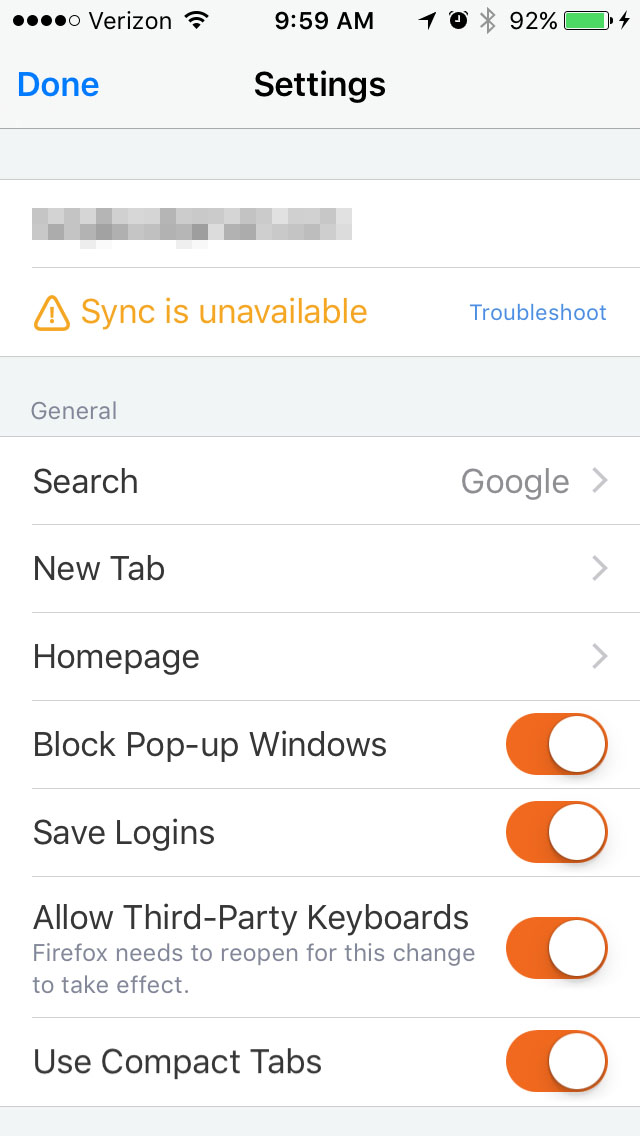
I am getting this message on an iPhone 5S running iOS 9.3.3 with Firefox v5.0 (2) I have tried: -Logging out/in of my Firefox account -Rebooting the phone -Disabling Bookmark syncing from my desktop PC (Windows 10 Pro 64-bit), Syncing, and then Enabling Bookmark syncing, Syncing -Changing my password for my Firefox account and then resyncing from my desktop PC -Uninstalling and reinstalling Firefox for iOS It appears that all of my bookmarks are available on my iPhone but it is still showing me the "Sync is unavailable" warning when I view the app Options. I assume this is a bug with the lastest version and/or the new iOS version that I just upgraded to?
添付されたスクリーンショット

すべての返信 (2)

more options
more options

Looks like this was also reported here: https://bugzilla.mozilla.org/show_bug.cgi?id=1290331