Resume broken download trick not working on Firefox 30?

I'm not able to resume my broken mediafire download using the part file on Firefox 30, I can't download it again it took me 12 hours. What happens is I restart the download and pause it, delete/replace the part file with my part file, then click resume and it fails everytime does not resume.. According to Mediafire's FAQ page they do support resuming.
すべての返信 (3)
Did you replace the destination file without the .part with size 0 as well?
It is possible that the file is downloaded from another server and gets a different URL. You can try an external download manager program to see if that allows to resume the download.
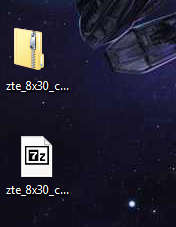
The second "file" that I read about that looks like the zip file (without the .part at the end), disappeared after the download stopped and failed.. so all I have to work with is the single .part file that is 241mb (of the 262mb that it would be had it not failed.)
is the top file the "destination file" you are referring too? Because when it failed it disappeared and all that was left was the .part file.