


Thunderbird keeps asking for passwords

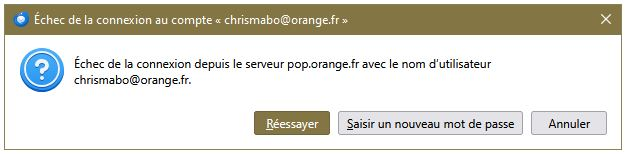
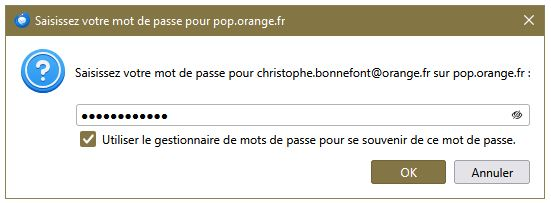
Hello For the past few days, every time I launch Thunderbird, I’m asked to re-enter my account password. I do this every time after deleting the saved passwords in the settings, ticking the ‘Use the password manager...’ box, and restarting Thunderbird. But nothing seems to work. Do you have a solution? Thank you. Kind regards.
All Replies (2)
I do this every time after deleting the saved passwords in the settings
Yes I read somewhere that is the default. You will be asked for 'password' in every new instance.
UPDATE: The above may not be accurate this is what I have just noticed under Settings > Privacy and security
A Primary Password protects all your passwords, but you must enter it once per session.
Edeziri site na amoun
Hello For the past few days, every time I launch Thunderbird, I’m asked to re-enter my account password. I do this every time after deleting the saved passwords in the settings, ticking the ‘Use the password manager...’ box, and restarting Thunderbird.
Password manager keeps track of your passwords, in a specific Thunderbird profile. If you have more than one profile, then you must save passwords in multiple profiles.
Is anything in https://support.mozilla.org/en-US/kb/password-manager-remember-delete-change-tb unclear?
FYI primary password is described at https://support.mozilla.org/en-US/kb/protect-your-thunderbird-passwords-primary-password. But a primary password is not required for you to save passwords.
Your steps are unclear.