


Thunderbird Mobile: "User is authenticated but not connected" error
Hello,
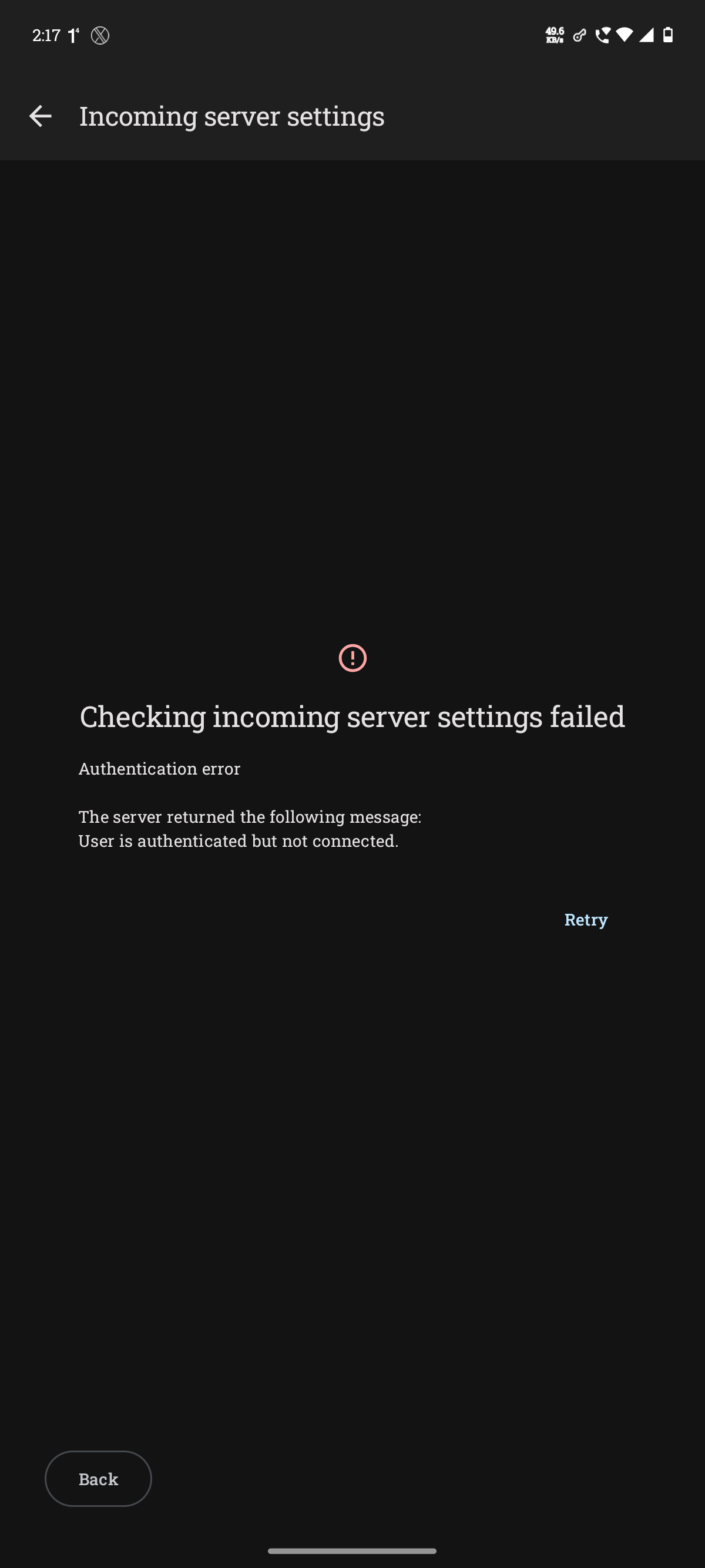
I am trying to set up my email account on Thunderbird for Android, but the incoming server configuration fails during the validation step.Error Message Received:"Checking incoming server settings failed.
Authentication error. The server returned the following message: User is authenticated but not connected."
My Environment & Setup Details: App Version: Thunderbird 21.0 OS: Moto Edge 50 Neo, Android 16 Email Provider: Outlook.com Server: outlook.office365.com Protocol: IMAP Authentication Method: OAuth2.0
I have tried so far: Toggled between Wi-Fi and mobile data to rule out local network issues. Verified that my login credentials work perfectly via the webmail browser interface. Completely deleted the account attempt and retried the automatic setup process from scratch.
I have attached a screenshot of the exact error screen for reference. Any guidance on how to fix this authentication loop would be greatly appreciated.
This issue has been persistent for many months now.
If any more info is needed, please feel free to reach out. Thank You
All Replies (5)

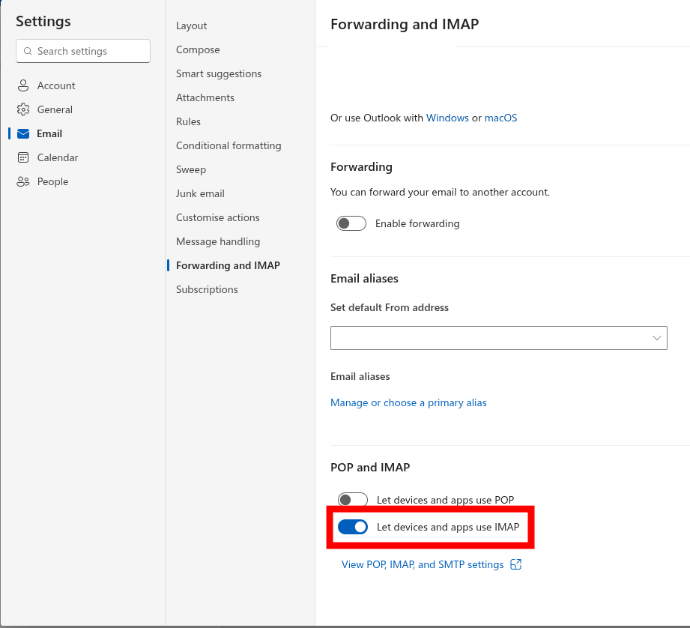
That particular message presents when imap has not been enabled on outlooks webmail settings page. See the screen shot attached. You need to enable it.
If this is a new outlook account, you may run into a second error message once you get past the first one. Older accounts such as microsoft hotmail are unaffected.
Error: Smtpclientauthentication is disabled for the maillbox.
There's no resolution for the second issue at the moment.
Developer Feedback: https://github.com/thunderbird/thunderbird-android/issues/10787#issuecomment-4892119413
"Microsoft has been making significant changes recently without providing any disclosure or documentation that could help us understand these changes or how to address them."
Bug Report: https://github.com/thunderbird/thunderbird-android/issues/10787
Hello Platform34,
Thank you for your response.
When I went to check my webmail settings, as per your screenshot - Let Devices and Apps use IMAP' was already enabled.
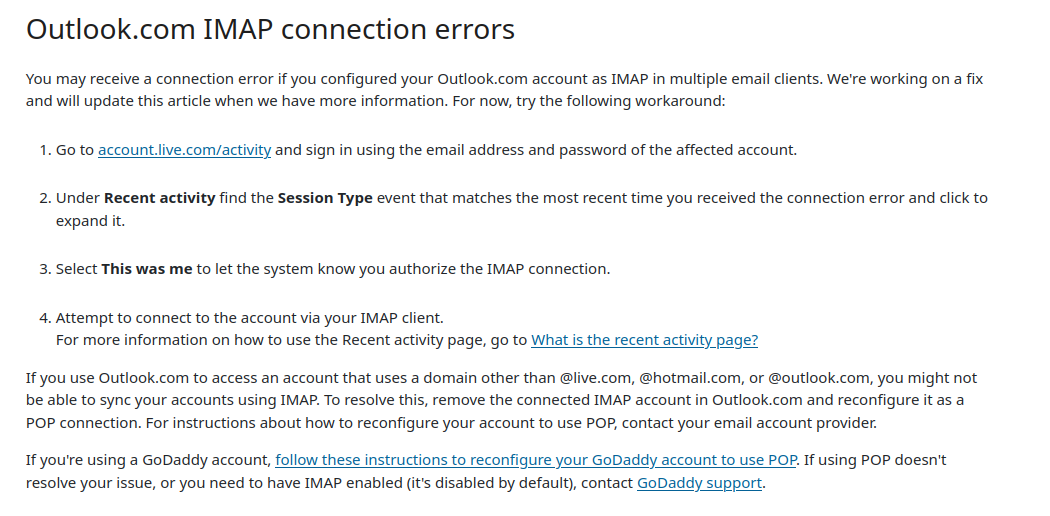
Do you think maybe this issue is there due to this - https://support.microsoft.com/en-US/O.../pop-imap-and-smtp-settings-for-outlook-com
It mentions about Outlook.com IMAP connection errors is due to the fact of having configured your Outlook.com account as IMAP in multiple email clients. I have attached screenshot of the text mentioned on the above link for your reference.
The error message is 100% displayed when imap is disabled.
I'd toggle imap off and on again, saving after each change. Once you've done this, wait a few minutes before trying to connect your phone. This has resolved the error for me in the past.
It's certainly worthwhile checking your outlook recent activity, and confirming the connection attempts that were made by you. This would help exclude any potential security blocks.
I've toggled IMAP on & off. I'll wait a few days to check if it works for me as well.
For the recent activity thing - it's pretty much useless. As it only shows the recent activity of my logins but doesn't let me confirm the option.
Just to confirm, should I disable POP as per your screenshot? As POP was enabled by default.
I don't use pop, hense why its not enabled in my screen shot.
Your initial post suggests your account uses Imap.
Protocol: IMAP Authentication Method: OAuth2.0
If no other email clients connect to your account using pop then you can disable it, overwise leave pop enabled.