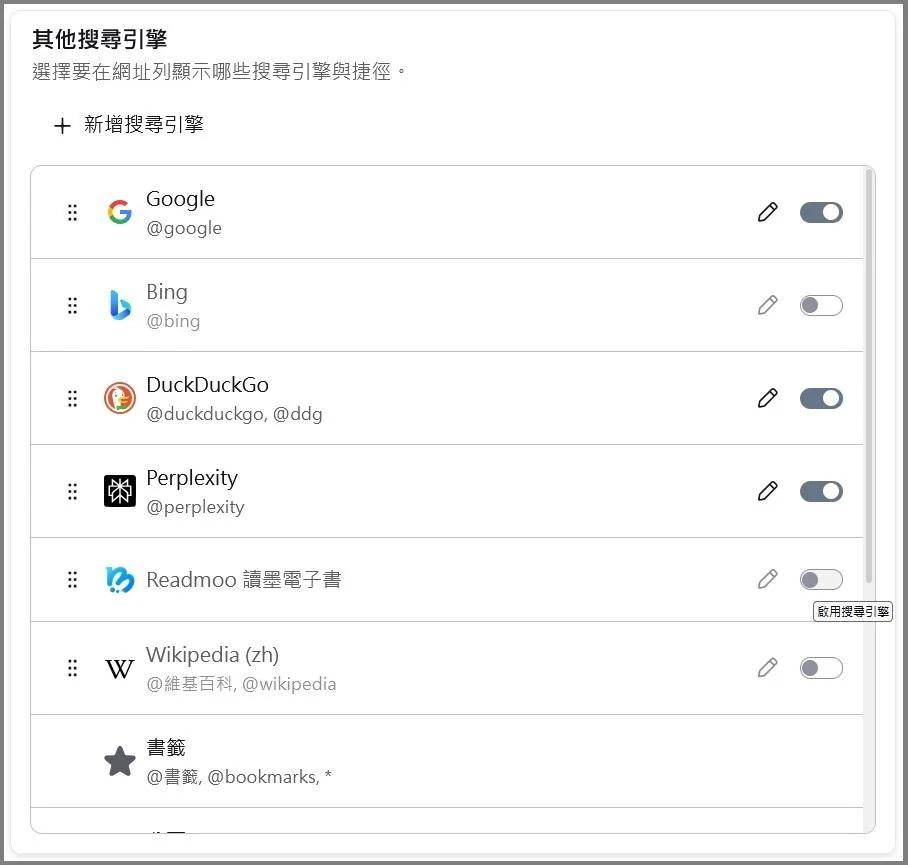
About ( new look ) ...

( other search engine ) , here ...
rrr1.jpg
Why are only ...
( Enabled ) and ( Not Enabled ) ...
These two choices ...
.........................
Before , can remove ( Search engine ) ...
.
Edeziri site na xxxrr
All Replies (6)
It is a list of search engines that comes directly with Firefox.
It cannot be removed since quite a long time.
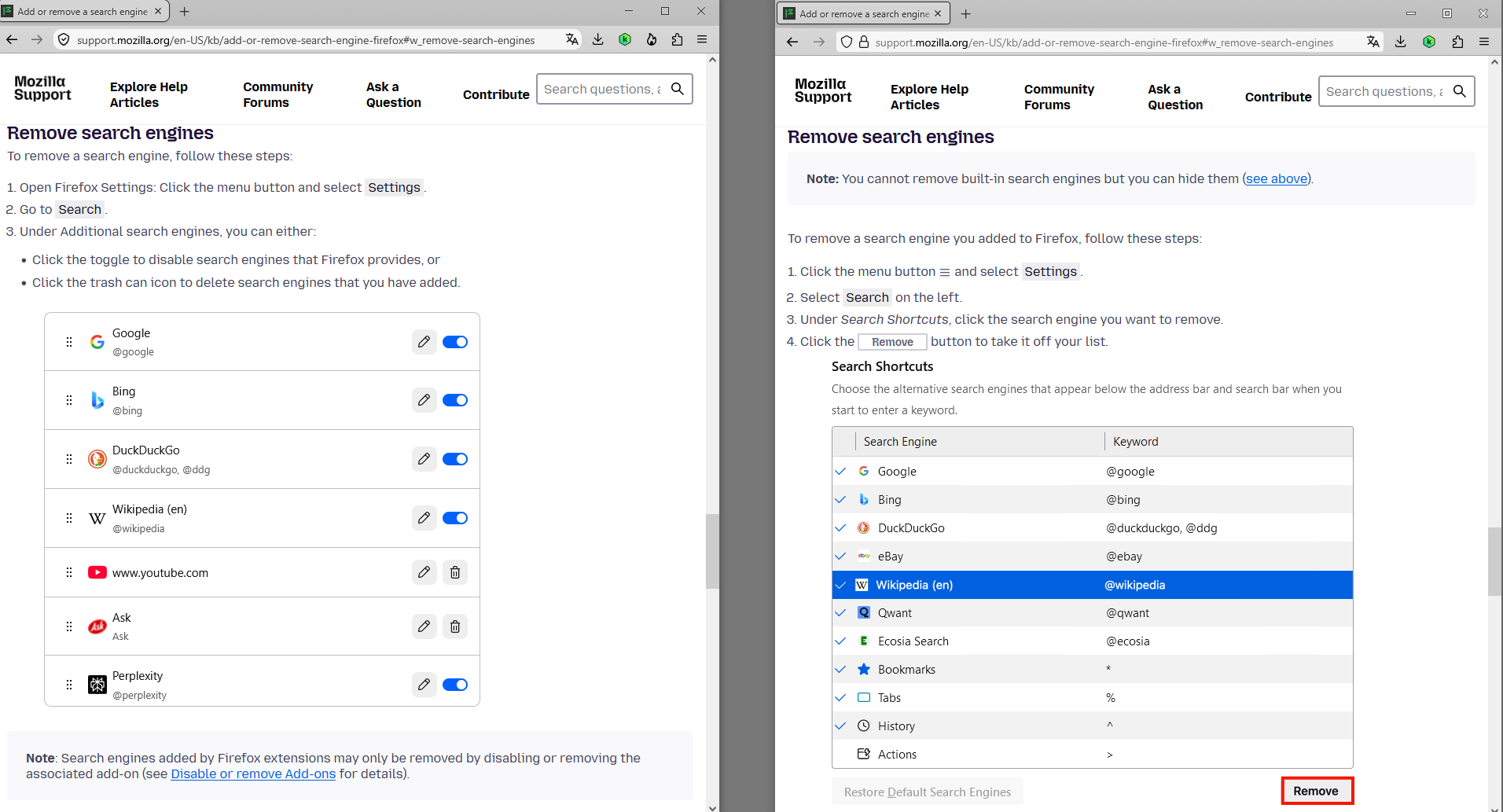
You can only remove search engines that you installed by yourself.

macOS Sequoia 15.7.7 Firefox 152.0.1
I also want to remove search engines I will never use, such as Bing.
I also don't think the block on removing some search engines has been around for a long time - I fairly regularly check which search engines are installed on my browsers. This block has, I believe only been around since perhaps the beginging of this year, perhaps even more recently.
In any case, why does Mozilla/Firefox insist I have Bing or Google installed?I know I don't have to use them but why must they be there at all?
I don't trust either and, as much as possible, want all trace gone from my system.
These settings are preinstalled in a compressed file, thus they're not easily (or at all) removable.
Bonjour
https://support.mozilla.org/en-US/questions/1587943
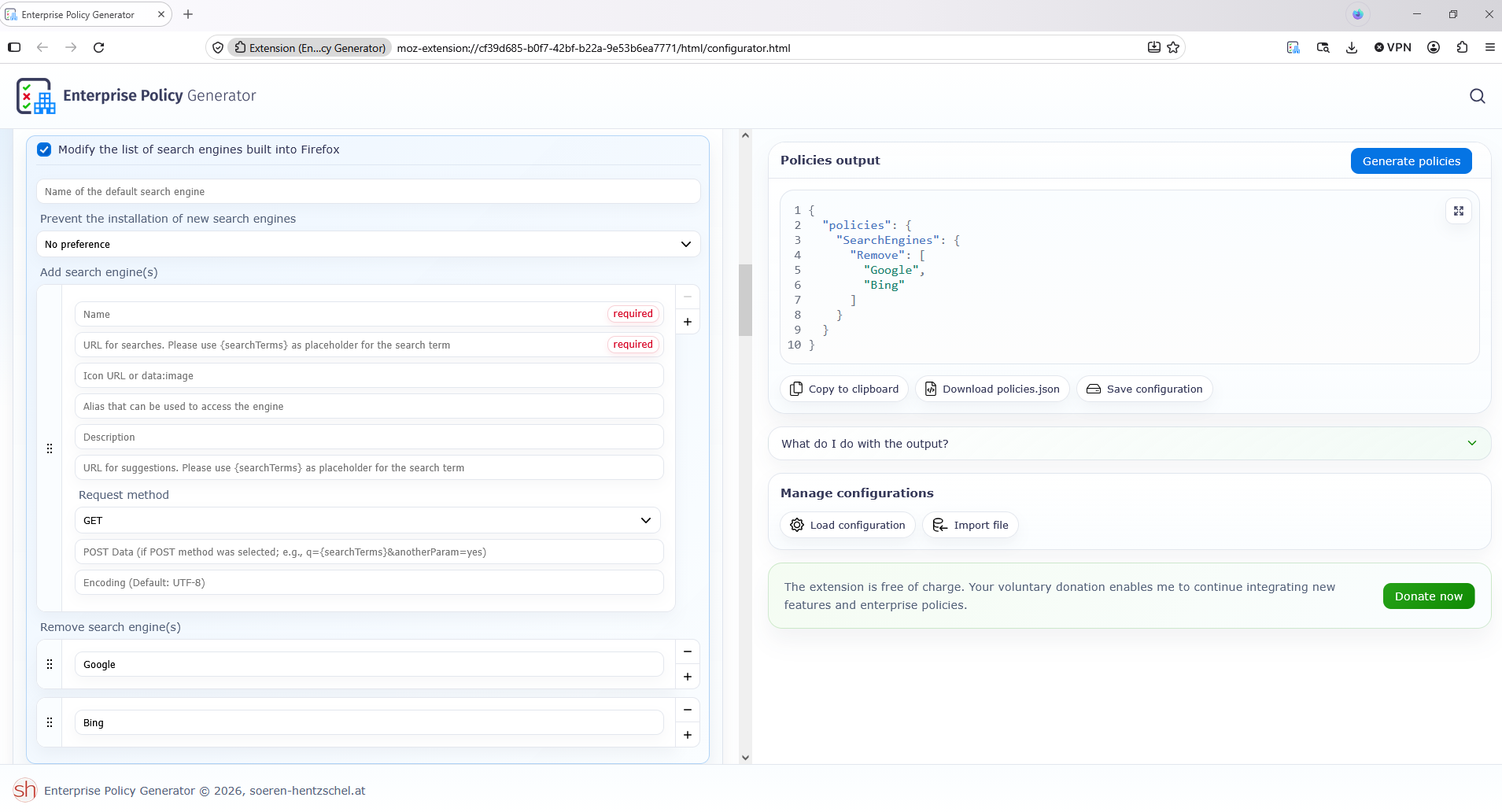
If you want you can try Enterprise Policy Generator https://connect.mozilla.org/t5/discussions/enterprise-policy-generator-an-open-source-browser-based/td-p/127768
https://addons.mozilla.org/firefox/addon/enterprise-policy-generator
Remove search engine(s)
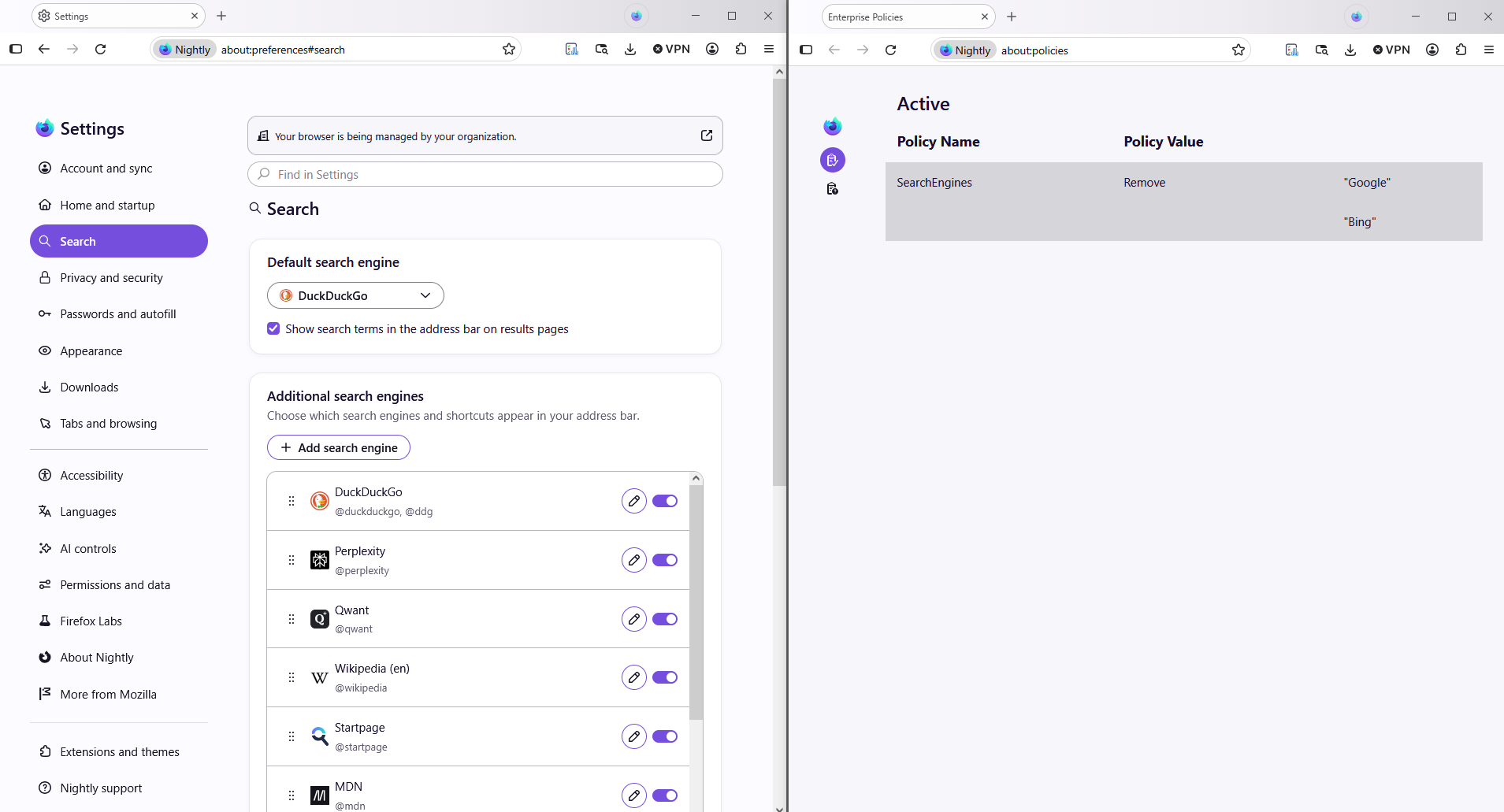
{ "policies": { "SearchEngines": { "Remove": [ "Google", "Bing" ] } } }
Your browser is being managed by your organization
Manage Firefox search settings https://support.mozilla.org/en-US/kb/change-your-default-search-settings-firefox, you can customize this article
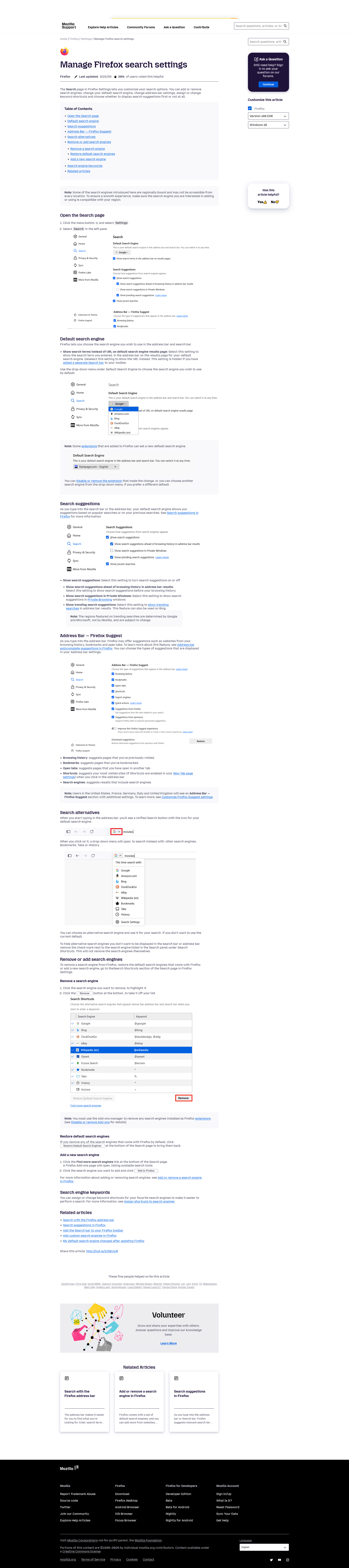
Add or remove a search engine in Firefox https://support.mozilla.org/en-US/kb/add-or-remove-search-engine-firefox
Remove search engines