


Trying to crop images replaces them with blank images
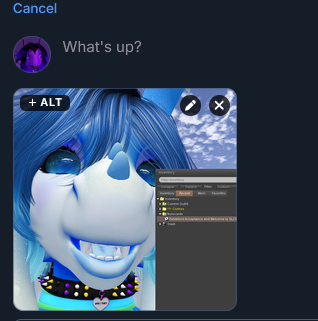
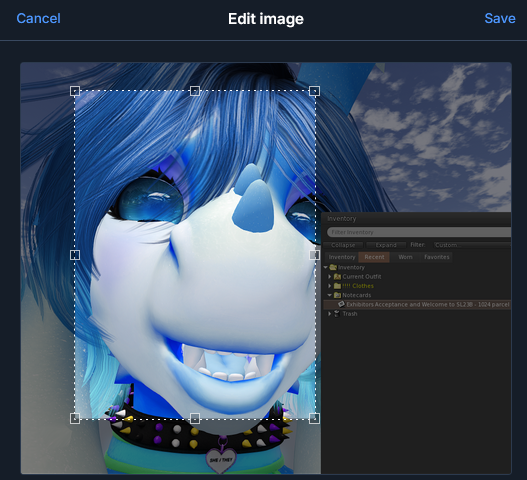
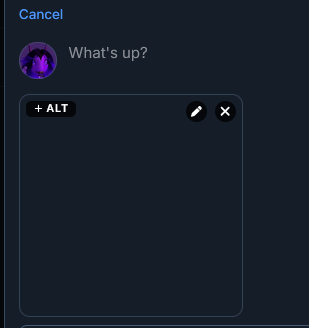
On any website i've tried (this site, artfight, bsky) using a cropping tool that the website provides for image uploads causes the image to corrupt and become blank. My profile image at the moment is an example of this, i tried to upload a picture and it got replaced by a blank black image because it required cropping
Asịsa ahọpụtara
My rules were set to Standard and i did not touch those settings. However closing Firefox completely and then updating it resolved the issue
Gụọ azịza a na nghọta 👍 0All Replies (2)

Hi there!
This is actually a known privacy protection feature backfiring on you!
When websites let you crop an image directly on their page (like Bluesky or Artfight), they use a browser feature called an HTML5 Canvas. Because some malicious sites use Canvas to secretly track your device, Firefox has a built-in feature to block it. When it blocks it, the cropped image instantly turns into a blank, black, or transparent square.
Since it’s happening on every site, you likely have strict fingerprinting protection turned on. Here is how to fix it:
Check your Privacy Settings:
- Click the Firefox menu button (three lines) and open Settings.
- Go to Privacy & Security on the left.
- Look under Enhanced Tracking Protection. If you are set to Strict or Custom, try switching to Standard and refresh your page to see if cropping works.
Once turned off, give the page a quick refresh and your image cropping tools should work perfectly again! Let me know if that brings your pictures back.
Asịsa Ahọpụtara
My rules were set to Standard and i did not touch those settings. However closing Firefox completely and then updating it resolved the issue