


Consitent font size across HTML mail and signature in Thunderbird
Hi community,
I want to have the same font and font-size in:
- my HTML message body text
- my signature.html file
so I can send consistent and nice-looking e-mails, like you would expect.
Here are my current settings:
- Settings > General > Language & Fonts > Fonts >
- Default font: Arial
- Size: 12
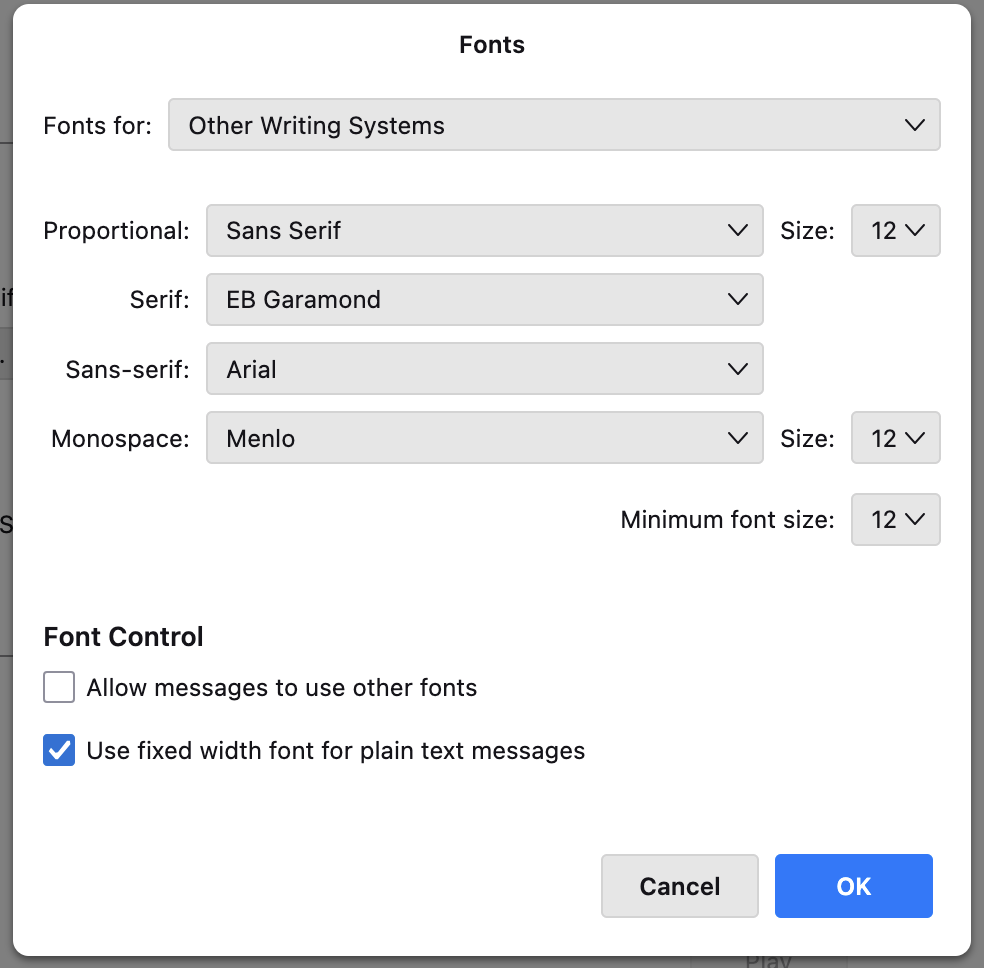
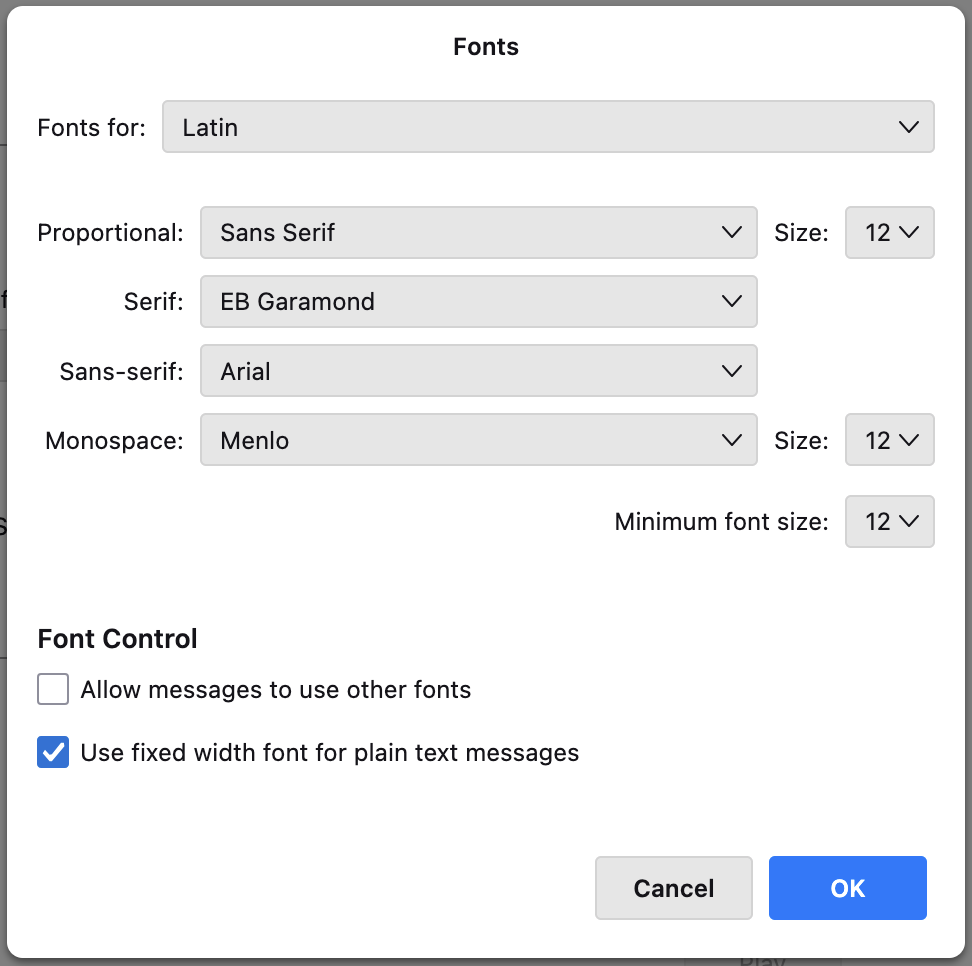
- Advanced: For both "Latin" and "Other Writing Systems" I have the settings you can see in the attached screenshots.
I heard that these settings are for personal viewing.
- Settings > Composition > HTML Style >
- Font: Arial
- Size: Medium
I heard that these settings are for viewing by recipients.
The first line of my signature.html file looks like this: div style="font-family: 'Arial'; color: #222; line-height: 1.0; font-size: 14px;"
There is always a slight font size mismatch of the message text with my signature.
I unsuccesfully tried tweaking the html font size values in px or pt to match the given size in Settings > Composition > HTML Style for Medium or Large.
It seems that the available font size granularity of Medium or Large just does not match corresponding pixel or point values?
I would be extremely grateful if someone can guide me on how to achieve this!
If there is no valid solution for this problem, I'm happy to open/report an issue on this.
Thank you and have a wonderful day
Edeziri site na Luis
All Replies (5)
Asịsa Ahọpụtara
If I may offer a suggestion, if your intent is that the recipient focus on content and not on font, use font 'variable=width' and size medium in your settings>composition pane. That setting ensures that your message will be presented in the recipient's font and font size.. As you stated, the other settings in latin and other writing systems are for you, not the recipient. For your signature, also do not use a font or font size. That ensures that your sig will be consistent to recipient.
Hey david, thanks for your answer!
I'd say that both font and content are important for me.
Do you know what is actually meant by Variable Width in the HTML style of the composition settings? If I would choose Arial – which should be a system font available across operating systems, right? – my recipients would read the mail in this font? When choosing Arial, I get confused because the font drop-down menu changes from displaying Arial to sans-serif,Arial as soon as I start typing some text. Same question: What is meant with sans-serif here?
Removing the font-family and font-size from my signature HTML solved the style mismatch! Thank you so much!
Have a wonderful day
Variable-width is a code word in thunderbird to NOT SEND font style. The lets the recipient see mail in recipients preference. To my knowledge, no other email client allows this freedom. When you see 'sans serif,arial, that is a signal to the recipient's email client to use a similar font to arial if arial is not on the PC. The good news in setting the HTML compose option to variable-width and medium font is that the recipients see your message in their desired font and font size. A win/win.. I was glad to assist and pleased that the sig now works properly. :)
I see – that sounds indeed very handy!
Thank you again for your detailed explanations, you helped me to solve this very long-overdue problem...
Wonder where all this info is documented for other users? Well, at least this post exists now...
You are very welcome. Actually, this is a common question; I must have answered it a few dozen times. Funny. Take care. :)