


Using Gmail as Pop account login / folder issues

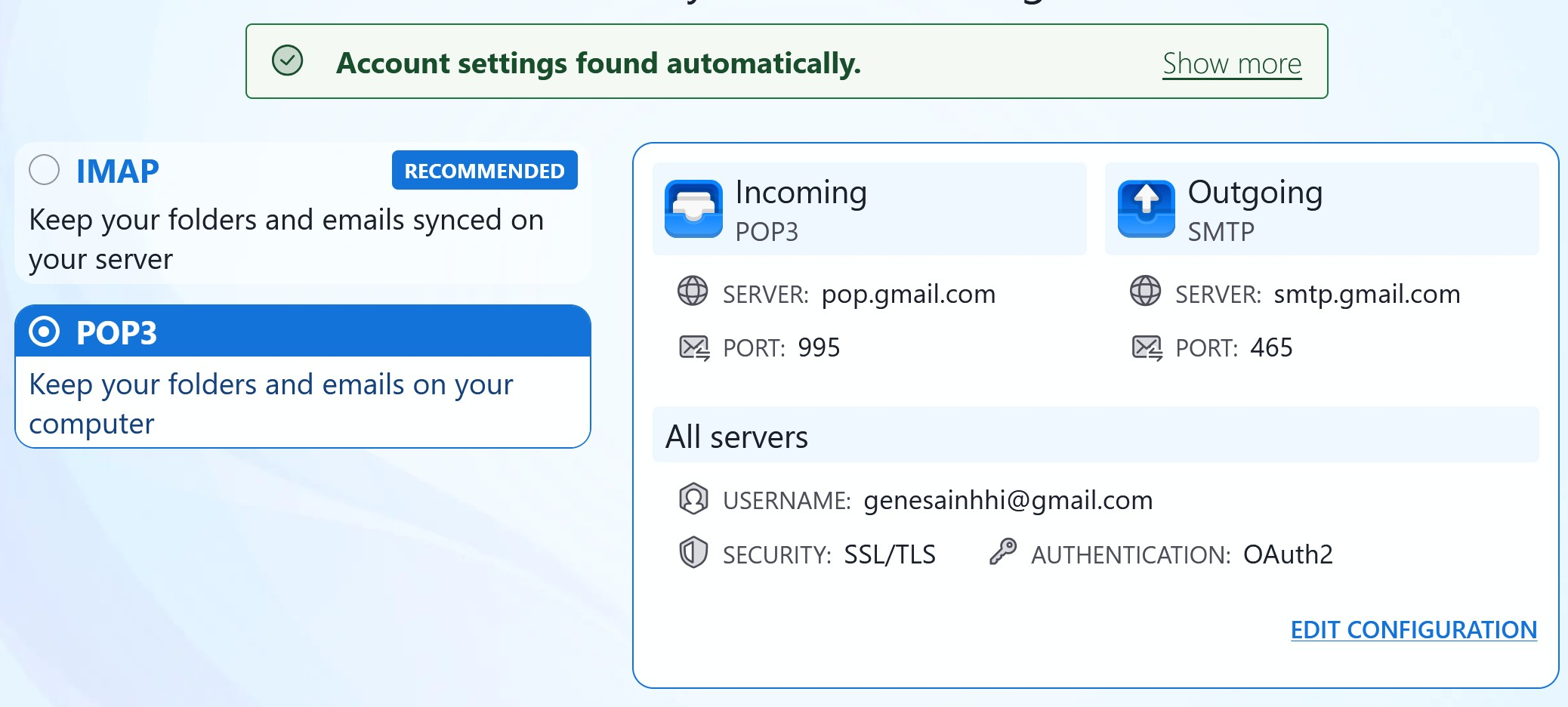
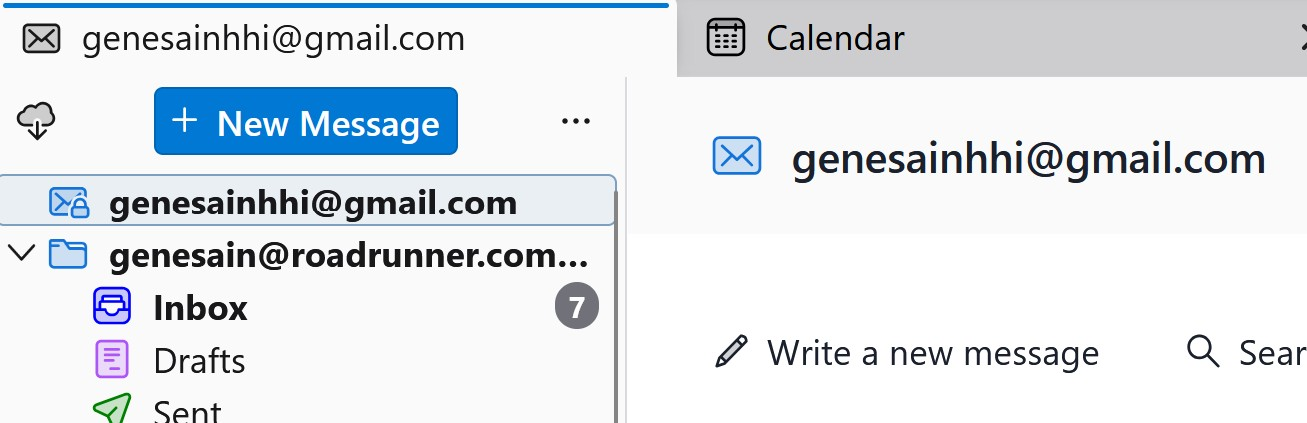
I have had a little used Gmail IMAP account and then Pop Roadrunner and Mindspring accounts, the latter set up with Global to share folders. I use Provider for Google Calendar so there is a password or token for it. Deleted the Gmail IMAP account from Thunderbird. Set Gmail on web to Pop. Set up GMAIL Pop account on Thunderbird. My Mail folders are moved to userid\Mail and show Roadrunner, Mindspring, Local, then Gmail, Gmail.sbd, amd Gmail.msf - the latter being from old Gmail IMAP I believe - no emails actually stored. Authentication is set to Oauth for Gmail. During account setup seems to verify servers ok, but the TB folder pane shows the Gmail Pop account with no folders underneath. The little envelope on the left of it has a padlock icon on it ... assume for secure connection. Sent a few test emails to Gmail, they show on-line web Gmail but Get Messages does not seem to be working for the Gmail Pop account in Thunderbird. I do have 2 factor turned on. Get prompt and Google confirms Thunderbird has access, but no mail comes down. Tried changing the message target to the Global folders - would not save that destination in Advanced Settings. Also, once Pop account is setup and you look at Settings, with the prior security setup as STARTTLS or SSL/TLS, the authentication drop down box displays as a blank, one column wide drop down. This is Thunderbird 153.7.0 esr. Spectrum has been making changes on their SMTP side making sending mail from Roadrunner erratic, thus trying to basically replace that Pop account over time with the Gmail Pop. I'm stuck.
Semua Balasan (2)
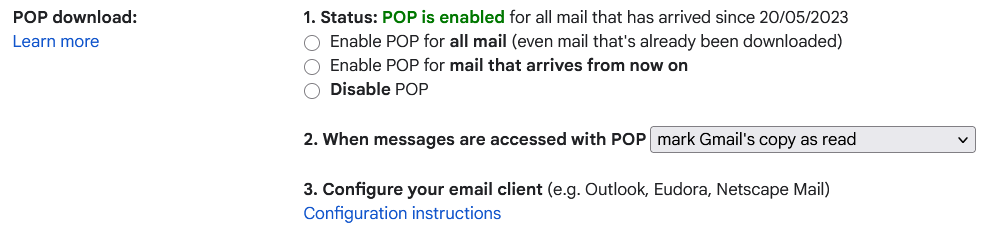
When you enabled POP on gmail when did you enable it from? The default is I think the day you enable it. which would mean you will have to wait for new mail to get anything locally.
Go to this link and check your settings, https://mail.google.com/mail/u/0/#settings/fwdandpop
Now we need to discuss folders, and there complete absence from the POP protocol. The protocol talks of a "mail drop" and for practical reasons this is generally considered to be the inbox. This not a bad analogy, but the mail drop is all incoming mail, including what the provider considers SPAM.
Now in Thunderbird removing an account usually does not remove folder or data, unless you explicitly request that with the account removal. Nor does adding the same email address again result in anything being copied. YOu will have profile/imap Mail folder with your gmail IMAP data still in it probably. And a new folder in Profile/POP with your new account. The MSF file is created automatically as soon as you select to view the folder. It is not some hangover from the past.
Thunderbird is only really meant to work with google oauth authentication. however I would suggest you delete the existing oAUth tokens in your passwords in Thunderbird for Google so the process can start again. Google and Thunderbird might struggle with the change from IMAP to POP https://support.mozilla.org/en-US/kb/password-manager-remember-delete-change-tb
So, I have a travel laptop without Thunderbird on it. As a test I installed Thunderbird and set the initial account as a Pop version of my Gmail. Worked perfectly. So the big difference is that just installed using the default Profile location as the data store. On my "production" home system I have the data moved to userid\Mail folder to protect it from any corruption issues with the Profile. I do run backups. The main difference in the 2 installations is the data location. I noted the Pop Gmail account would let me browse data locations on home system, but will not let me type in or select the data location ... just leaves it blank which explains no folders etc. for the new Pop Gmail account. Current plan is to test moving other account data back to default Profile location then try and add the Pop Gmail account there. The Oauth authentication actually is working, the account is just missing data.