


Permanently BLOCK Firefox from opening links in other apps.
I NEVER want Firefox to open a link in an external app. If I wanted to use an external app, I wouldn't be using Firefox. As far as I can tell, however, it's impossible to tell Firefox to never open links in other apos, only to always do it.
This means that when I, for example, want to browse Amazon in Firefox so that I can compare multiple products in different tabs, I have to tell Firefox to stay in Firefox instead of opening the Amazon app in EVERY. SINGLE. TAB. Sometimes more than once.
It also means that if I want to browse anything from any company that likes to track my activity when I use its app WITHOUT being tracked, I have to constantly confirm that I want to stay in Firefox, where I have tracking blocked.
It's annoying and increasingly exhausting. Why can't I set my preferences to "never" as well as "always" open in external apps? I don't want to have to keep answering the question when my answer will always be the same. What gives?!
Semua Balasan (4)

Can other apps open a url link?
If not, how would you open that link?
I'm not sure what you're asking?
I want to be able to stop clicking "Stay in Firefox" every time a link could be opened in another app.
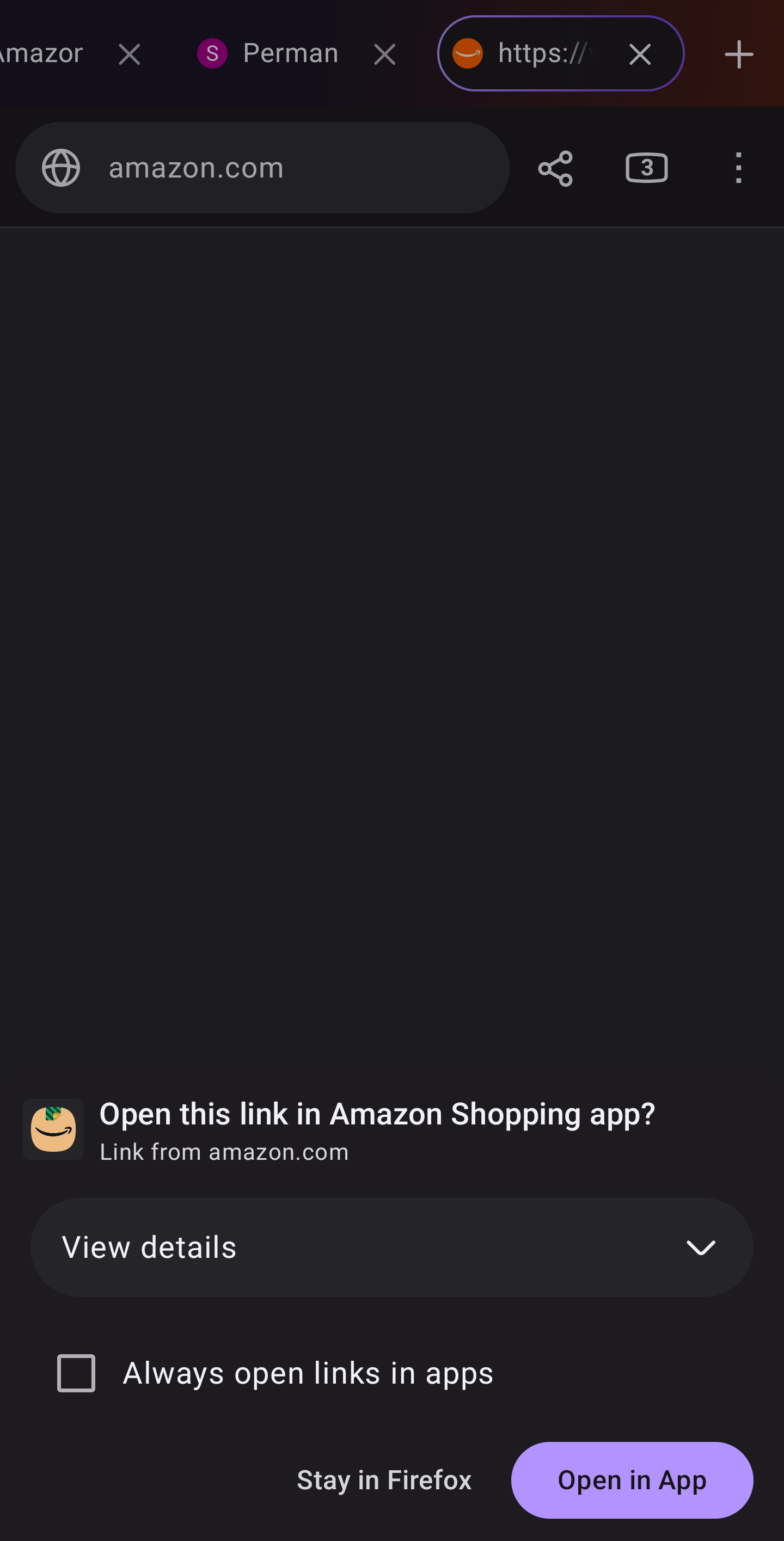
See the screenshot attached. I NEVER want to choose "open in app." There's a checkbox that lets me ALWAYS open in apps, but not one that lets me NEVER open in apps.
That means EVERY time I click on a link that COULD open in another app, I get this dialog and have to select "stay in Firefox."
I will always want to stay in Firefox. If I wanted to do something in another app, I would be USING THAT APP, not Firefox.
Sorry for my misunderstanding.
You can set Firefox as your default browser. https://support.mozilla.org/en-US/kb/make-firefox-default-browser-android
Firefox is already my default browser.
Thanks for trying to help, but I'm obviously not explaining the problem clearly.
I'm an experienced user, and I'm not having problems using Firefox itself. I'm not asking for help with the program, I'm raising an issue with the way the program currently functions.
As far as I can tell, Firefox simply does not provide any way to DO what I'm asking about (turn off Firefox's attempts to open links in an external app instead of in Firefox).
I was hoping that either I was wrong and just haven't found the setting or that developers would consider adding that setting, because it's incredibly annoying to have to keep telling Firefox to stay in Firefox over and over and over again.
Thank you again for trying to help!