


I am trying to restore Firefox from a backup and have forgotten my Firefox password.

Well, I am in a real mess. Three days ago I lost the ability to access my favourite website. I CAN access the website in the Brave browser. The website owner has told me that it is not a problem with my account with them so it must be a Firefox issue. Before this happened I had been trying to move and delete files on my laptop and have got very confused about EVERYTHING. In that I had deleted my Firefox recovery folder(s). I have managed to move them back into my Home folder before they expire. Now I am being asked to enter my "password" to initiate the restore. But the several Firefox passwords in my laptop are not being accepted. How can I get a new password? If that is not possible do I have to delete my Firefox account? What is my best way to recover from this mess? Any advice is greatly appreciated.
Semua Balasan (3)
And you don't know your Mozilla account password, your Firefox primary password, or the password you protected your backup with — and now you're unable to decrypt the backup file from earlier?
Yes, that is the way I see it. This is the screen where all the saved passwords fail.
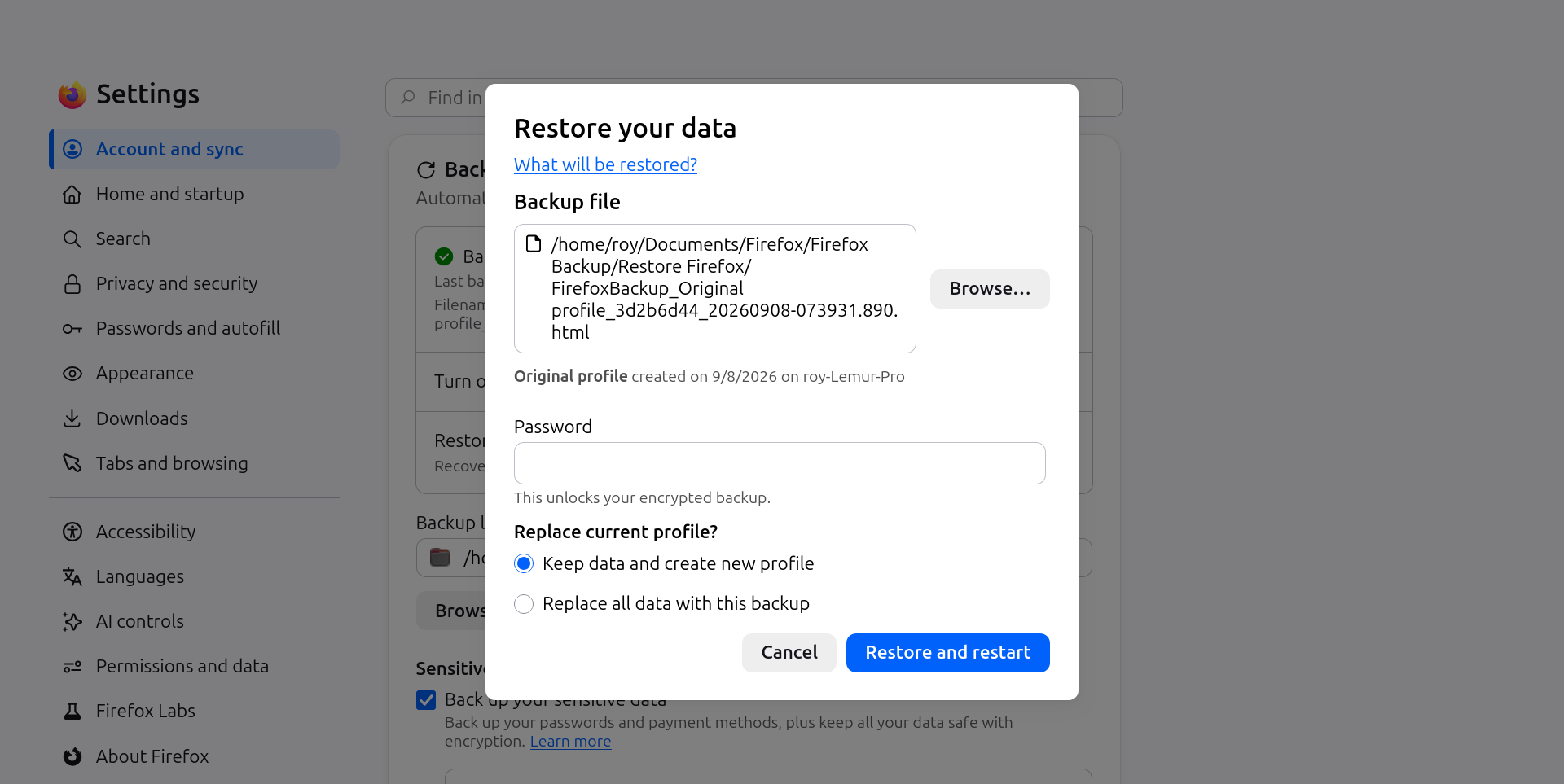
So it's the latter — you don't know the password for the backup. It's not stored anywhere and nobody can reset that for you, these backups are only local to you.
If you had syncing of data enabled, you perhaps don't need to restore from a backup, you can try just singing back into your online account, and see if you data is still stored there. (Hint: do not reset any account passwords there during the process unless you know the implications, as there's a huge potential for irreversible data loss; your credentials are the key to decode your data, so resetting account password might give you access to the account… while losing all the data along the way.)
So you don't need to delete your Mozilla account (formerly called Firefox Account), if you just need to erase the content eventually it will happen on its own if you reset your password.
But I'd try to see if it holds any personal data first that might be worth syncing back.