


what happend to search in thunderbird
Is search discontined?

Solusi Terpilih
> Settings / Search for indexing
That is Global Search which is found at the top of the Thunderbird Window with ctrl+K and is not removable from the toolbar.
Other search types cannot be added to the toolbar.
Semua Balasan (8)
It's still there. For the toolbar at top, rightclick, select customize, locate the search icon and drag to bar. the search feature is also at Edit>Find from the menu bar.
I must be blind but I cannot find it.
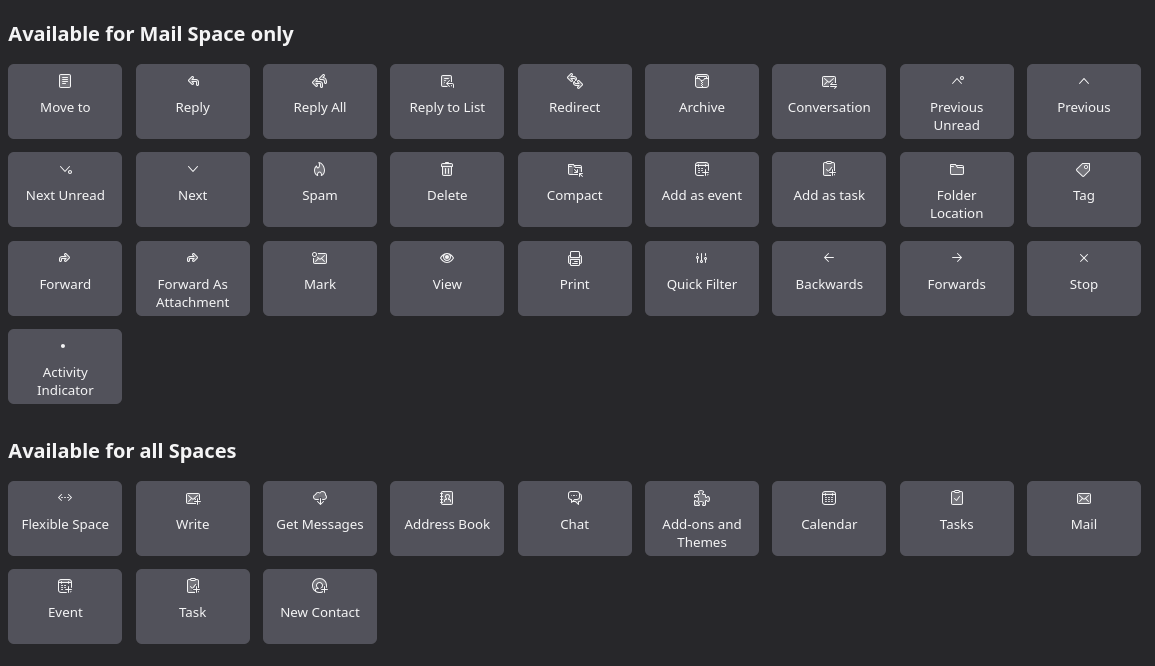
Just a suggestion: drag another icon to the toolbar to see if it displays there. I am wondering if the text for toolbar is black with a black background. I state that because all icons appear where your screenshot is unless they are already active.
cannot drag anything to anywhere
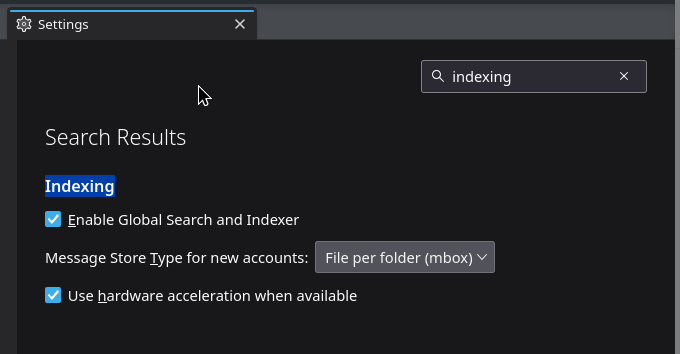
Is it turned off in settings? Global search and indexer is the item description in settings, under indexing.
Settings / Search for indexing
Solusi Terpilih
> Settings / Search for indexing
That is Global Search which is found at the top of the Thunderbird Window with ctrl+K and is not removable from the toolbar.
Other search types cannot be added to the toolbar.
In the future when your issues are solved, please click the link to mark it solved, or click "Mark as solution" on the web page.