


Windows 10 reached EOS (end of support) on October 14, 2025. If you are on Windows 10, see this article.

Cari Bantuan

Avoid support scams. We will never ask you to call or text a phone number or share personal information. Please report suspicious activity using the “Report Abuse” option.

Pelajari Lebih Lanjut
Open

Grin spacing problem

Agent virtuel replied
ItzNythira

Hello, I am experiencing an annoying layout issue with the New Tab page in Firefox. The spacing between my Top Sites icons is way too large, making the grid look unnaturally stretched out and leaving too much empty space on the screen.Here is the weird behavior I noticed:When I run Firefox in Troubleshoot Mode (Safe Mode), the layout looks perfectly fine, tight, and compact — exactly how it used to be.If I use the "Refresh Firefox" feature, the compact layout returns to normal in the regular mode, but only temporarily.As soon as I launch Firefox in Troubleshoot Mode again and then switch back to the normal profile, the layout breaks once more, and the huge gaps between the shortcuts reappear. (the white bar is the safe mode)
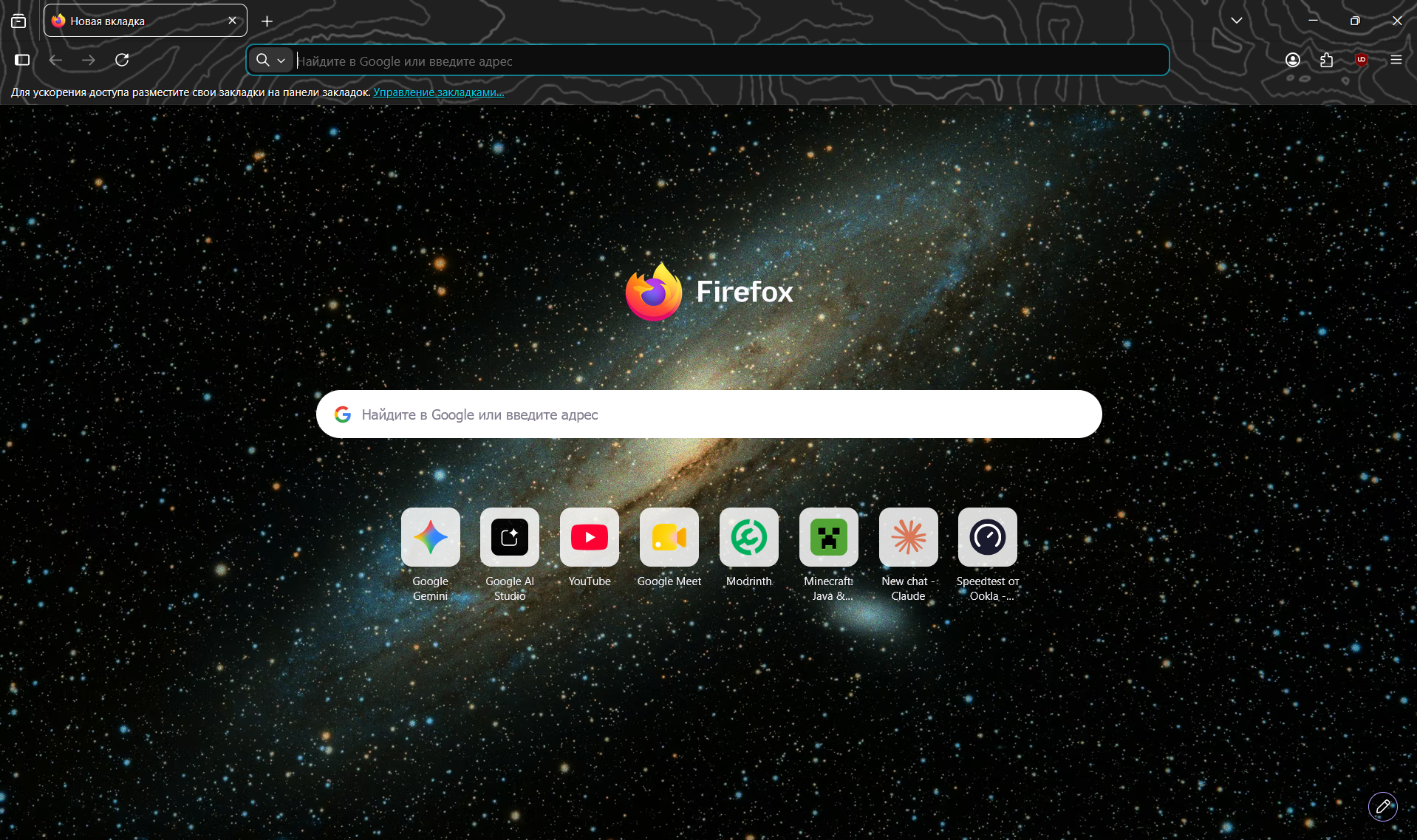
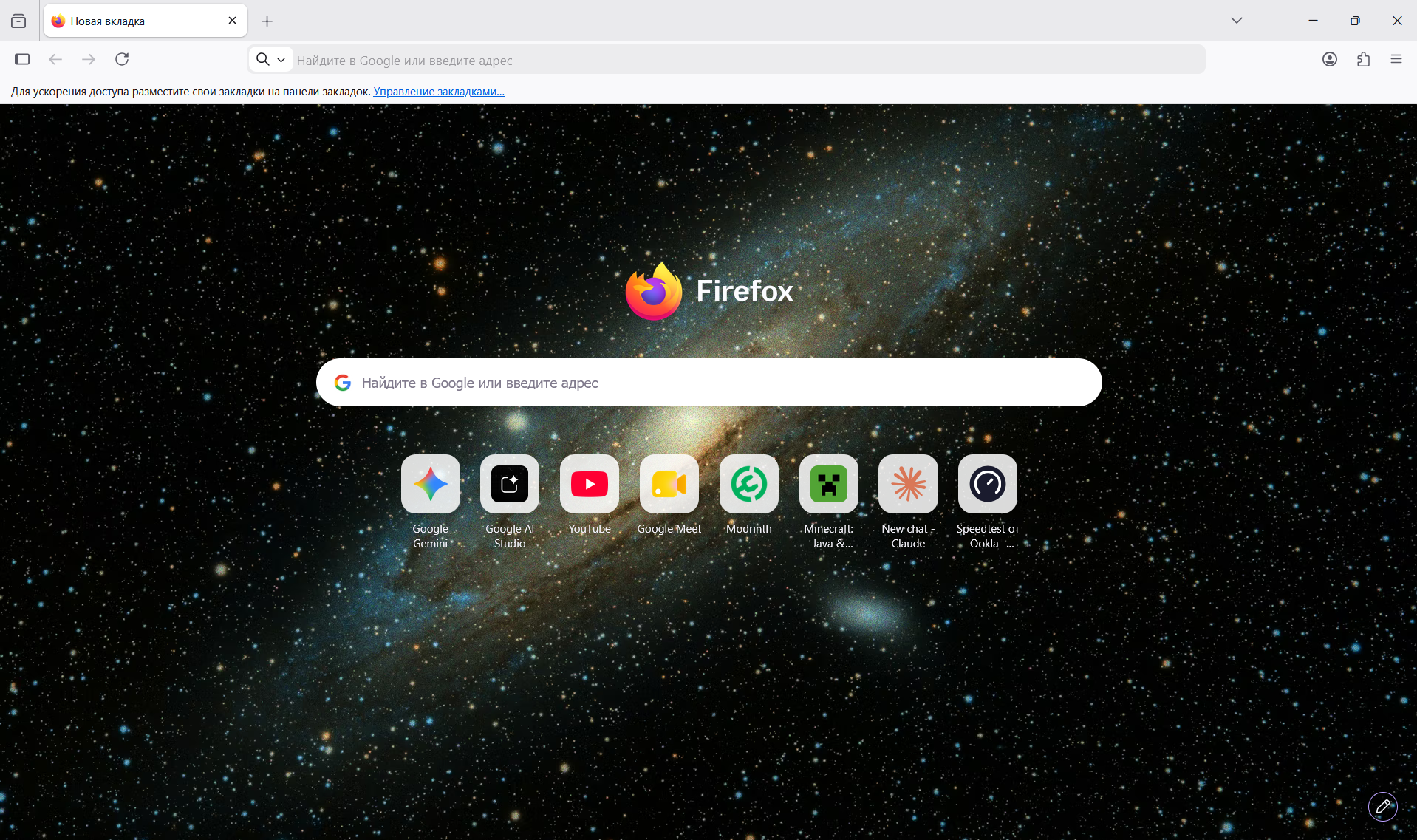
Hello, I am experiencing an annoying layout issue with the New Tab page in Firefox. The spacing between my Top Sites icons is way too large, making the grid look unnaturally stretched out and leaving too much empty space on the screen.Here is the weird behavior I noticed:When I run Firefox in Troubleshoot Mode (Safe Mode), the layout looks perfectly fine, tight, and compact — exactly how it used to be.If I use the "Refresh Firefox" feature, the compact layout returns to normal in the regular mode, but only temporarily.As soon as I launch Firefox in Troubleshoot Mode again and then switch back to the normal profile, the layout breaks once more, and the huge gaps between the shortcuts reappear. (the white bar is the safe mode)
Lampiran tangkapan layar

Semua Balasan (1)

Ajukan pertanyaan

Anda harus masuk ke akun Anda untuk membalas kiriman ini. Sila mulai pertanyaan baru, jika Anda belum memiliki akun.