when i opened multiple instances of firefox browser, how can i save one or more pinned page instances?
when i opened multiple instances of firefox browser, how can i save one or more pinned page instances?
when i opened multiple instances of firefox browser, how can i save one or more pinned page instances?
Semua Balasan (1)
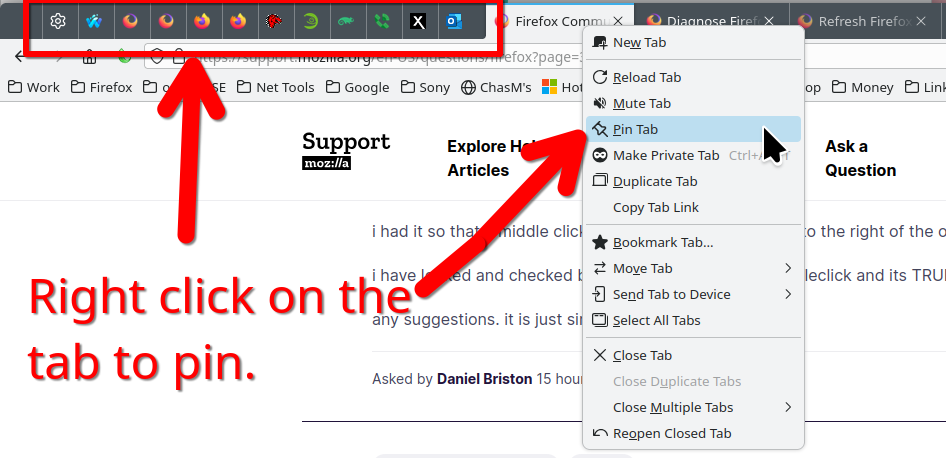
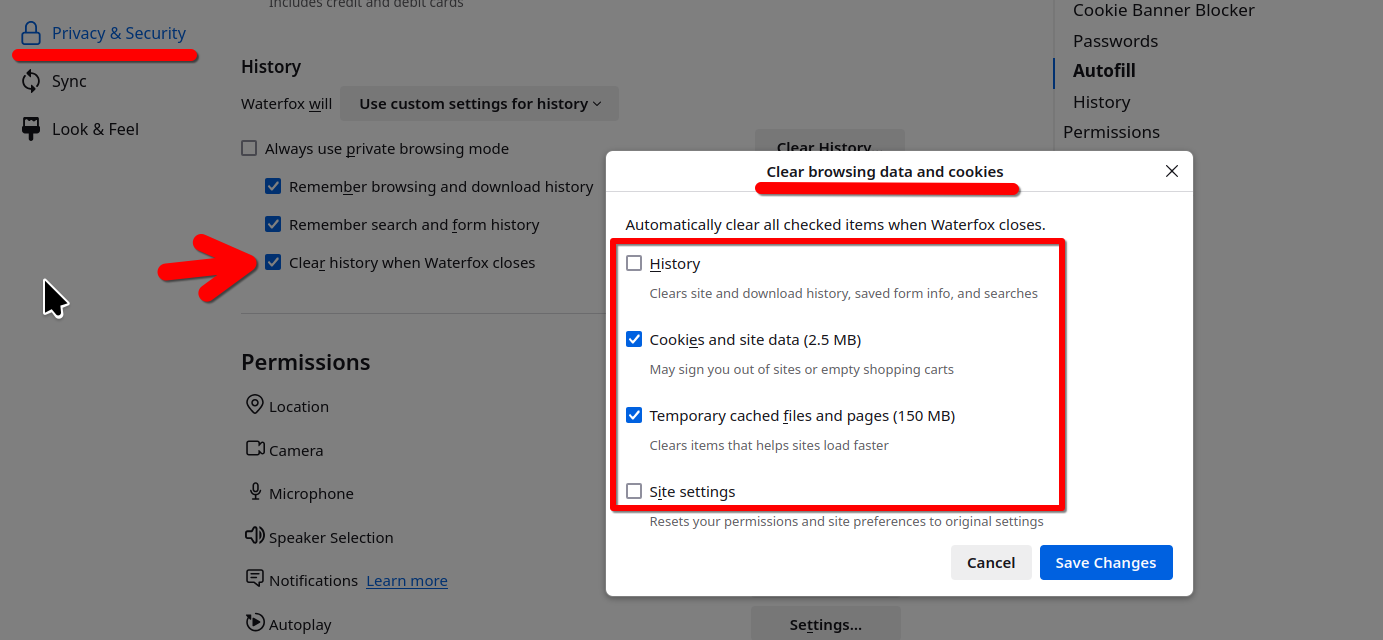
see screenshots It's also matters what you have Firefox do when you close the browser. I assume you have it set to reopen your previous session. You also need to verify that you don't have Firefox set to erase your history when you close the browser. When I reopen the browser, the pinned tabs are always there unless Firefox has an issue restoring the session. This issue happens often.