


Firefox suddenly no longer opens my hotmail, gmail or aol mail systems

Problems began with AOL mail, when I tried to send replies. I kept receiving repeated failures connecting with valid password. It seemed I could receive mail and send mail to trash or junk. I finally tried deleting and re-adding AOL mail, but now lost all folders but inbox and trash (all still available through FireFox browser though). I decided to just delete AOL from Thunderbird, Suddenly afterward, without touching anything related to Hotmail or Gmail, opening Thunderbird does nothing but clock trying to open Hotmail or Gmail inboxes. I have had no problems with those two, until today. I even turned off McAfee scanning to see if antivirus may be the cause suddenly today. I am at a loss as to what to do further. I can still get all my mail through the browser, but having all 3 mails in Thunderbird was convenient!
Solusi terpilih
@Christ1, You were right; the problem started again this morning. Looking through your last round of diagnostic suggestions, I saw that my Thunderbird V68 has a documented incompatible extension from McAfee, for handling SPAM, so I went into the McAfee Security tab and disabled the extension. When that alone failed to work, I used the %appdata% suggestion to remove the Thunderbird folder, restarted Thunderbird, and re-added all 3 emails (hotmail, gmail and AOL mail). This approach involved a LOT less magic on this system to get back to normal. My T410 has an older version of Thunderbird, which explains the lack of problems between the 2 products. I'll close this as "problem solved," and hope there won't be new ones. I think I now have a better perspective on where to train my sights on for these problems.
Baca jawaban ini dalam konteks 👍 0Semua Balasan (8)

Do you see a 'Not Responding' notification in the title bar?
When I start FireFox, and set the cursor at the inbox (or any folder) all I get is the clocking loop (and minute timer image) for both Hotmail and Gmail. When I go to my account name, the loop stops, and I go the the right side pane to "write a message." I get a window for the email, and get prompted for the password for the smtp output server, and the message gets sent (I checked on the browser, but not in TB) - BUT - the auto copying the message to the SENT folder fails, so I just cancel that part.
When I start FireFox
Thunderbird?
all I get is the clocking loop
Can you post a screenshot? https://support.mozilla.org/kb/how-do-i-create-screenshot-my-problem
Try to start Windows 10 in safe mode with networking enabled.
Does the problem go away?
Pic attached. Also, SAFE mode attempt to get messages in both mail systems resulted in a failed to connect to server message. Let me state again that there were no changes made until today, especially to the server names, and those were to AOL. Yesterday, all mail systems worked fine, except AOL, which only had trouble sending messages out, prompting for a password, and then looping.
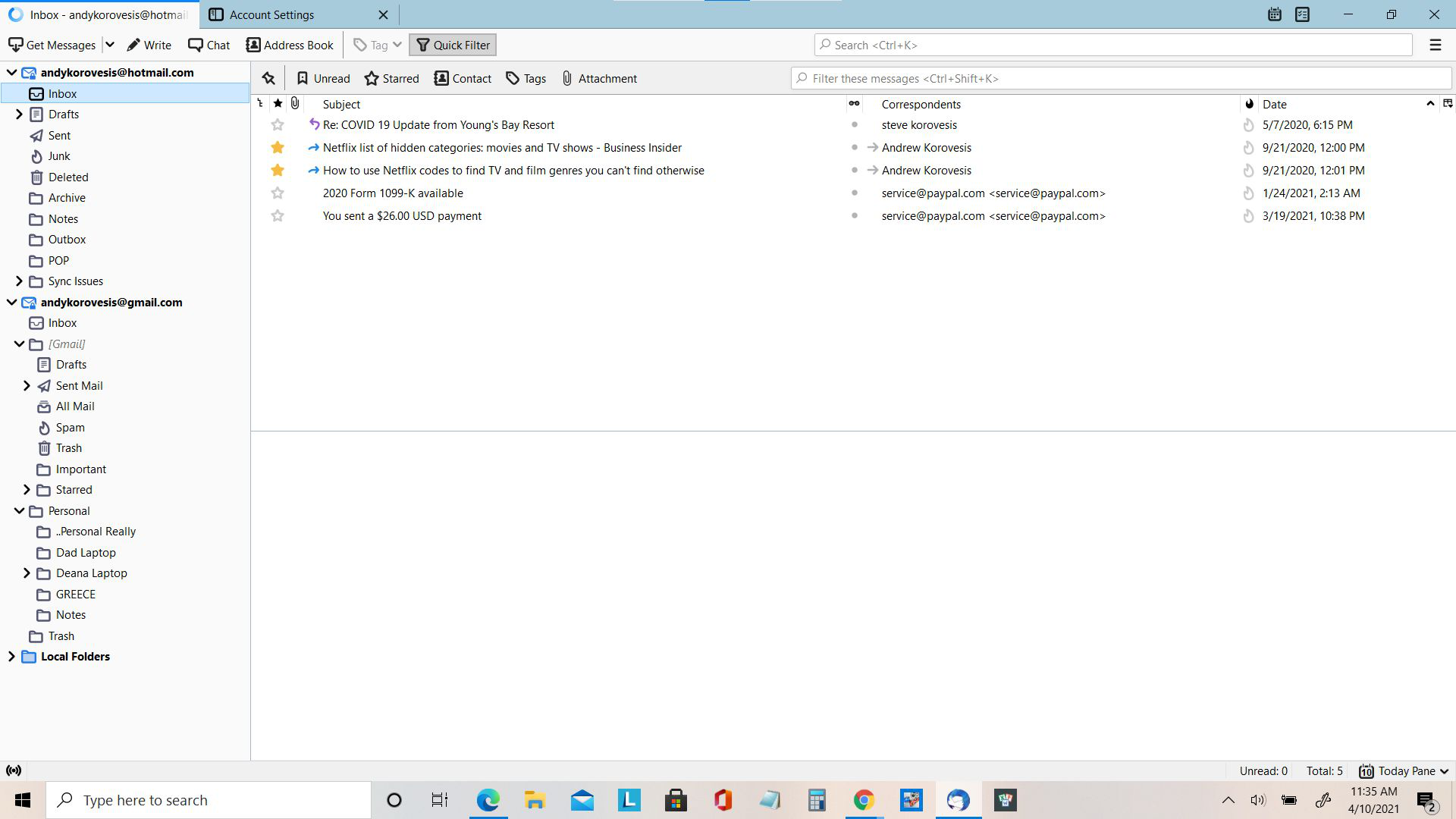
Pic attached.
I wasn't sure what a 'clocking loop' is, so should be clear now.
SAFE mode attempt to get messages in both mail systems resulted in a failed to connect to server message.
Did you start Windows in safe mode with networking enabled?
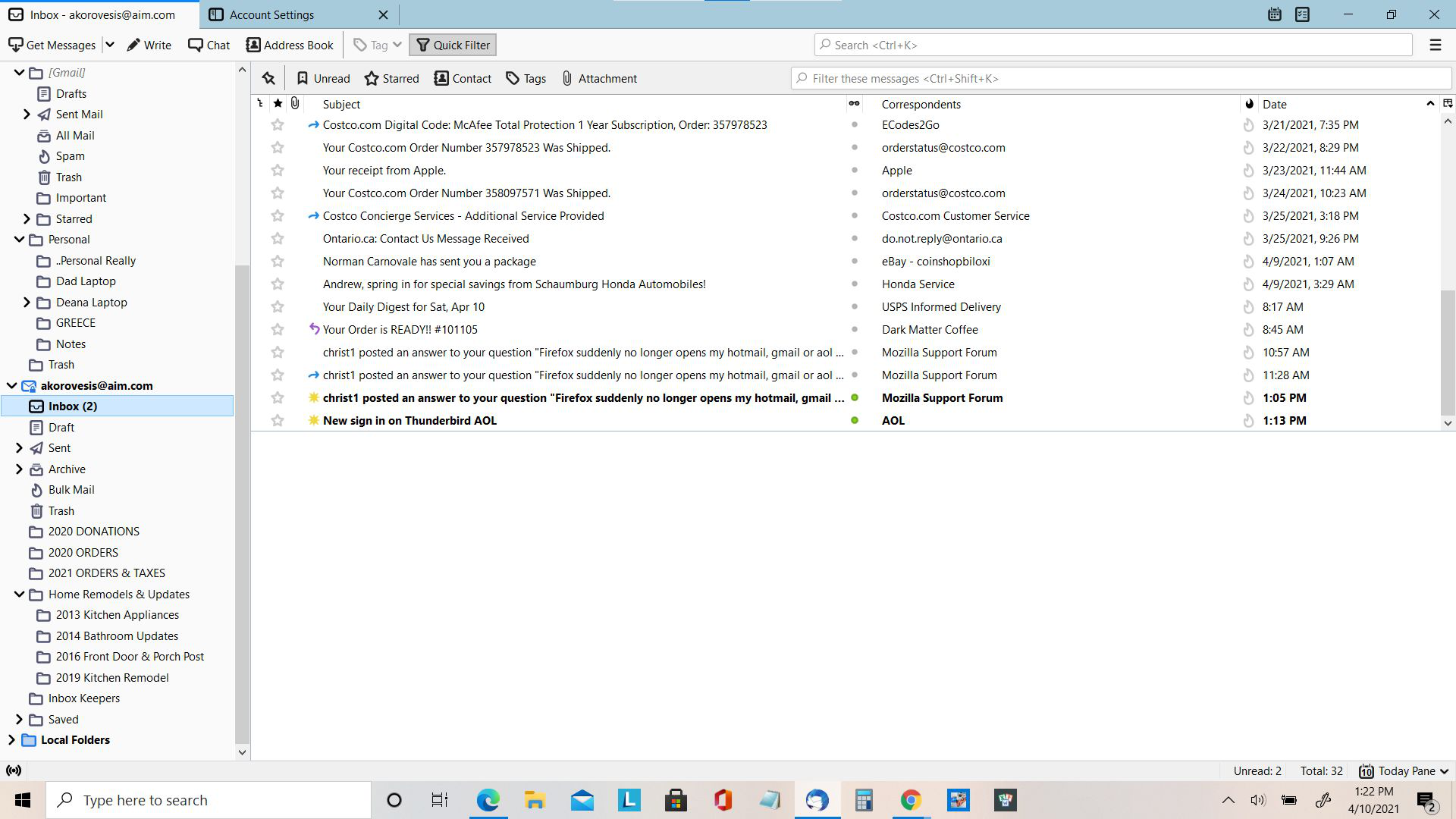
Yes, it was option 5, F5 in the restart process. Anyway, someone else from SUPPORT appears to have been involved in this issue, because after I went back to my old T410 Lenovo, and that TB worked ok, I came back to my ideapad Flex 5 and was going to try something else. Now.... when I started TB, hotmail and gmail worked fully. Regretting that I had deleted my AOL mail and lost all my personal folders when I re-added it, I decided to retry re-adding it. This time, just look at pic! The add this time was so fast and simple, I would really like to know if there was some untested update somewhere that's been removed.... Reluctantly, this problem is closed - for me anyway. For others, BEWARE!
Since you mentioned McAfee, chances are the problem will return. McAfee has been known to cause problems with Thunderbird for a long time. https://wiki.mozilla.org/Thunderbird:Testing:Antivirus_Related_Performance_Issues#McAfee
These are some generic suggestions to avoid problems with anti-virus software.
Create an exception in your anti-virus software for the Thunderbird profile folder, so that the anti-virus real-time scanner will not scan it. https://support.mozilla.org/en-US/kb/profiles-where-thunderbird-stores-user-data#w_how-to-find-your-profile
Don't let your anti-virus software scan incoming and outgoing messages.
Don't let your anti-virus software scan attachments.
Don't let your anti-virus software intercept your secure connection to the server.
Remove any add-ons your anti-virus software may have installed in Thunderbird.
Keep it working. http://kb.mozillazine.org/Keep_it_working_-_Thunderbird
And last but not least, backup your Thunderbird profile on a regular basis. https://support.mozilla.org/kb/profiles-where-thunderbird-stores-user-data#w_backing-up-a-profile
Solusi Terpilih
@Christ1, You were right; the problem started again this morning. Looking through your last round of diagnostic suggestions, I saw that my Thunderbird V68 has a documented incompatible extension from McAfee, for handling SPAM, so I went into the McAfee Security tab and disabled the extension. When that alone failed to work, I used the %appdata% suggestion to remove the Thunderbird folder, restarted Thunderbird, and re-added all 3 emails (hotmail, gmail and AOL mail). This approach involved a LOT less magic on this system to get back to normal. My T410 has an older version of Thunderbird, which explains the lack of problems between the 2 products. I'll close this as "problem solved," and hope there won't be new ones. I think I now have a better perspective on where to train my sights on for these problems.