


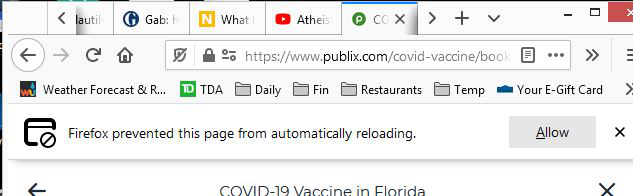
Firefox prevented this page from automatically reloading. How do I turn this off?
I get the message, "Firefox prevented this page from automatically reloading." I want certain sites to automatically reload the page without having the button reappear every time.
How do I get Firefox 86.0.1 to allow pages to automatically reload?
I get the message, "Firefox prevented this page from automatically reloading." I want certain sites to automatically reload the page without having the button reappear every time.
How do I get Firefox 86.0.1 to allow pages to automatically reload?
Semua Balasan (1)
In Firefox 56+ the "Warn me when website try to redirect or reload the page" setting can no longer be found in Options/Preferences.
You can modify this pref on the about:config page to disable this accessibility feature.
- accessibility.blockautorefresh = false
You can open the about:config page via the location/address bar. You can click the button to "Accept the Risk and Continue".