


I get a security warning whenever I try to access anything

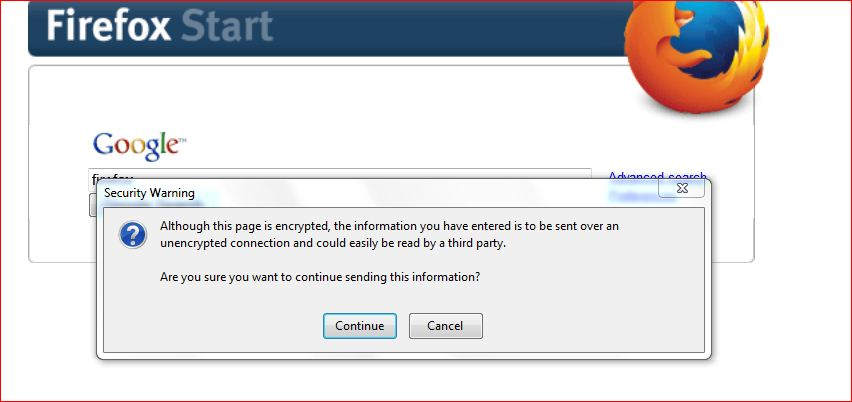
I get a security warning whenever I try to access anything - even a Google search. Just started within the last few days and I haven't updated or anything like that. If I click "Continue", I can then proceed - but it's annoying. Can't see anything to turn off that might help. Any ideas ? I'm using Firefox 25 and I don't want to update as I will loose some addons I want to keep.
Regards, Robert.
Solusi terpilih
Thank you.
The problem has stopped today - and I haven't done anything except install a Defender update.
Maybe just my computer being awkward !
Regards, Robert.
Baca jawaban ini dalam konteks 👍 0Semua Balasan (8)
Please update to Firefox 33, Firefox 25 is not secure and should not be used any longer.
Thanks - but I'm using Firefox 25 and I don't want to update as I will loose some addons I want to keep.
Is there not a way I can fix it ?
Regards,
Robert.
What addons are you using? There is probably a way to keep them in 33. After Firefox 10 add-ons are defaulted to compatible.
It's not safe or smart to use such an old version of Firefox.
Can you attach a screenshot?
- http://en.wikipedia.org/wiki/Screenshot
- https://support.mozilla.org/kb/how-do-i-create-screenshot-my-problem
- Use a compressed image type like PNG or JPG to save the screenshot
- Make sure that you do not exceed the maximum size of 1 MB
Sorry for the delay in replying - my ISP decided to take a break today.
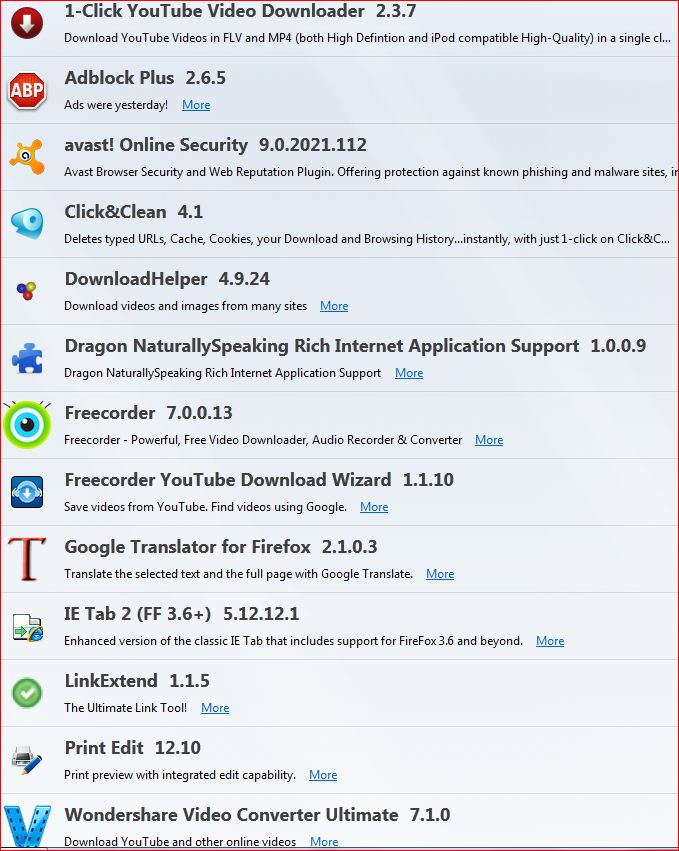
I've attached a screen shot. I did upgrade a little while ago and lost both freecorder and wondershare, so went back to version 25 with which they work. Regards,
Robert.
That is attached thanks.
As you can see, it's happening when I do a Google search - but I have realised that if I type an address in the address bar, I go straight there and get no warning. Could this be a Google problem ?
Regards, Robert.
For freecorder, you need to update to freecorder 8 (http://www.freecorder.com/)
You also need to update wondershare, http://www.wondershare.com/convert-video-audio/firefox-youtube-downloader.html
You have a lot of add-ons that all do one thing (download youtube videos) maybe try to condense to just one that works really well?
Solusi Terpilih
Thank you.
The problem has stopped today - and I haven't done anything except install a Defender update.
Maybe just my computer being awkward !
Regards, Robert.