


Ani-weather knew my location but now can't find it after I reset Firefox.

I had Ani-weather installed and everything was fine but after I reset Firefox yesterday and re-downloaded Ani-weather it can't find my location (Des Moines, IA). Any ideas how I can fix this? Thanks.

Wubrane rozrisanje
Great! Glad I could help get that fixed!
If you have another question or problem with Firefox, do not hesitate to ask a new question by clicking Ask a New Question and do not post your new question in this thread.
I hope you continue using our products and thank you for contacting Mozilla Support
Wšě wotmołwy (5)
jrex100,
Do you get an error when trying to set a location? Can you post a screenshot? Please see How do I create a screenshot of my problem?
Once you've done this, attach the saved screenshot file to your forum post by clicking the Browse... button below the Post your reply box. This will help us to visualize the problem.
Here is the screen shot. Thanks for your reply.
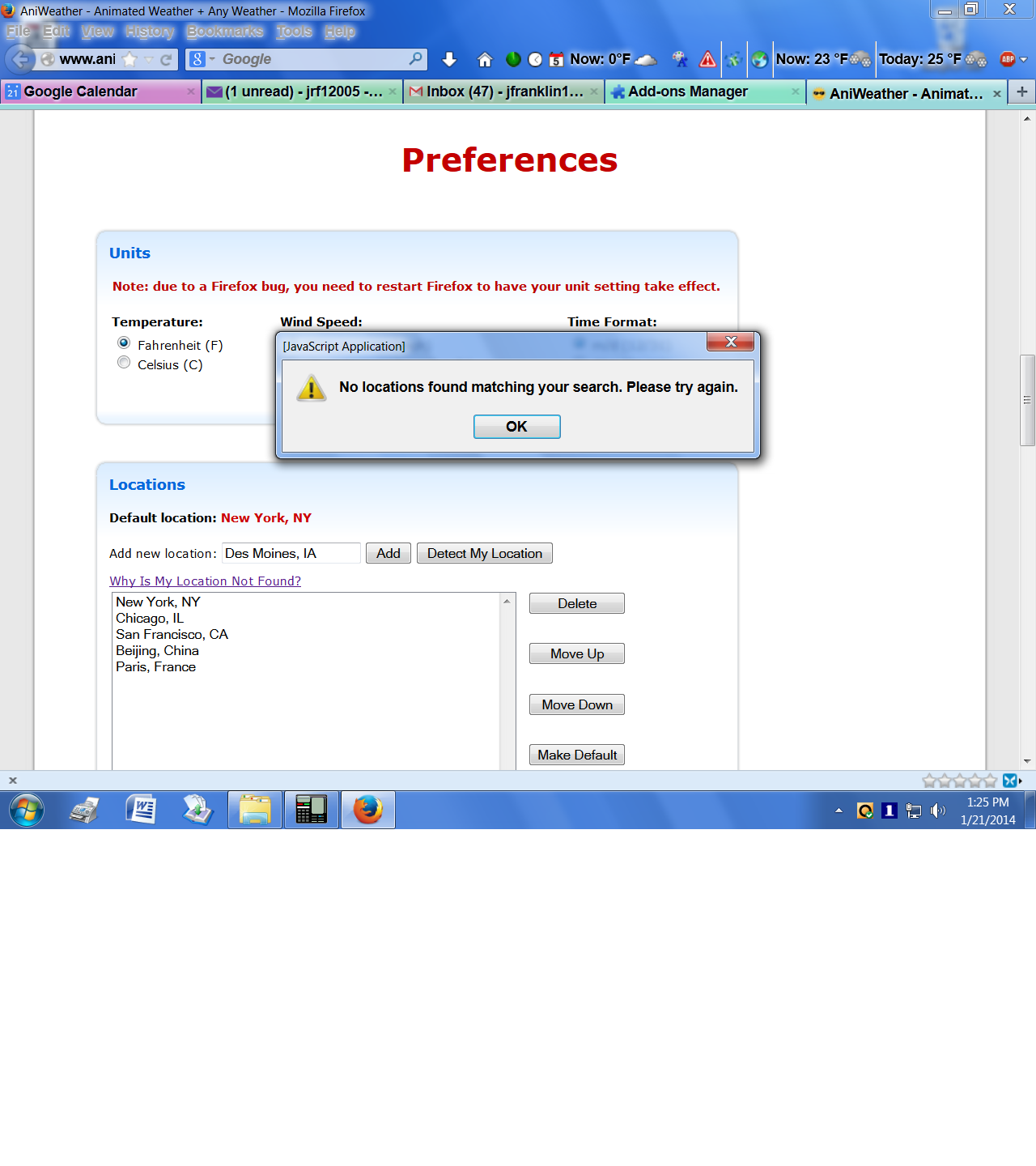
Thanks for that!
Okay. I installed Aniweather and indeed it doesn't find my location (San Antonio, TX) when I manually type it in. However, when I type my zip code, it successfully gets it! Try entering your zip code then click Add. It'll ask you depending on your location: Des Moines, IA (zipcode here) Click the link that says Des Moines, IA (your zipcode) then click Add.
Does this solve your problem? If not, let me know and I will assist you further.
Thanks so much! I thought I had done this before asking for help, but apparently not. Everything's fine now. Really appreciate the speedy help. Good work!
Wubrane rozrisanje
Great! Glad I could help get that fixed!
If you have another question or problem with Firefox, do not hesitate to ask a new question by clicking Ask a New Question and do not post your new question in this thread.
I hope you continue using our products and thank you for contacting Mozilla Support