


Cannot change font size

Just had to change monitor, in Thunderbird cannot change font size
Wšě wotmołwy (12)
What a load of rubbish these forums are - why can't we contact Thunderbird direct??
Since Thunderbird is free, support is from volunteers. If you would be specific on the problem, a volunteer may have suggestions for you. More information is needed than 'cannot change font size.' Thank you..
Unfortunately volunteer responses are often not very helpful. I have donated to you. Not sure what more to add other than 'cannot change font size'. I go into Thunderbird and suddenly the text is tiny and I can't change the font size even though I have followed instructions found online, it's pretty straightforward but there is no refresh or save button to apply the changes.
My first suggestion is to click the menu in upper right and see if the font size option improves the font size. My next suggestion would be to click settings, set a larger font size, and then click the advanced button and ensure all the size options are the same. Then, at the top of the advanced menu is a dropdown menu. If yours is showing latin, then after making the change, click to 'other writing systems' and repeat exactly on than menu. Then see if font size improved
I have done all of that, changes nothing, and there is no Menu at the top of the page, In addition I am finding that emails are coming in with the wrong sender name in the list - I am concerned that I often have problems with Thunderbird and short of a few willing volunteers there is no support centrally. Thanks for trying. But not very happy.
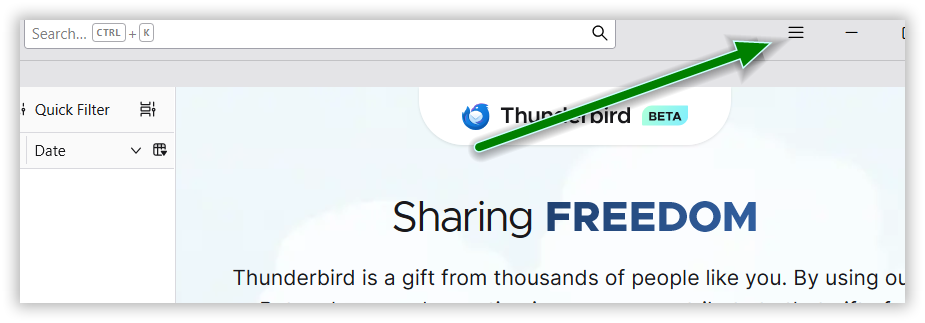
I am unclear how you changed things with no menu. In upper right, there should be three short stacked lines. That opens the menu. For your message list, are your messages folders threaded? I suggest clicking to settings>appearance and set to unthreaded and see if that helps.
They are already unthreaded. There are no 3 short stacked lines visible. I went into Settings, bottom left, options to make the changes which I did but then nowhere to save or refresh. Thanks for trying.
Settings automatically update, no need for a 'save' button. Can you post a screenshot of your 'advanced' setting menu, the one that has the latin and other writing systems options? Seeing those two may help. thank you
Thank you!
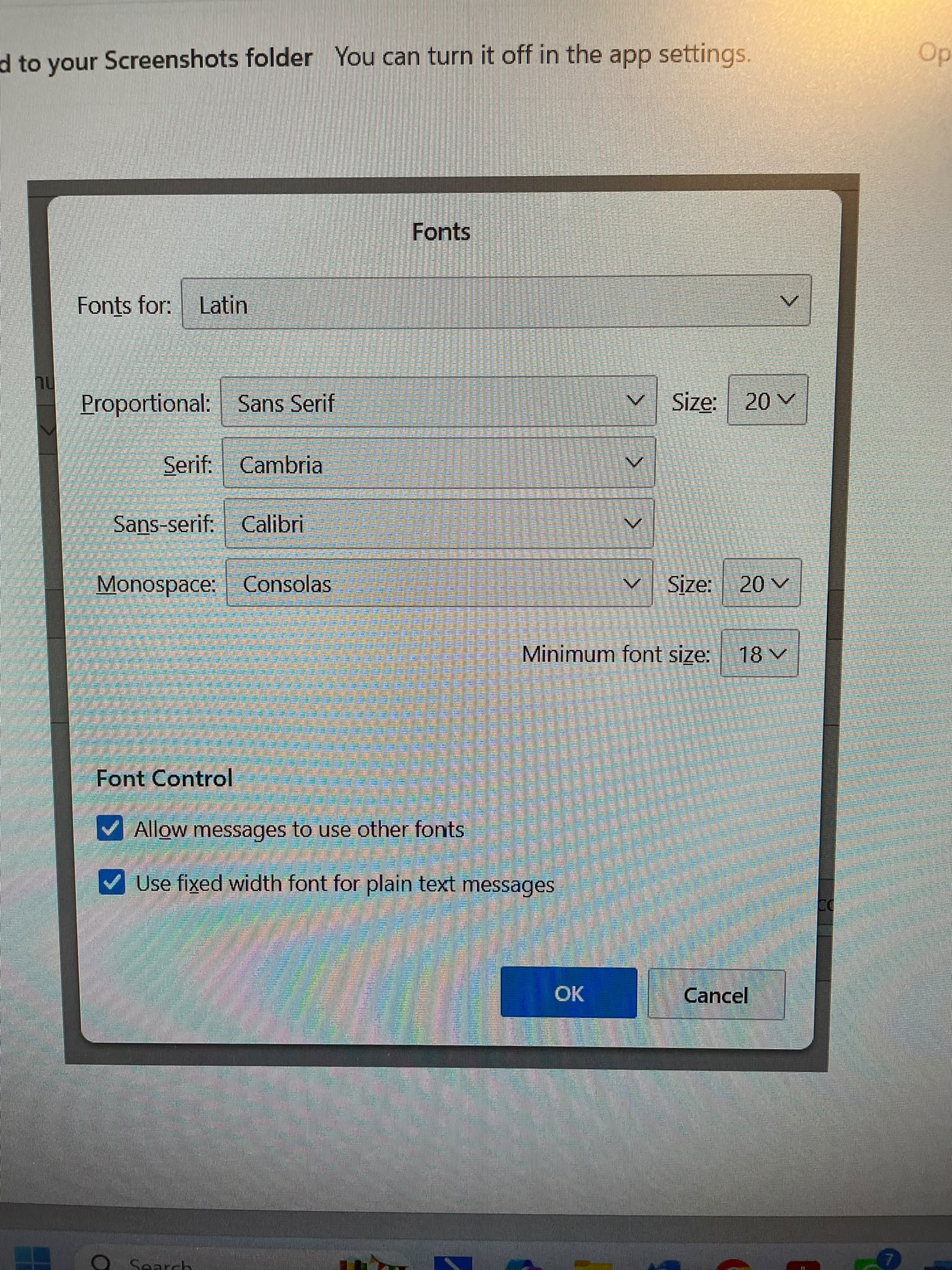
Is the new monitor large? If so, Thunderbird uses pixels, not points. If you want size of approx 20 points, set thunderbird to 27. Be sure to do the same on the other writing systems page. Also, it sometimes improves visibility to check the font size option on menu. See attached screenshot to locate the menu
Not sure I understand, isn't 20 a font size? Nothing attached?
Yes,20 is 20 pixels. If your monitor is large, 20 pixels may not seem big on it. Try changing both the latin and other writing systems menus to 27 and see if there is a difference,. I admit to having no personal experience with other than laptops. But, if you see a marked change after doing this, you will at least have the tools make further adjustments. Do let me know how it goes. thankyou