


Thunderbird is downloading new messages but failing to display them

Thunderbird is downloading new messages but failing to display them.
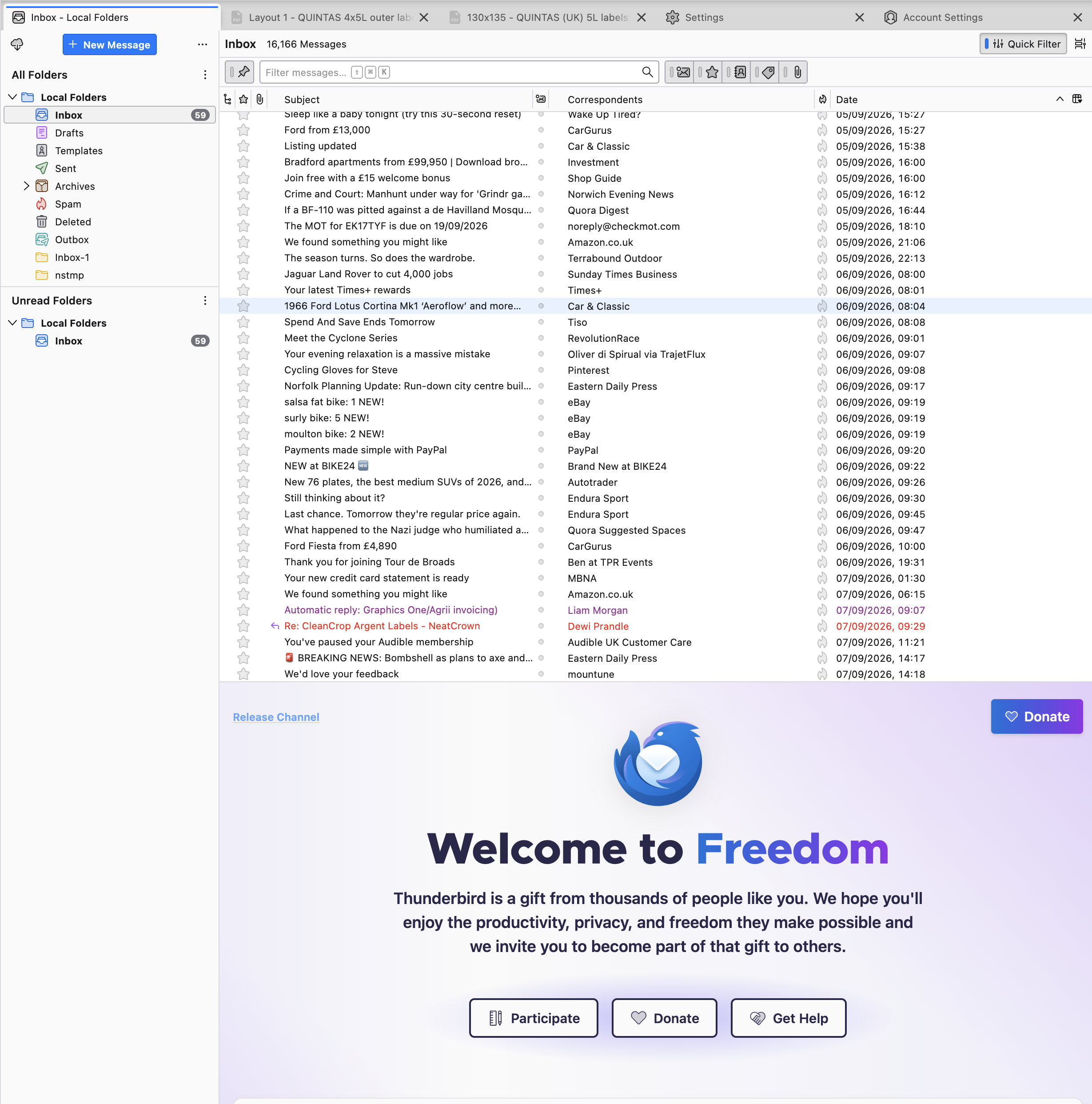
Other functionality remains active, ie I can see and open messages, delete all the contents of folders, compose and send messages, but when the software downloads new messages they simply do not display and cannot be accessed.
Not sure if it's relevant, but the message INBOX count appears to be stuck at the number 59, although more messages than that have been downloaded.
Bizarrely this is the message displayed whenever I now open the Thunderbird application (it was there when the problem first appeared and returns everytime). Out of desperation I even made a donation in the hope it would release the messages!
Thank you in advance, Steve Davidson
Wšě wotmołwy (10)

My first guess is that the folder's index is corrupt. The messages are there, but they aren't displayed in the list properly. Try rebuilding the index by...
- Right-click on the Inbox name in the Folders List pane
- Choose "Properties" from the pop-up context menu, then click the "Repair Folder" button.
Does that improve things?
Thank you for your kind donation, but, if possible, we will help you regardless.
Thank you Lin, it's appreciated.
I tried that and it hasn't worked.
And keeps crashing nearly every time I try messing with it!
Question: Is it worth completely uninstalling and then reinstalling Thunderbird (from source), then reinsert my backed-up Profiles folder (not the other elements though, Crash Reports, installs.ini, Pending Pings and profiles.inl) into the Thunderbird main folder in the Mac's library?
Sorry for these most basic of questions, but as you tell I'm a very non-techie Apple user!
Steve
Wot steve647 změnjeny
- What version of Thunderbird?
- Is this a POP3 account or IMAP?
No, it's not worth it to reinstall in a case like this. If it had to do with the program itself malfunctioning, like, say, if it consistently crashed, then a reinstall might be helpful. but anything that has to do with the message store itself, like preferences, folders, filters, etc, is found in the individual Profile which is unaffected by a reinstall.
I notice that your Inbox is in the Local Folders pseudo account. Is there a reason for that? If POP3, that would be an usual, though valid configuration. If IMAP, that would also be a valid choice, though it could interfere with normal IMAP folder synchronization.
Wot Lin změnjeny
It's version 155.0 (aarch64)
I think it's POP3 - as the messages live only on my computer
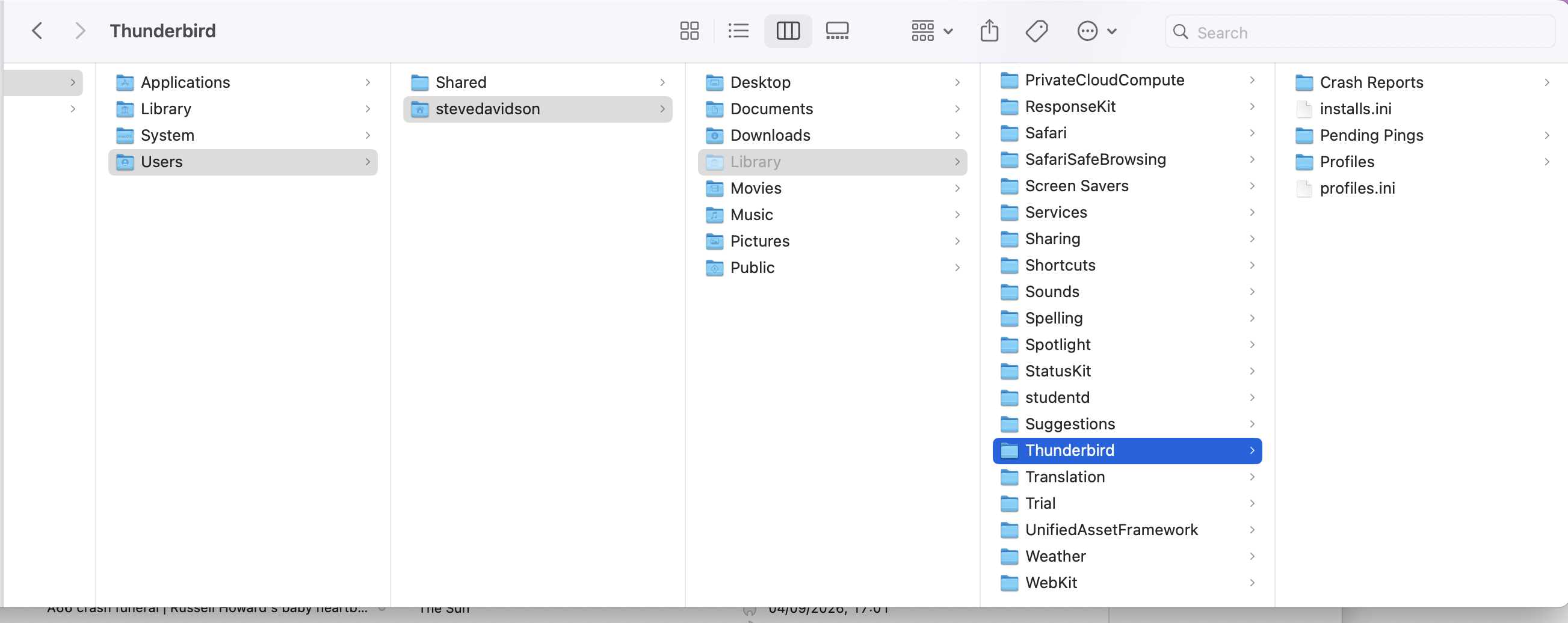
Below I've posted an image of my set-up... where my Thunderbird folder lives on my Mac Studio M4 running Sequoia 15.7.9
That's the folder that I back up onto an external drive to preserve my messages. Are you saying stuff is stashed elsewhere?
You can tell for sure whether POP3 or IMAP by looking at <Account Settings | (the account in question) Server Settings>, where it will say "Server Type".
By definition, POP Inbox folders are local folders that are listed with that account in the Folders List Pane. That can be moved elsewhere, though it's not recommended.
Are you sure you're looking at the right Inbox folder? As I said, it's normally located under that account name in the List.
There happens to be a bug in that's recently surfaced in version 155.0 that can cause certain Message Filters to move messages from the Inbox to unexpected destinations. I haven't seen it manifest itself in quite your way, but maybe that's what's happening. If so, an update will be available in a few hours or a day. If you can just sit tight until then, that could fix it.
A related thing to check is to examine all message filters for that account to see if any of them contain a Match condition clause that has a empty blank field. If so, remove that clause or use actual text.
Wot Lin změnjeny
Thank you Lin, that's the most promising lead yet...
I suppose I'll need to update the software to take advantage of the update/fix 'patch'... or can it simply be added to an existing installation?
Many thanks again
I know almost nothing about Apple products, but if it's updated the way the Windows version is, by clicking on Help | About, an update will show as available there.
If it was installed from a "store" or updater program like most Linux distributions, you will have to wait for them to eventually make it available.
Please post your crash IDs here. Instructions at https://support.mozilla.org/en-US/kb/mozilla-crash-reporter-tb#w_when-thunderbird-crashes
Also, is this on Windows?
Out of the blue, my email is working again.
I can't claim I did anything to fix it but it now appears to be up and running with full functionality again.
Could it be the bug fix that Lin mentions above has materialised?..
Although while writing this response I just noticed Thunderbird has crashed again, so maybe not fully resolved yet?
Anyway, I am glad I didn't try anything rash in haste like changing settings/reinstalling/move to another platform and possibly lose precious messages.