


Too much disk space used by Thunderbird

Hi, I have been running low on hard disk space due to the bloated Windows 11. I have been trying to clean up Thunderbird by deleting a bunch of saved emails and compacting, but the size of my profile folder is still about 3.5 GB. I looked at all of the subfolders under my profile and found a bunch of what I think is dead storage.
Under the MAIL folder there are 4 folders for what looks like my current Local Folders and 3 older local folders. Under the IMAPMAIL folder there are 4 folders for what looks like my 2 current email addresses and 2 older unused email addresses.
I looked under the account settings for the Local Folders and the 2 email addresses and have identified the 3 out of the 8 folders that are still being used.
So my question is, is it safe to just delete these apparently unused folders?
Wšě wotmołwy (6)
It wouldn't be safe to advise without more detail. My suggestion:
- click each account's 'server settings' pane and note the folder named in 'Local Folder' link. Those identify the account folders being used
- Also click 'Local Folders' within Account settings and note its Local Folder name.
That information will show the primary folders in use. Folders that are not within those folders are likely not needed. To get an opinion here, I suggest posting screenshots of the imapmail folders and the mail folders, and identify the results of my above suggested steps. AND, if in doubt, it's always safe to COPY potentially unneeded folders and restart thunderbird to confirm. Do NOT delete or copy while thunderbird is running.
Thank you David. I did what you recommended, I just didn't do the screen shots then. They are attached now. My plan was to delete (or move) the following folders/files from ImapMail 1) imap.mail.yahoo.com folder 2) imap.mail.yahoo.com.msf file 3) imap.mail.yahoo-1.com folder 4) imap.mail.yahoo-1.com.msf file and from Mail 5) Local Folders folder 6) mail.optimum.net folder 7) pop.mail.yahoo.com folder I will backup the whole profile before I do this as well.
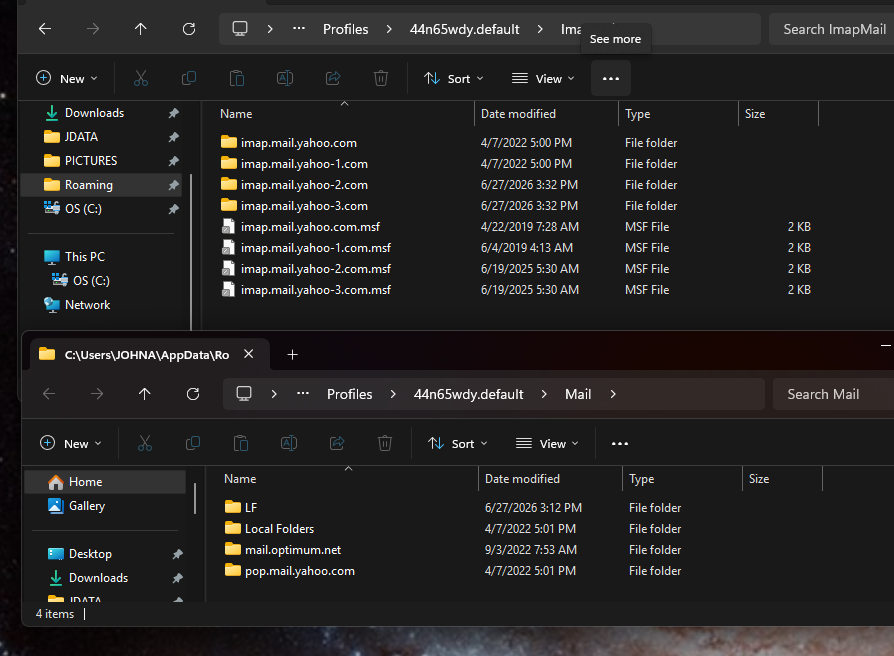
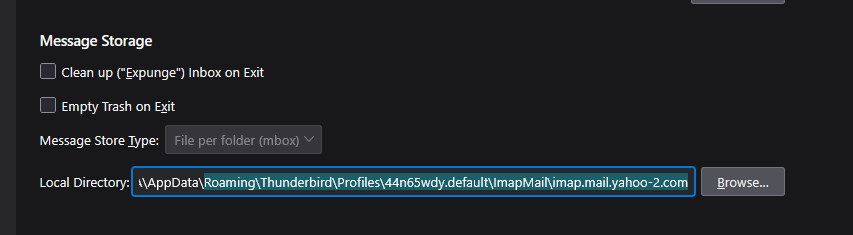
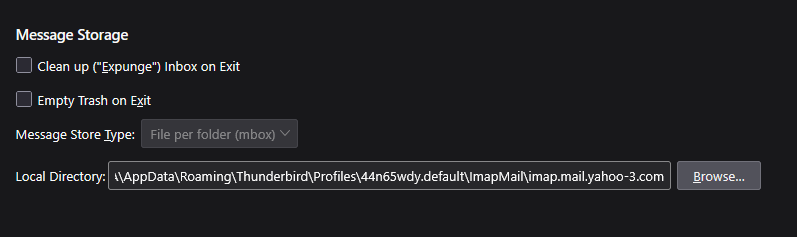
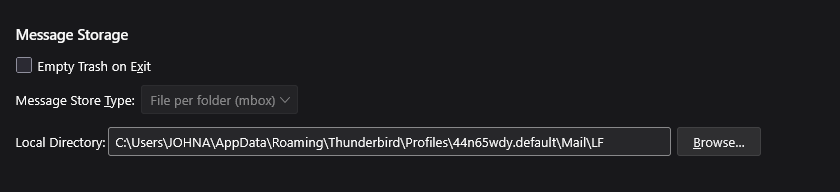
The msf files will be automatically recreated. If there is excess storage that can be deleted, it will be inside those folders. You need to post the contents of each account's folder to get more information on space.
Yes, I had looked at that but forgot to mention it. Those 5 folders that I will remove account for about 2.4 GB.

Many people both receive and send messages with large attachments, and the attachments will remain in your SENT and other folders. Although it takes some time and effort on your part, if you comb through your email folders you may find that there's no need to keep some attachments any more. Deleting them can significantly reduce the size of your message store.
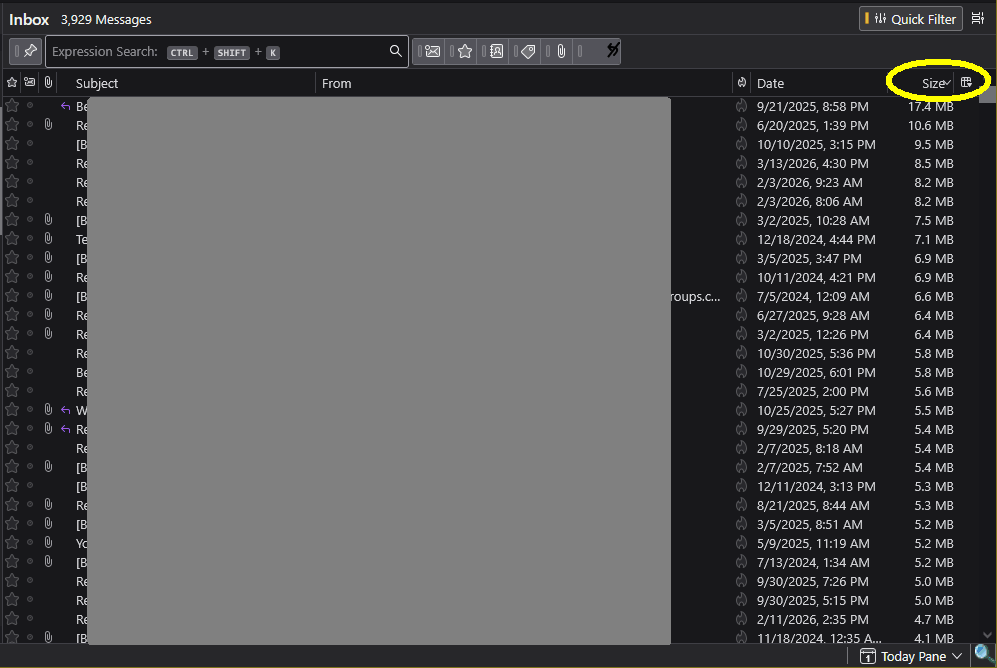
If you view your Message List in Table Mode, you can add a Size column. You can then sort the list by size and easily see which messages are using the most room. See my attached image (I see I need to do some housecleaning myself!) After deleting any unneeded attachments, follow up by Compacting the folders.
Another thing that takes up a lot of room is the Global Search database ("global-messages-db.sqlite"). It tends to grow quite large but never shrink. For example, mine is currently 615 MB. The file can be deleted (while Thunderbird is closed) and will be regenerated when the program next runs. It can take up to a few hours to create a new database, and it might or might not be much smaller.
Wot Lin změnjeny
Thanks Lin. I had done the first part of your suggestion but I hadn't seen anything about the Global Search Database file before. I checked and mine is 65 Mb so not too bad. I have isolated most of the space to free up (about 2.4GB) in the folders from old email addresses and local folders, so I will finish up with that.