


How Can I Double Click to Upload Files?
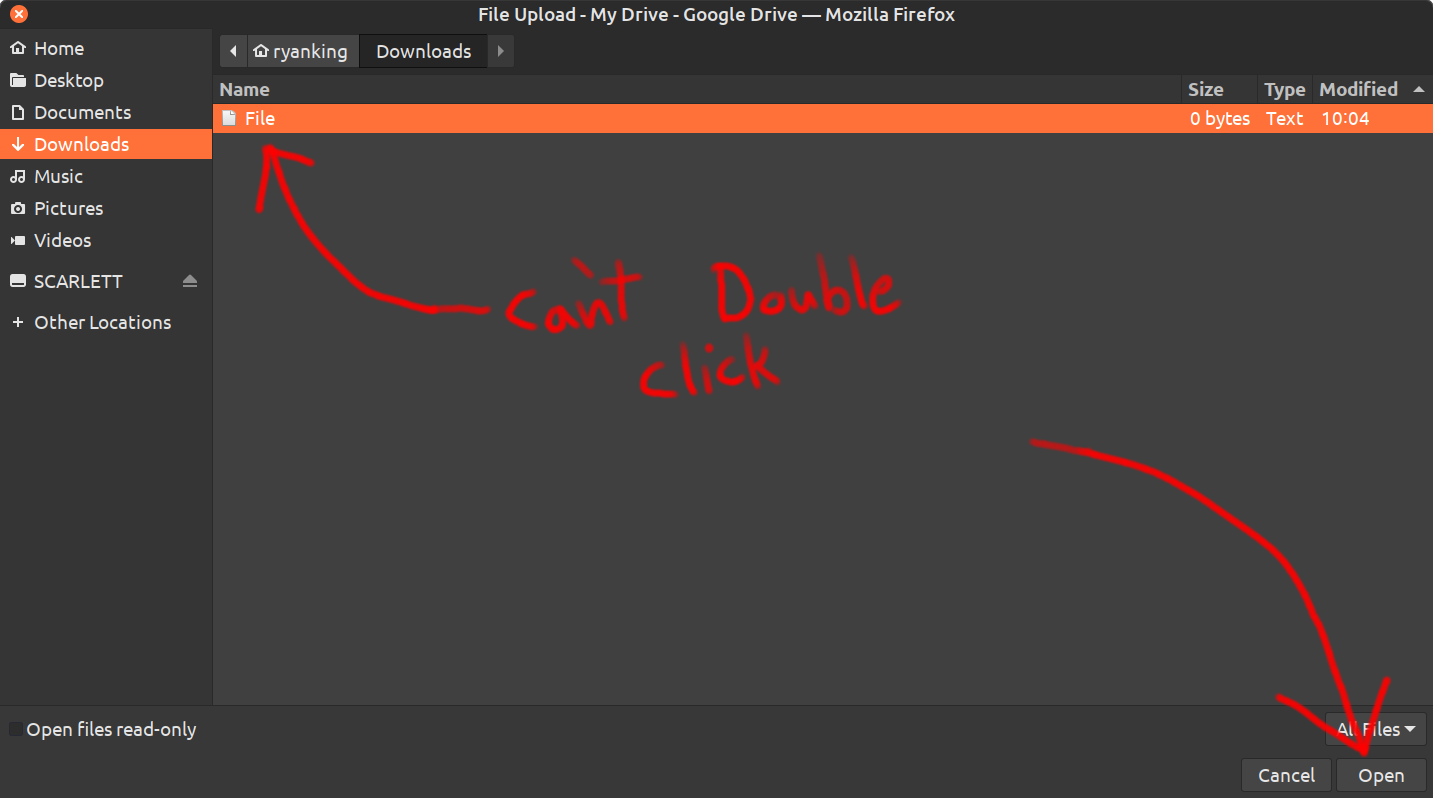
Firefox recently had an update, and now when I am uploading files, I can't double click to upload selected files. I have to first select the file, and then click the open button.
Before the latest Firefox update, I could simply double click on files to upload. This workflow was much faster.
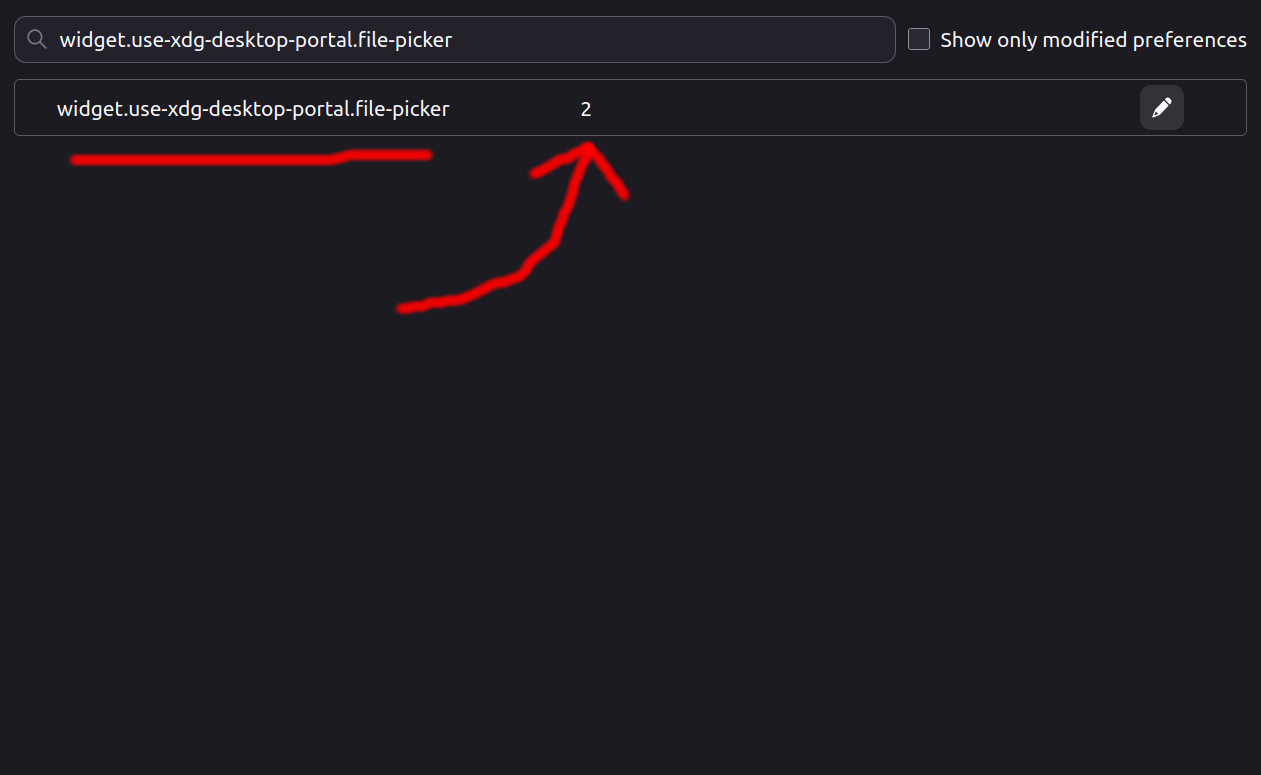
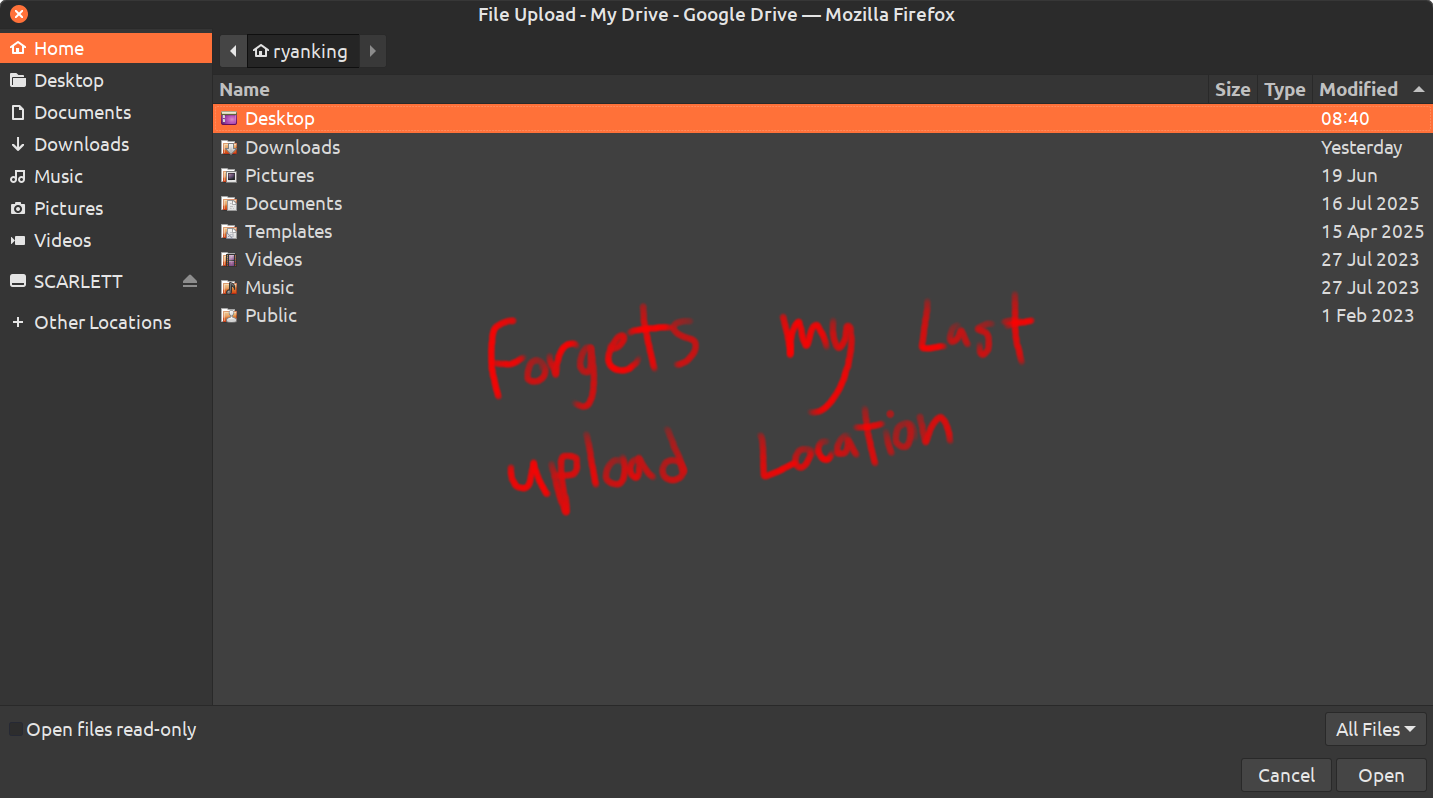
If I go to about:config, and search for: widget.use-xdg-desktop-portal.file-picker, I can change the value from 0 to 2, and then I can upload files by double clicking. However, then Firefox forgets my last upload location, and always opens in the home folder.
If I set it back to 0, it remembers my last upload location, but I can't double click to open files.
My current Firefox version is 152.0.1. Any help would be appreciated. Thanks.
Wšě wotmołwy (11)
So the double click originally worked after you switched from your system integration support.mozilla.org/en-US/questions/1575323 and only ceased working after this change?
Or you don't have an exact time frame so it could have been connected to opting out of the XDG provider?
widget.use-xdg-desktop-portal.file-picker (default: 2) Whether to use gtk portal for the file picker.
- 0: never
- 1: always
- 2: auto (true for flatpak or GTK_USE_PORTAL=1, false otherwise)
If 0 vs. 2 differ for you, it means you're either using a flatpak version, or overriding the file pickers in your env. So the double–click actually works in the default setup, and you only need to resolve support.mozilla.org/en-US/questions/1575323 which I'd normally attribute to a bug/change in e.g. your xdg provider, but since the previous thread mentions resolving the recent folder by downgrading, it could be actually tracked down with bisection. You can run mozilla.github.io/mozregression between v148–v149 on your system to help inform when the recent folder stopped being remembered with your gtk/xdg setup.
Hello. No, the double click was working, up until my computer upgraded to a new version of Firefox just a few days ago. Before that, double clicking, and my last upload location, were both working together. I think it has something to do with the new Firefox version.
Hey Ryan, in that case please use the mozregression linked above to help find the changeset responsible. There were similar reports that using Enter key no longer works in similar fashion — hinting at the file picker not understanding what its default action is, but given this is explicitly non–standard setting for your environment, you might wanna file that in bugzilla to see if it gets some traction, or depends on any known issue. There are folks familiar with Gtk widgets and any recent changes so that's the avenue to pursue.
Can you give me some more information on what I'm exactly supposed to do with the program? I've managed to download and launch it, but I have no idea what I'm supposed to do with it. I watched the tutorial video on the website, but its not super clear, and I'm still confused as to what to do, and what information you might need from me to fix the bug. Thanks.
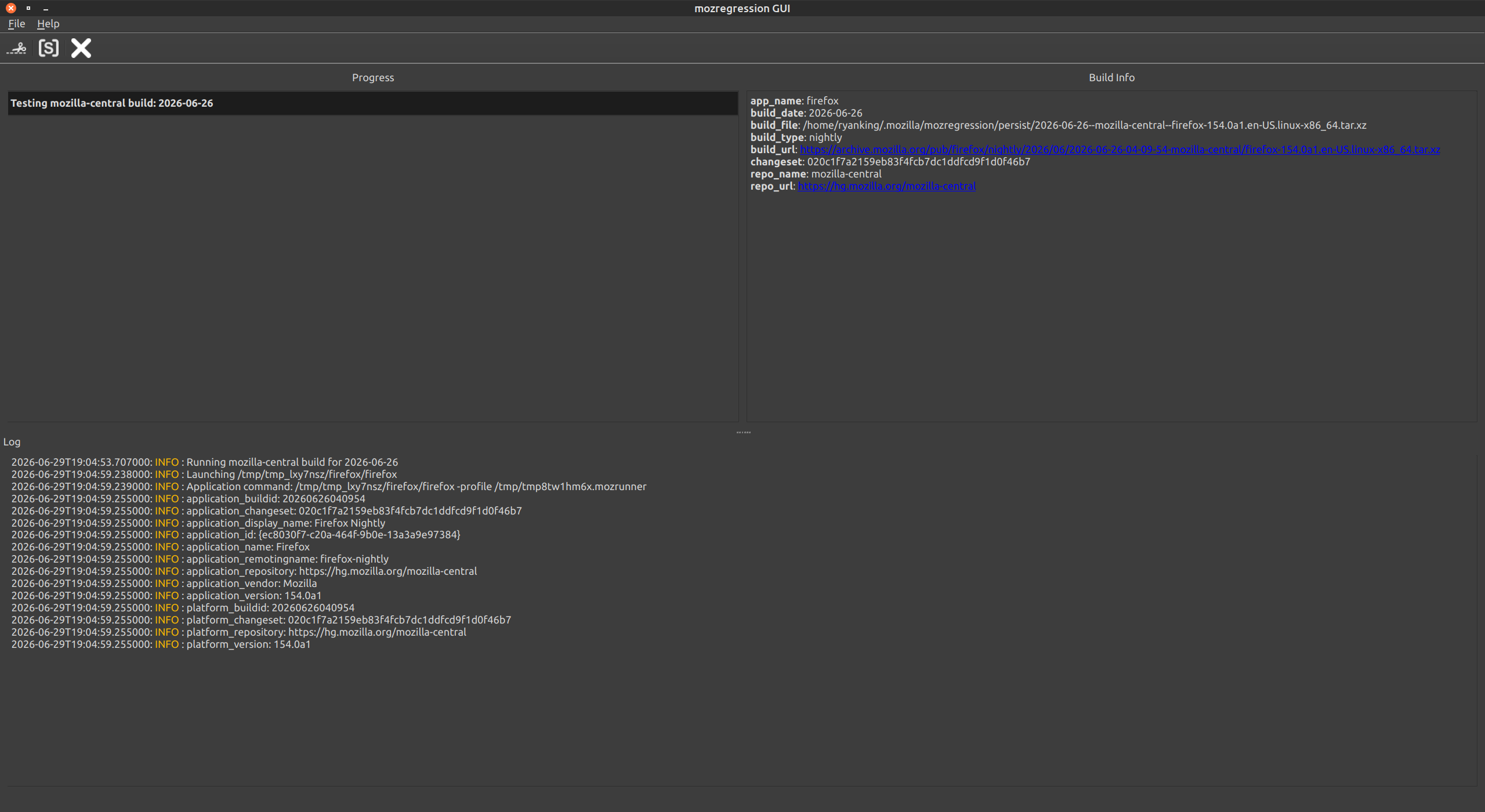
You tell it a range of versions, it will run one by one, you try the feature you're considering regressed at some point, and you click "good" or "bad" — that will repeat as the run narrows the regression window — and once you're done you'll just copy or screenshot the resulting log.
(I'll check the version in the threads and will post some hints separately in a bit…)
This is an example result:
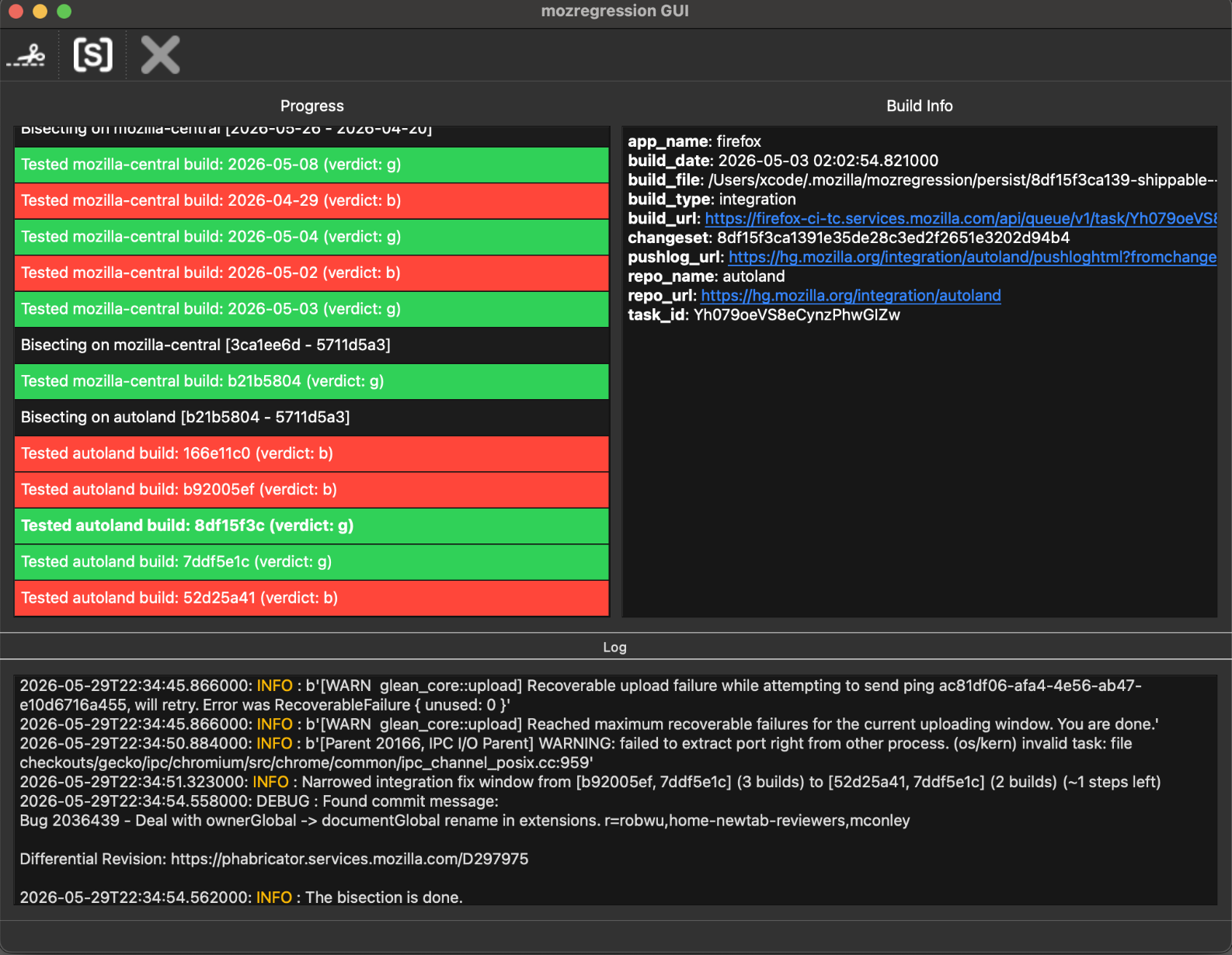
I'd start with the "last file upload location" issue to verify it's an environment impact rather than code change, but in case that one leads to something, there'd be no need to tinker with portals' preference and this later issue would also go away.
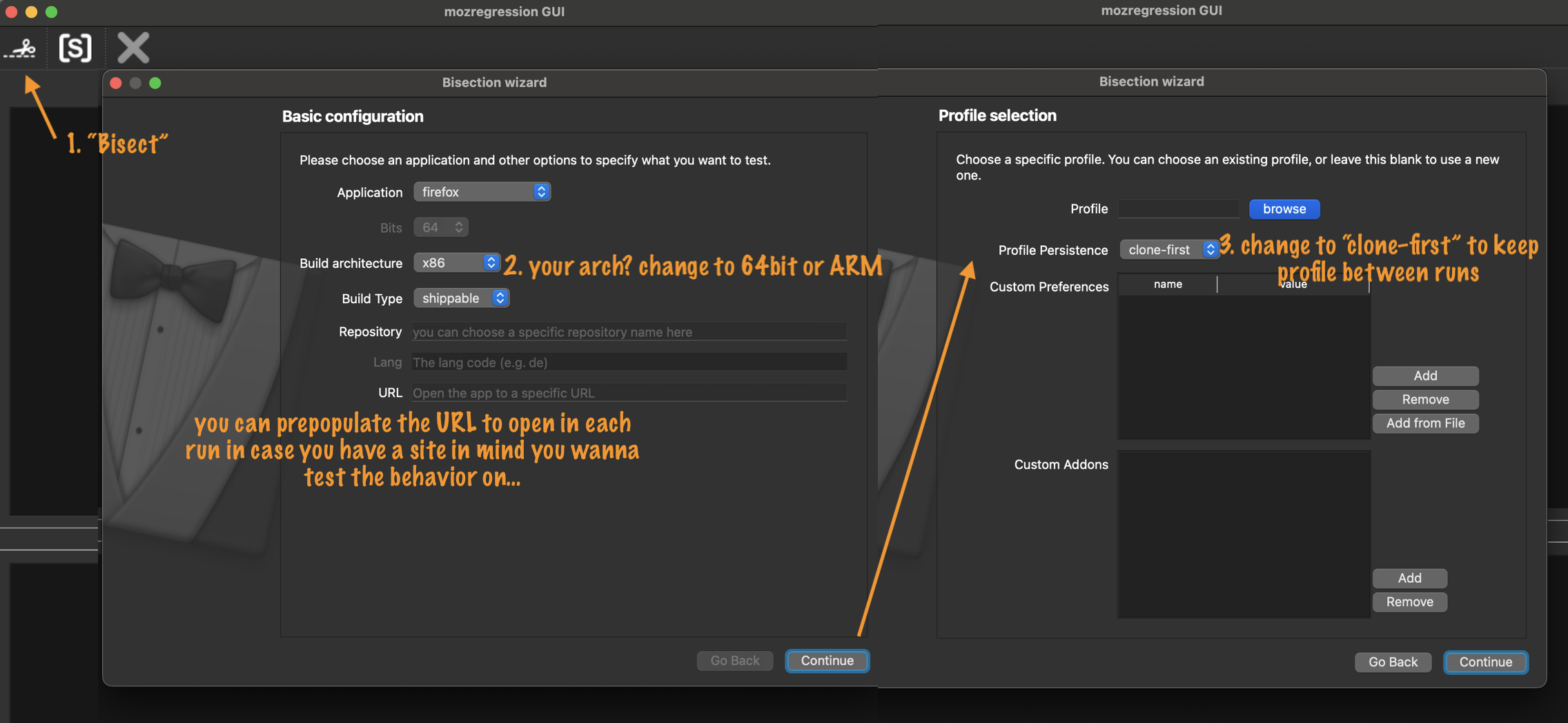
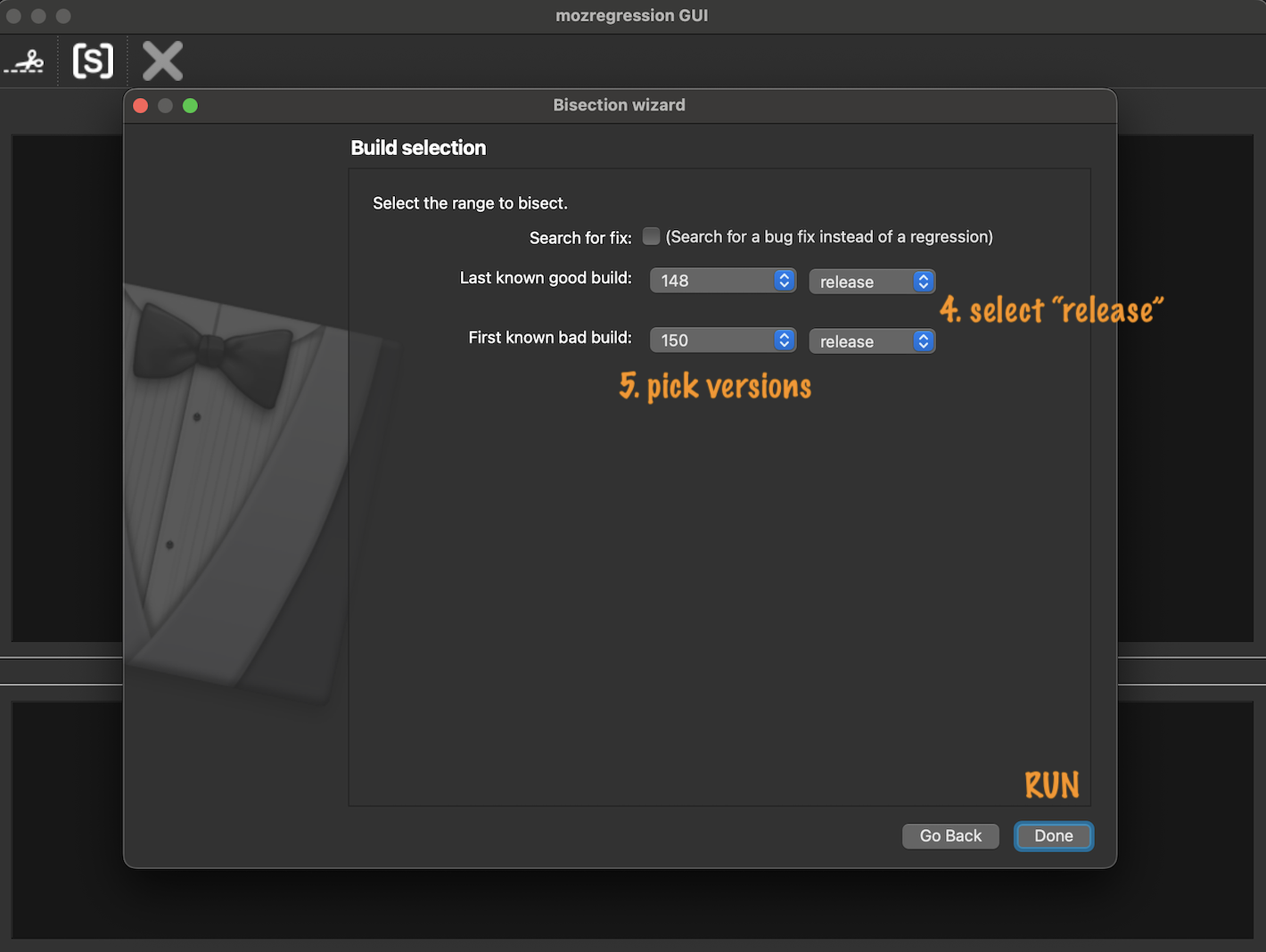
So that's using defaults and just a range of versions. I'm attaching some notes what to set.
It will download and launch version after version based on your assessment whether the feature you're testing works as expected or not — and after you try the interaction you're investigating in given build you just close it, return to the mozregression, and tell it good vs. bad (the UI has colored buttons on the build line) and it will get another copy.
If none of the versions change that behavior, i.e. you're unable to track any regression in that range window, it's coming from the system, and not a change in the app. If you're seeing good vs. bad builds, it means it's most likely coming from a changeset and the app will be narrowing the window down with your ongoing results.
Thanks for the clear information. Well, I kept trying the default upload location bug, again and again until it finally stopped opening up new Firefox windows, and none of the versions I tried worked. I think it opened up new versions around 10 to 20 times. However, there's probably many many more versions that I never tried, so I'm not sure if I need to try even more versions that are older? I also uploaded a screenshot. Thanks.
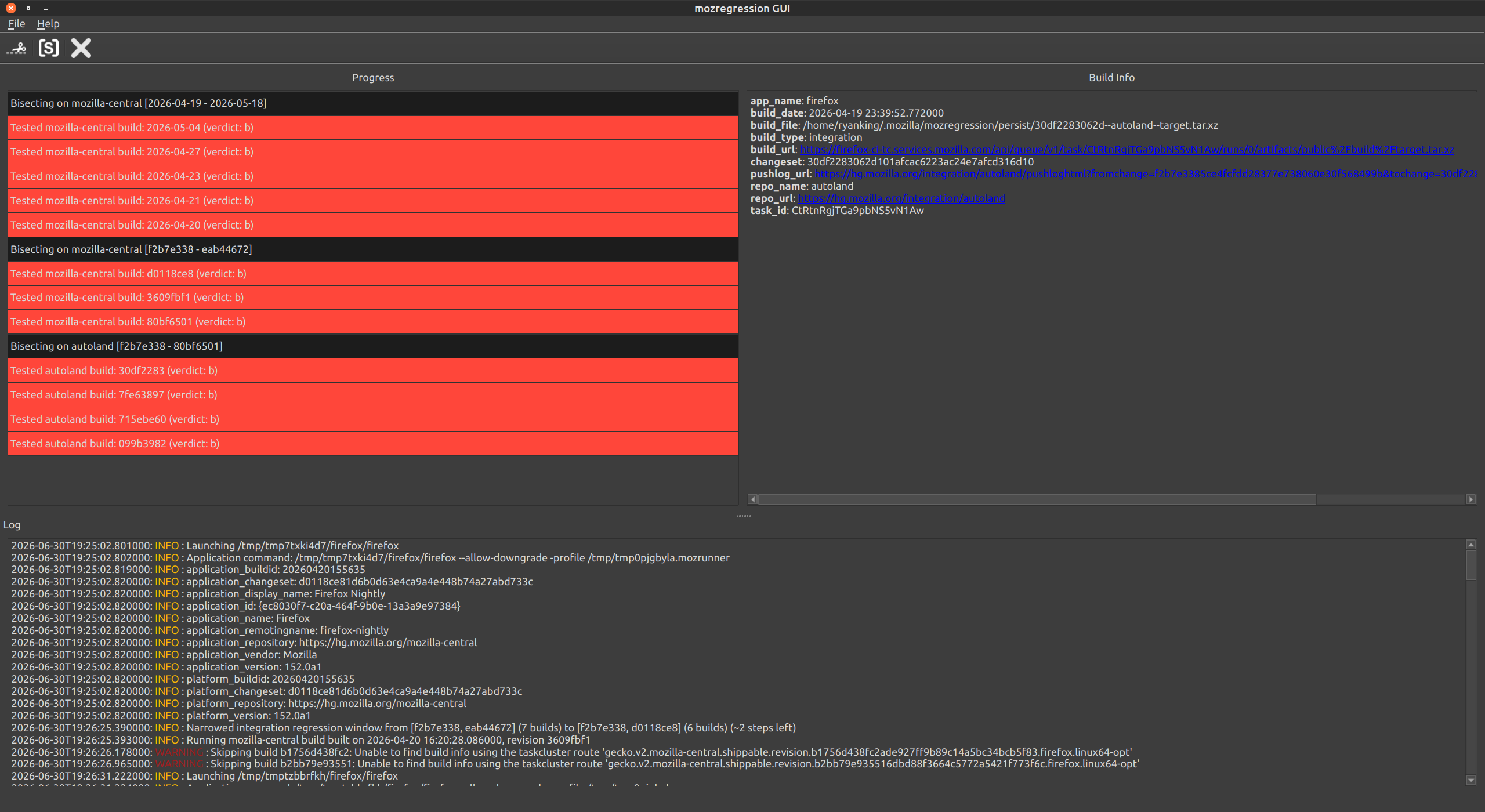
So that would point more at a, say, Gtk update on your system level than an app change, but I just picked versions mentioned as working in the previous thread to shorten the bisection. If you saw none "good" results it's either the good builds are out of the selected range, or the app version has no impact on this. Now when you know it's not as tightly scoped as expected (e.g. v148–v150), you can give it version numbers with wider range: if you check my second screenshot, after flipping the date dropdown to "release" for both, select e.g. "128" as "last good" and "150" as "first bad" to widen the experiment. It is possible they will all still come back as "bad", which means the versions that worked for you back then do not now, so that's something to pursue on the system level next.
If you don't find any interesting change in behavior in this case, I'll jot some notes for the second, non–default config, that will need a few specifics.
So i went even farther back to version 144 and 145, and it still doesn't remember my last upload location. I find this very strange, because just a few months ago Firefox was remembering my last upload location.
That would hint at a change at you portal package on the system level. Does it only forget your recent folder when used in Firefox, and works as expected in other parts of the system? (esp. in the more default apps, that would apparently use the same dependency instead of their own file picker logic…)
As for the second newer issue when opting out of the system portals, there's actually a bug tracked regarding resolving a security issue; some relevant notes are:
- https://bugzilla.mozilla.org/show_bug.cgi?id=2047865#c15
- https://bugzilla.mozilla.org/show_bug.cgi?id=2047865#c25
- https://bugzilla.mozilla.org/show_bug.cgi?id=2047865#c44
(Yes, the solution is to not opt–out of the default portals, so ideally you'd find a way to e.g. configure the recent locations in your portals to work as expected, so that you could then un–opt–out from the fallback path.)
I tried it on the Chrome browser, and it also doesn't remember my last upload location. However, I'm not sure if that is a Chrome feature, as I don't use Chrome much.
I don't know if this information is useful, but I'm using the Linux Mint 21.1 Cinnamon operating system.
I know Linux Mint 21.1 is an older version of Mint, but upgrading to the new version requires an entire wipe and re-install of the operating system, and its a ton of work to do, so I'm waiting until Linux Mint 21.1's support ends in April 2027, before I upgrade and reinstall Mint.