


cudy cerficate

Hi.
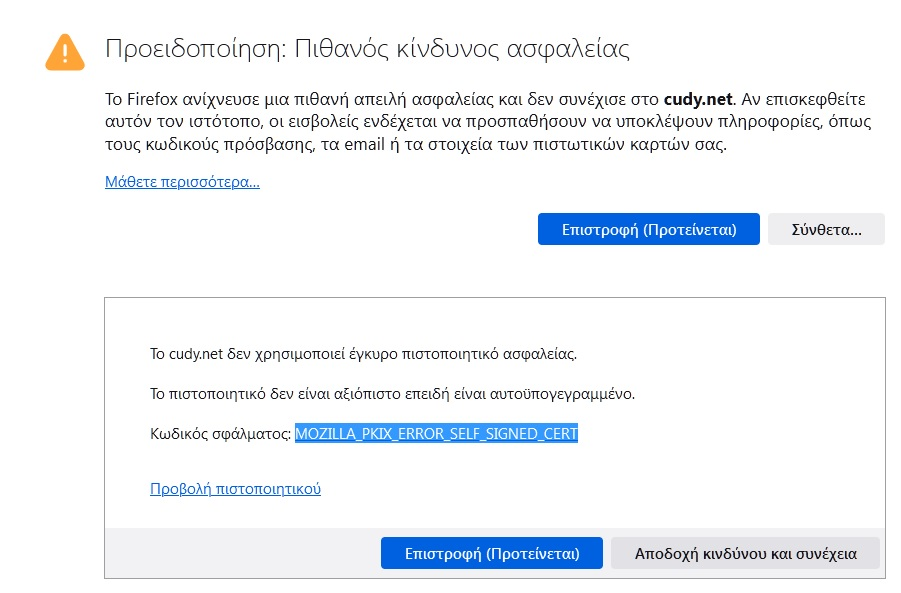
Why i need every time i restart the firefox esr accept the cudy.net certificate? Look the picture.
Is there a way to add it as exclude this certificate and NOT ask me every time i restart the firefox esr to accept this certificate?
Wšě wotmołwy (5)
Hi Gregory,
I can access the website just fine from my end. Can you check this thread to see if it might help?
I do the rename and replace but nothing change at all.
Hi Gregory
Is it cudy.net or cudy.com you are trying to access?
I have had a look at the certificate for cudy.net and it is not being trusted, possibly due to a name mismatch with cudy.com.
I do not know which site you are trying to access, but it might be that cudy.net is the old address and you need to head to cudy.com in the future.
Please also appreciate that you are using an unsupported operating system and that the support for that version of Firefox is being stretched - you may start encountering issues with websites that we will be unable to resolve.
To add to Paul's excellent point, cudy.net is the local address for your Cudy router or extender, and it is normal for Firefox to flag its self-signed certificate as untrusted.
However, Firefox should normally remember the security exception you added. If it asks you every single time you restart the browser, it usually means your settings are forcing Firefox to delete these exceptions upon closing.
Check your History settings. Make sure Site Settings is unchecked. If it is checked, Firefox wipes your site permissions every time you exit.
Paul είπε
Hi Gregory Is it cudy.net or cudy.com you are trying to access? I have had a look at the certificate for cudy.net and it is not being trusted, possibly due to a name mismatch with cudy.com. I do not know which site you are trying to access, but it might be that cudy.net is the old address and you need to head to cudy.com in the future. Please also appreciate that you are using an unsupported operating system and that the support for that version of Firefox is being stretched - you may start encountering issues with websites that we will be unable to resolve.