


Asking to enter "new password"

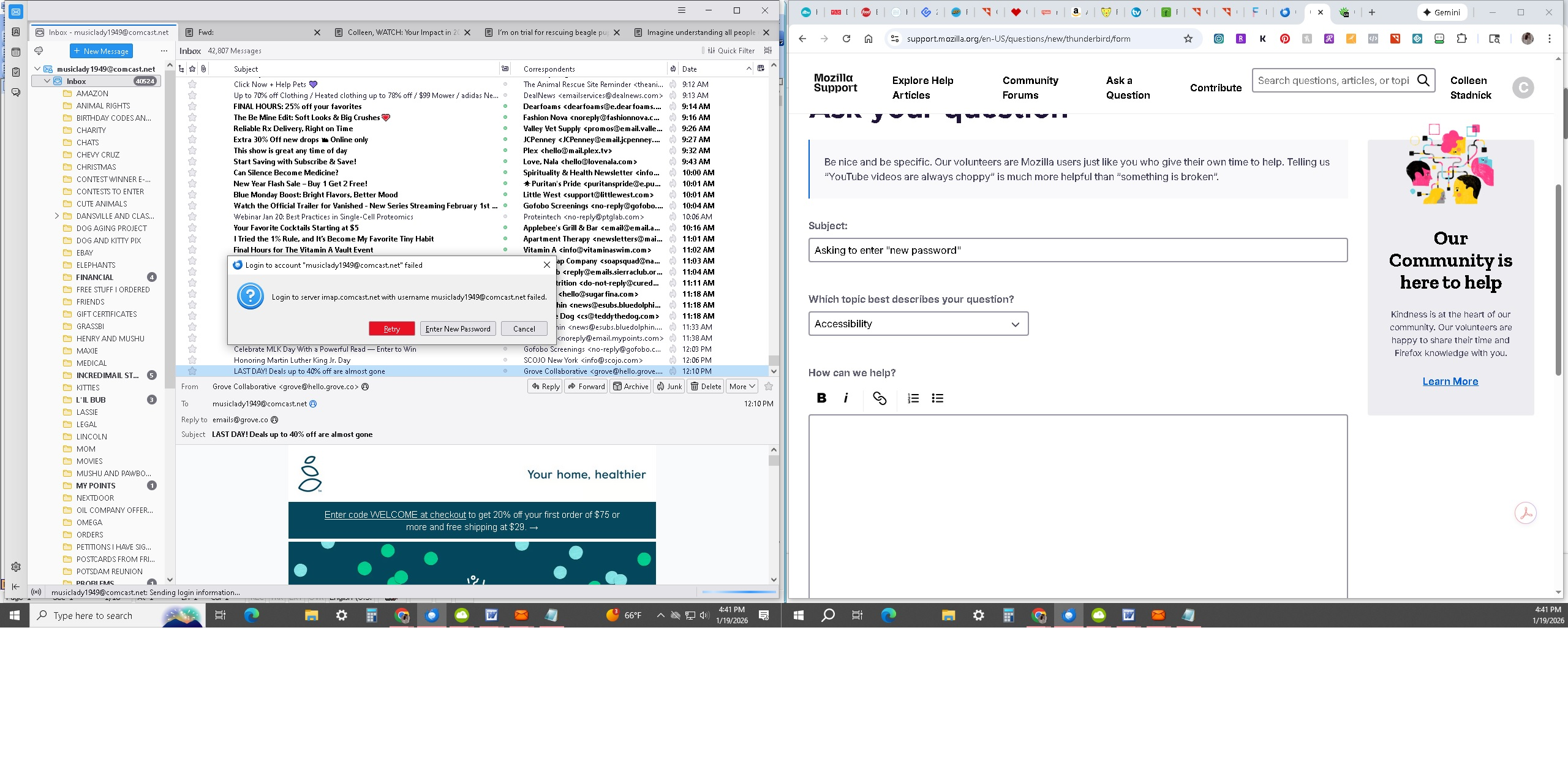
I'm being asked to login, retry, enter new password or cancel so can't access any e-mail as of about noon today, 01/19. Screenshot attached. Thanks.
Wšě wotmołwy (8)
There are many reasons for a fail. That pop up request - where it says 'Enter New Password' - you can only use that option if you have already logged onto the webmail account and updated/modified the current password.
All Passwords can only be modified via their respective webmail accounts. Then you update the stored password in Thunderbird to match the current password.
First check that your Firewall is not blocking the Thunderbird program. Firewall It might be controlled by the default supplied by OS OR it might be controlled by an Anti-Virus you installed.
- Exit Thunderbird.
- Access Firewall
- Make sure the 'Thunderbird' program is set up as allowed.
Do not just disable Firewall as that proves nothing is not desirable.
- Confirm - Thunderbird program is set up as allowed.
VPN Please check your computer to see if a VPN has been enabled. Many Anti-Virus products now offer VPN and in some cases it had been enabled by default. Servers generally do not like VPN because it attempts to hide your IP address and server may block access if it thinks you might be trying to hack the account. Switch off VPN.
- Confirm you have checked computer for a VPN - also checked your Anti-virus to see if it now offers and has enabled a VPN - VPN is switched off.
Now to check the password and third party access settings because comcast uses Xfinity.
- Using a browser - logon to your webmail account using your password.
Do you get access to the webmail account? If yes, that proves the server is still accepting your password. If not accepting password then there should be 'forgotten password' type of text link which you use nad follow instructions to regain access - then reset password.
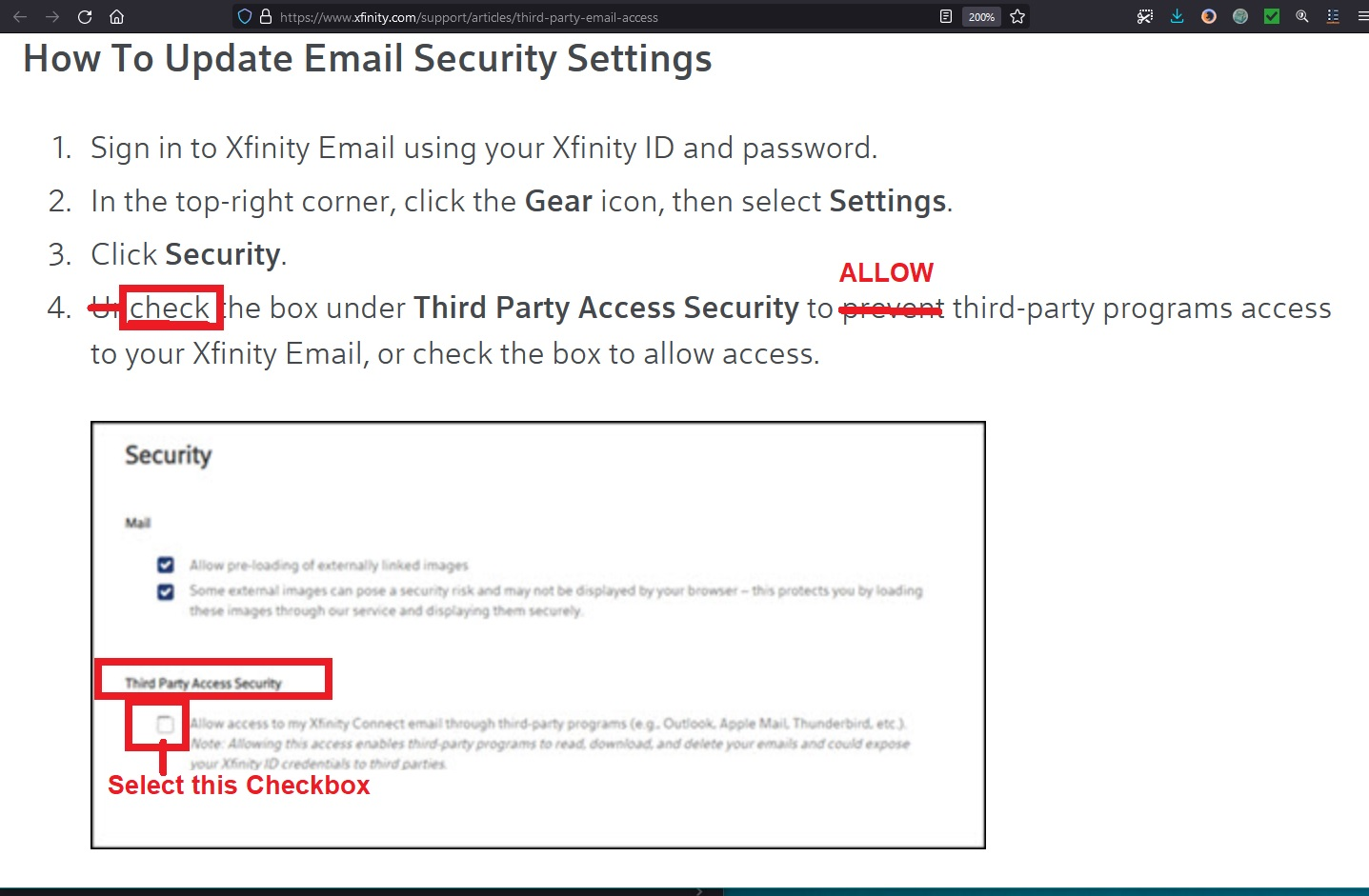
Whilst in the webmail account - check the third party email client settings are enabled. top-right corner, click the Gear icon, then select Settings and Click Security. You need to select the checkbox to 'allow access to my xfinity..... See image below as guide. If enabled already - try the switch it off and then switch it back on to make sure there is no glitch. Strange as it may seem, that unchecking and reselecting the checkbox did work for another person.
I don't have VPN. I tried downloading it again with a new password but with the same results. Thanks for your help
Hello, I did all of this: Whilst in the webmail account - check the third party email client settings are enabled. top-right corner, click the Gear icon, then select Settings and Click Security. You need to select the checkbox to 'allow access to my xfinity..... See image below as guide. If enabled already - try the switch it off and then switch it back on to make sure there is no glitch. Strange as it may seem, that unchecking and reselecting the checkbox did work for another person.
But it's still not working.
Colleen Stadnick said
Also where do I "Make sure the 'Thunderbird' program is set up as allowed."
In the Firewall
If you are using Windows Defender Firewall: https://support.microsoft.com/en-gb/windows/firewall-and-network-protection-in-the-windows-security-app-ec0844f7-aebd-0583-67fe-601ecf5d774f
In search type: Windows Security Select 'Windows Security' select 'Firewall and Network Protection' select 'Allow an app throught Firewall'
This is the location to add/select Thunderbird program and set as allowed.
You may need to click on 'Change Settings' and you might be asked for a password.
To add an app, select the check box next to the app, or select 'Allow another app' and enter the path for the app. If Thunderbird was installed in default location then it's likely to be here: C://Program Files/Mozilla Thunderbird/thunderbird.exe
Have you recently been asked if you want upgrade your comcast.net email account to Yahoo Mail? Did you select to move to yahoo ?
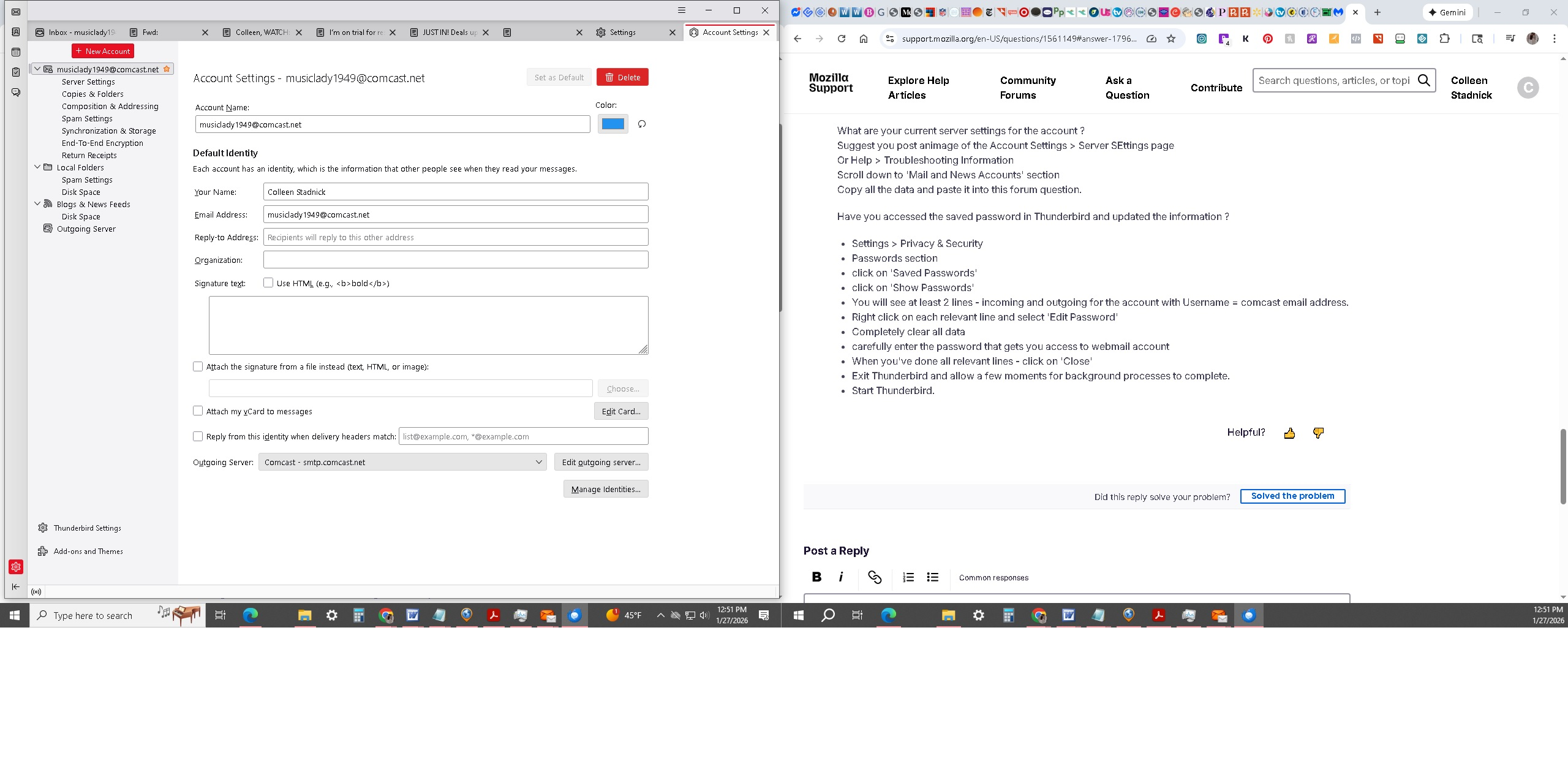
What are your current server settings for the account ? Suggest you post animage of the Account Settings > Server SEttings page Or Help > Troubleshooting Information Scroll down to 'Mail and News Accounts' section Copy all the data and paste it into this forum question.
Have you accessed the saved password in Thunderbird and updated the information ?
- Settings > Privacy & Security
- Passwords section
- click on 'Saved Passwords'
- click on 'Show Passwords'
- You will see at least 2 lines - incoming and outgoing for the account with Username = comcast email address.
- Right click on each relevant line and select 'Edit Password'
- Completely clear all data
- carefully enter the password that gets you access to webmail account
- When you've done all relevant lines - click on 'Close'
- Exit Thunderbird and allow a few moments for background processes to complete.
- Start Thunderbird.
I did all of this: Settings > Privacy & Security Passwords section click on 'Saved Passwords' click on 'Show Passwords' You will see at least 2 lines - incoming and outgoing for the account with Username = comcast email address. Right click on each relevant line and select 'Edit Password' Completely clear all data carefully enter the password that gets you access to webmail account When you've done all relevant lines - click on 'Close' Exit Thunderbird and allow a few moments for background processes to complete. Start Thunderbird. It didn't work.
Screenshot attached.
Hi, I just checked for my xfinity password and was using the incorrect password for Thunderbird. It's working now! YAY! Thanks for your help.