


TB 146.0.1 Keeps reverting to Manual Spam Sorting

Hello,
I run Thunderbird 146.01 under Windows 11 Version 10.0.22631 Build 22631... TB pulls messages from a POP Server.
Though I have tried many fixes TB keeps reverting to requiring that I manually run both Spam Sorting, and Filter Sorting, usually after running these functions automatically for about a week.
Might someone suggest a fix that will have some lasting benefit?
Many thanks,
Lothar
Wšě wotmołwy (20)
> Spam Sorting, and Filter Sorting,
You mean automatic Junk/Spam and automatic Filter?
Hi Wayne,
Yes... That's why I said TB keeps "Reverting" to my needing to manually move my Spam, and Filtered messages both of which are set to be moved automatically.
I will add that I have "ReTrained" my Spam criteria about four times, and that helps for about a week before TB reverts to requiring manual sorting again. This has been happening for many months...
Thanks, Lothar
Roughly what month/date did this start happening. You didn't change anything in account settings just prior to that? All filters fail? (you have more than one?) Do you have any settings on your spam folder to automatically delete messages?
Hi Wayne,
A rough estimate would be that the problem started about five months ago... I changed nothing just prior to this starting. I have perhaps twenty filters, and I have not studied this situation with care that would allow me to tell you if all filters are affected. My Spam folder deletes messages after they sit for more than eight days, and gets that setting from my Account Settings.
I also neglected to say that this problem is intermittent... On occasion, if I reboot the system, the messages will be moved automatically. Sometimes that will happen without a reboot. But far more frequently, I have the problem I have described. In addition, I did not explain that messages are marked as Spam, but establish residence in my Inbox rather than being moved to the appropriate folder.
Thanks, as before, Lothar
re : TB pulls messages from a POP Server.
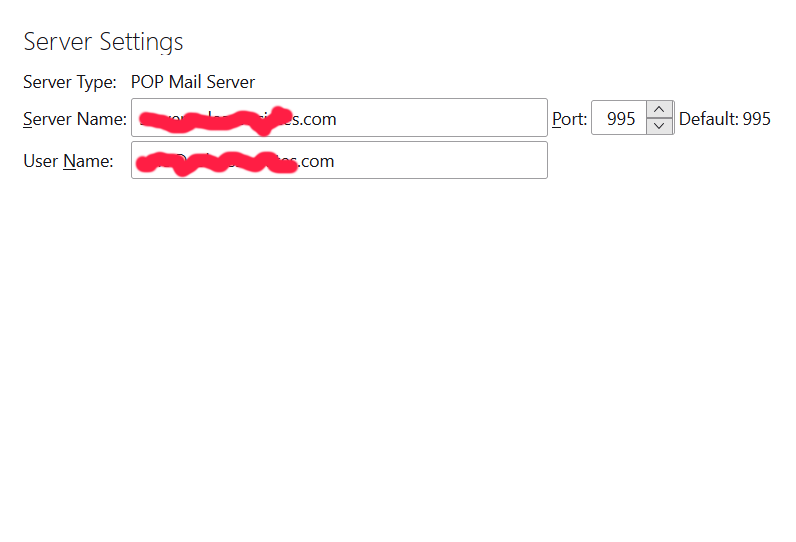
I presume you mean 'Account Settings' > 'Server Settings' says Server Type: Pop Mail Server
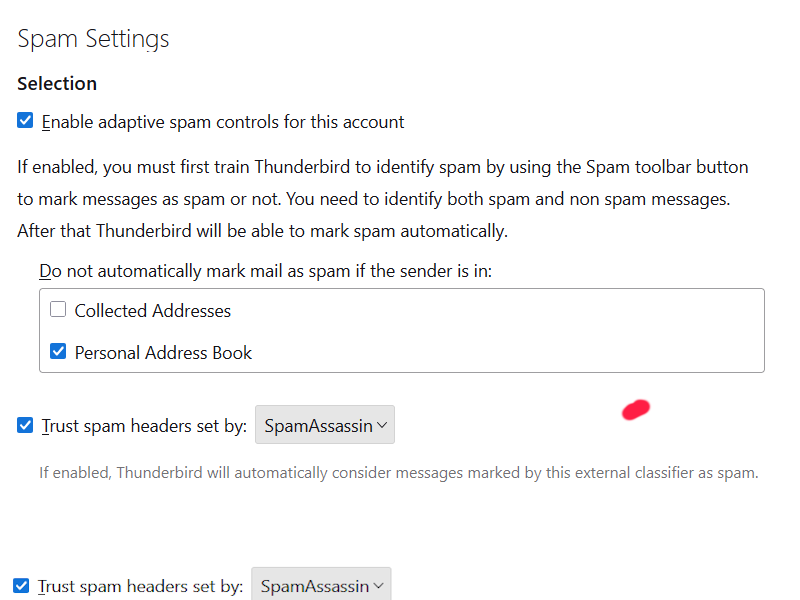
Please post an image of your 'Account Settings' > 'Spam Settings' for the pop account.
Hi again,
It's only been about 48 hours, but since clicking "Refresh Thunderbird," my Spam Controls, and Filters, are working as they should...
All the best, Lothar

lotharkrepke said
but since clicking "Refresh Thunderbird," my Spam Controls, and Filters, are working as they should...
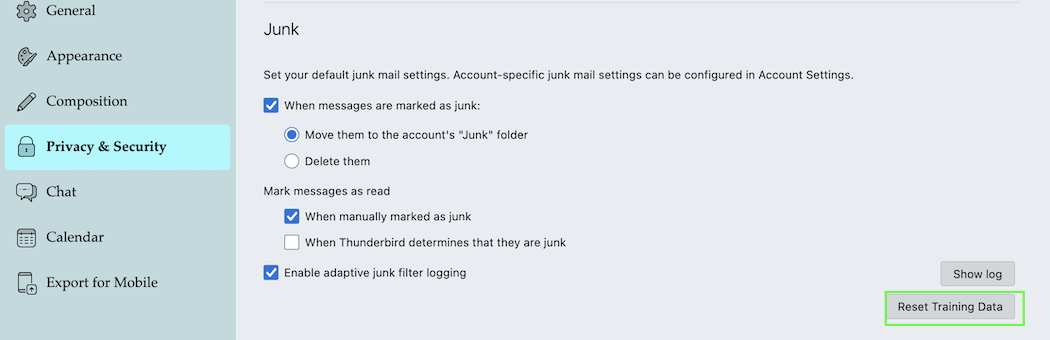
Just for my information: where did you click "Refresh Thunderbird"? I've never seen this in any Thunderbird version. Or do you mean "Reset Training Data" in Settings > Privacy & Security > Junk ?
Hi,
In V. 146.0.1 Click Help | Troubleshooting Information | and in the upper right, you will see the Refresh Thunderbird Button, waiting to be clicked...
Lothar
Thank you Lothar. I've found it now in my TB 146 profile - and it's the first time that I see this button in Thunderbird! The odd - or the funny - thing is that clicking this button doesn't affect anything, there is even a bug report about this superfluous button: Troubleshooting Information for Thunderbird 145 shows "Refresh" button, but it doesn't work https://bugzilla.mozilla.org/show_bug.cgi?id=2001863
This button has erroneously landed in Thunderbird 145 and 146 because of its cousin-hood with Firefox and it will disappear again next week in version 147. Luckily for you it didn't any harm in your Thunderbird profile....
Hi,
Well, that's why I said "It's only been 48 hours" since I clicked the Refresh Thunderbird button. Now it's 54 hours, and though it certainly may be some sort of IT placebo effect, this is, by far, my longest stretch without this hassle in many months.
I will post back when, or if, the sorting fails again. (And, I will try not to give my laptop the side-eye, hoping to extend my good luck.)
Lothar
Hi again,
Well, IT placebo it was...!
I woke up this morning, checked email, and the automatic sorting of Spam, and Filters, was back to its failure mode...
Having made no progress, would it make sense for me to uninstall, and reinstall a new DL of thunderbird, and then point it to my profile?
Thanks, as before,
Lothar
I forgot to ask...
Assuming that I have one, or, more corrupted files, that live either in the application itself, or in my profile, or, I suppose, both...
If this makes sense as a way to move forward, should I replace the files that reside in one, or both locations?
Thanks,
Lothar
Hi Lothar,
lotharkrepke said
Hi again, Well, IT placebo it was...! I woke up this morning, checked email, and the automatic sorting of Spam, and Filters, was back to its failure mode... Having made no progress, would it make sense for me to uninstall, and reinstall a new DL of thunderbird, and then point it to my profile?
It won't make sense to uninstall your actual TB copy and reinstall a new one. The problem is some file in your Thunderbird profile, probably the file training.dat There is no need to create a new profile, neither. I have seen that you prefer to trust junk mail headers set by SpamAssassin.
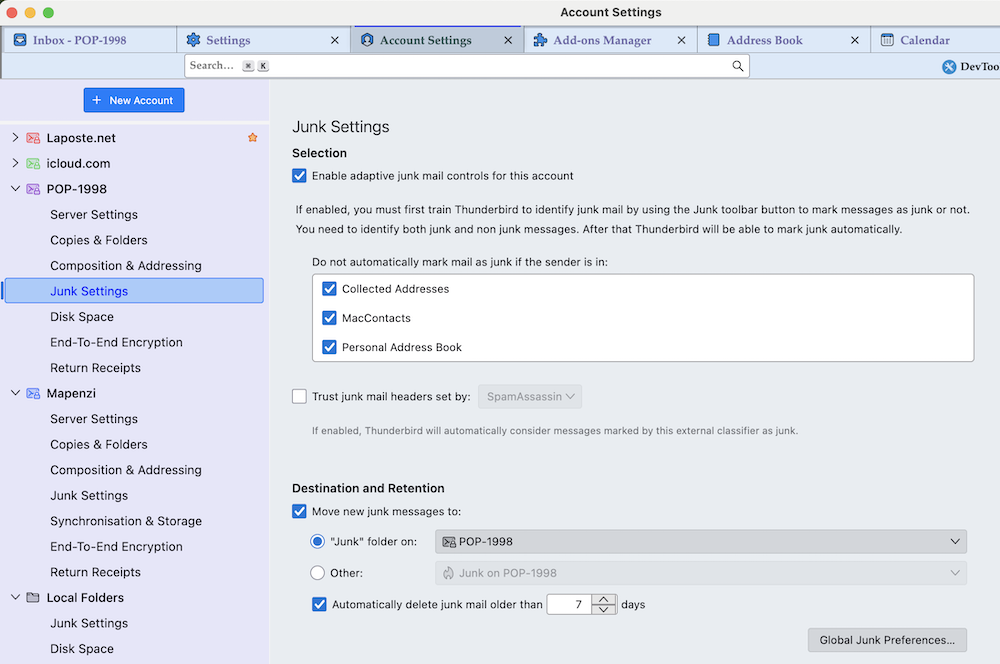
I advise to make a new depart with adaptive junk mail controls for all your accounts, without using Spamassassin . Before changing your junk settings reset your training data in Settings > Privacy & Security > Junk since your actual junk filter isn't reliable. Have a look on the screen shots of my actual spam settings per account and my global junk settings in Settings > Privacy & Security > Junk This SUMO article https://support.mozilla.org/en-US/kb/thunderbird-and-junk-spam-messages should give you more insight into junk (spam) filtering in Thunderbird.
Hi,
I followed your suggestions with care yesterday. And for a few hours, all went well...
I just launched TB, and watched as about twenty messages marked as Spam, piled into my Inbox, and stayed there, (as I wept...)
Any suggested next steps?
Many thanks, as before,
Lothar
Did you read the paragraph "Training the junk filter" in the SUMO article I linked? If you have reset training data as I suggested, you have to tell Thunderbird what is spam and/or what is not spam, at least in the beginning. The TB spam filter cannot be perfect after one day of training.
Hello,
No, I have not read the article, but I am quite familiar with the Spam management training procedure, having used a few times over the years. The error of my ways was that when I posted, I had forgotten that I had turned off the use of SpamAssassin, as per your suggestion.
'Sorry, and I will post back with my results, as the training approaches the Ph.D. level.
Also, might you tell me why you suggested I switch the SpamAssassin off?
Many thanks, as before, Lothar
lotharkrepke said
Also, might you tell me why you suggested I switch the SpamAssassin off?
In your screen shot I've seen that SpamAssassin was activated. So since you have problems with TB identifying and moving spam messages my idea was a new departure with a different setting. I don't remember whether I ever used SpamAssassin criteria, and if I did it is a long time ago. I am very lucky to receive almost zero spam, even in my 30 years old POP account. Nowadays it's no longer classic Viagra spam but rare phishing mails...
Hello again,
It's been two weeks since I tried your suggestion above, and for about a week, all was working perfectly, but...
With increasing frequency, the problems that I described at the start of this thread have returned. TB again fails to move spam, and filtered messages, to their proper folders automatically about as frequently as it did at its worst.
I'd appreciate any further suggestions you might have, but, this is a nuisance rather than a disaster.
Please let me know you thoughts, and accept my sincere thanks,
Lothar
I'm really sorry, failing to have acquired a big experience in Thunderbird's spam management I am unable to give further advise. In my IMAP accounts I never receive spam messages, and in my historical POP account from the turn of the century I only receive sporadic phishing emails (bank, social security, subway season ticket) which Thunderbird detects perfectly with standard spam filter settings.