


New Issue with Win ver. 146.0.1 -- Deleting Spam Folder Now Sends Spam To Trash! BAD!

Oy! If it isn't one thing, it's another:
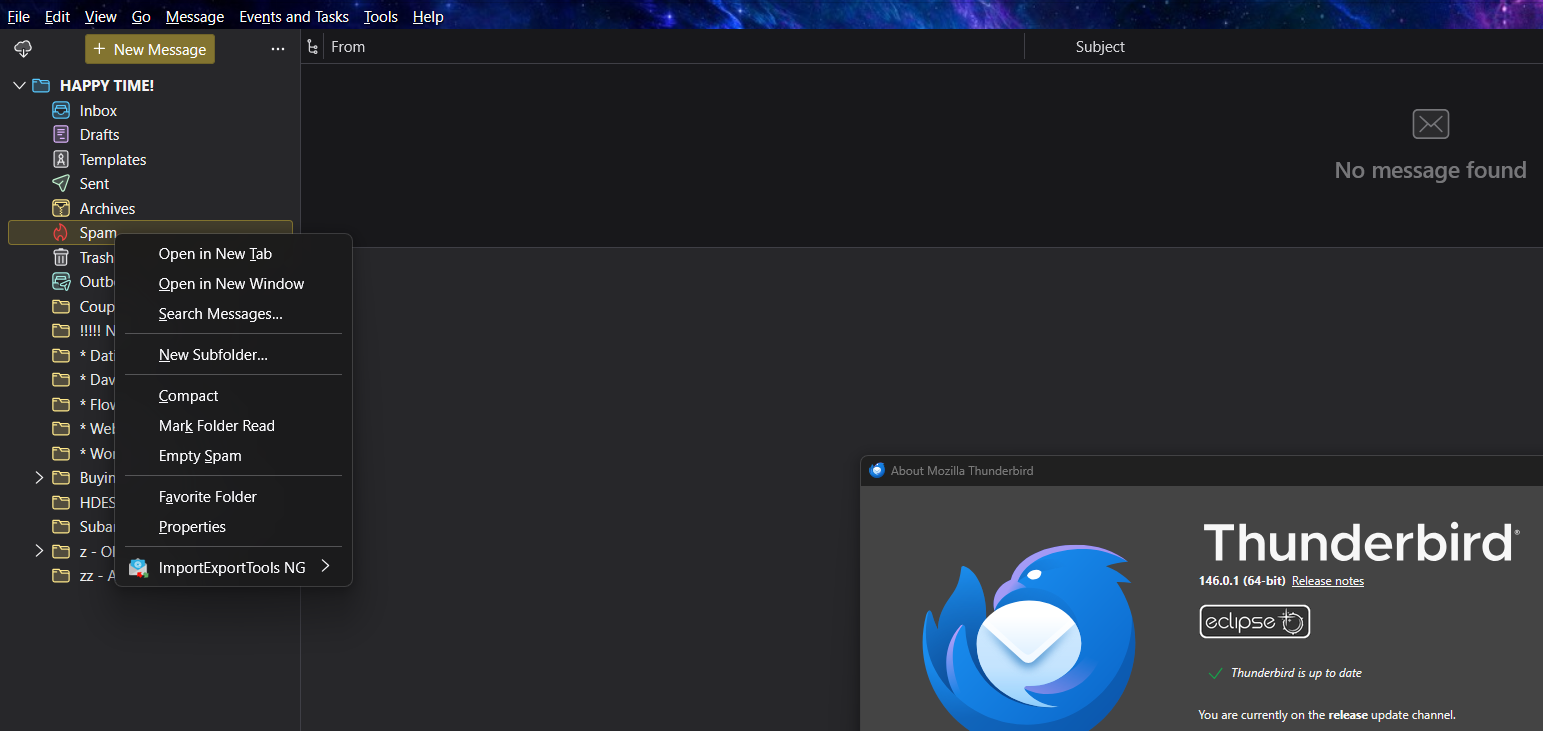
Before this latest update (earlier this week), when I right-clicked on my Spam folder (int left column of the screen), the drop-down box would open. Then when I left-clicked "Empty Spam", all of the Spam folder messages were *permanently deleted.*
But now? They go into Trash and I cannot figure out a way to change this behavior. I should not have to select all the spam messages and then click <Ctrl> to get rid of them, it should happen when I click "Empty Spam."
How do I solve this/is there anybody there who can fix this?
Oy! If it isn't one thing, it's another:
Before this latest update (earlier this week), when I right-clicked on my Spam folder (int left column of the screen), the drop-down box would open. Then when I left-clicked "Empty Spam", all of the Spam folder messages were *permanently deleted.*
But now? They go into Trash and I cannot figure out a way to change this behavior. I should not have to select all the spam messages and then click <Ctrl><Del> to get rid of them, it should happen when I click "Empty Spam."
How do I solve this/is there anybody there who can fix this?
Wšě wotmołwy (1)
UPDATE: Even if I highlight the spam email in the Spam folder and click Ctrl-Del, they *still* get moved to my Trash folder.