


Multiple instances of "Isolated Web Co" when using Firefox on Ubuntu...

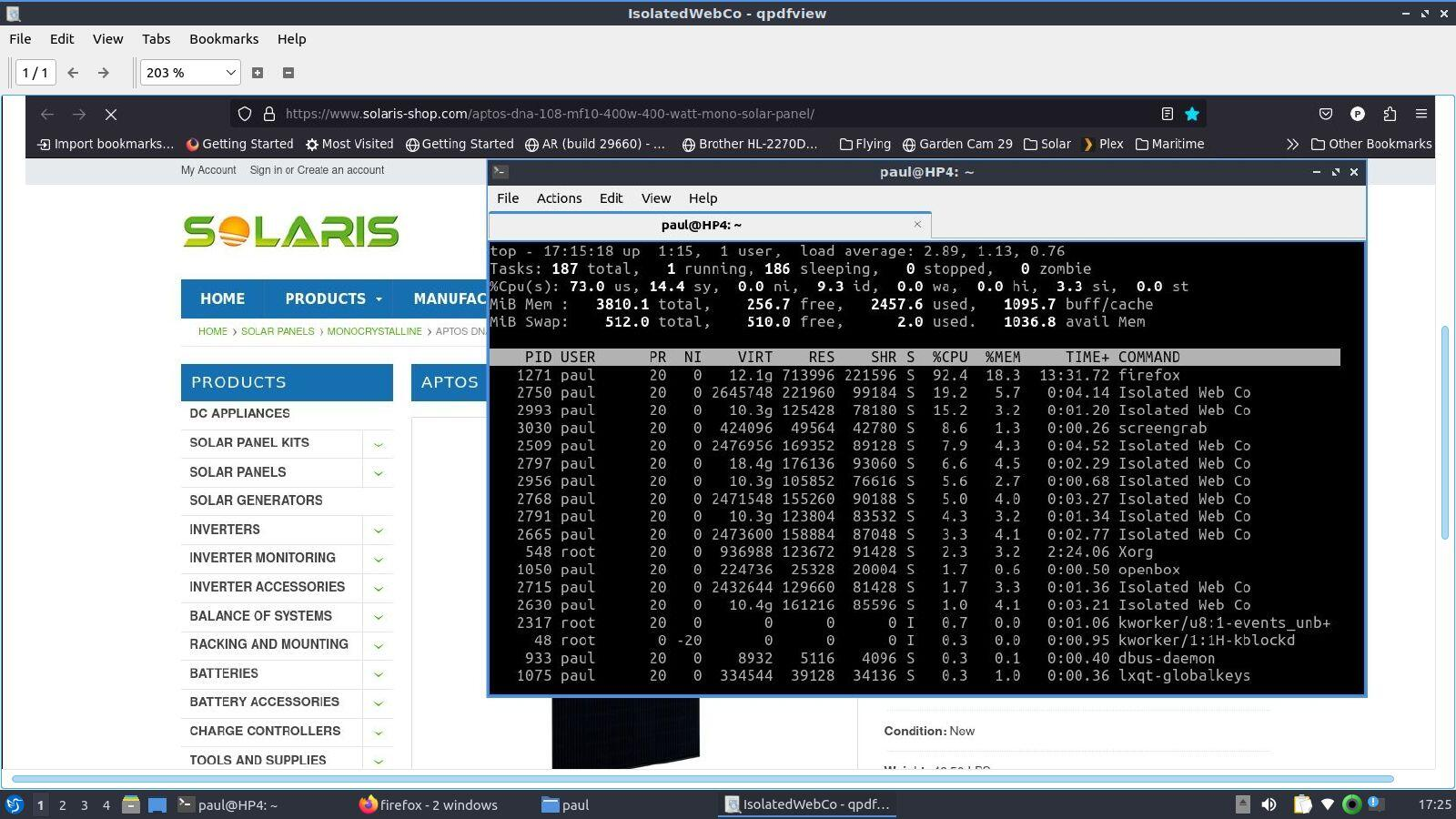
I'm having problems with Firefox using 75% of processor capacity. In "top" I see many instances of "Isolated Web Co".
At the moment of this screen shot the processor is not overwhelmed, however, it will sometime jump up to 75% and the system will seem to freeze.
What is the "Isolated Web Co"? I'm thinking a virus.
Thank you.
Wšě wotmołwy (2)

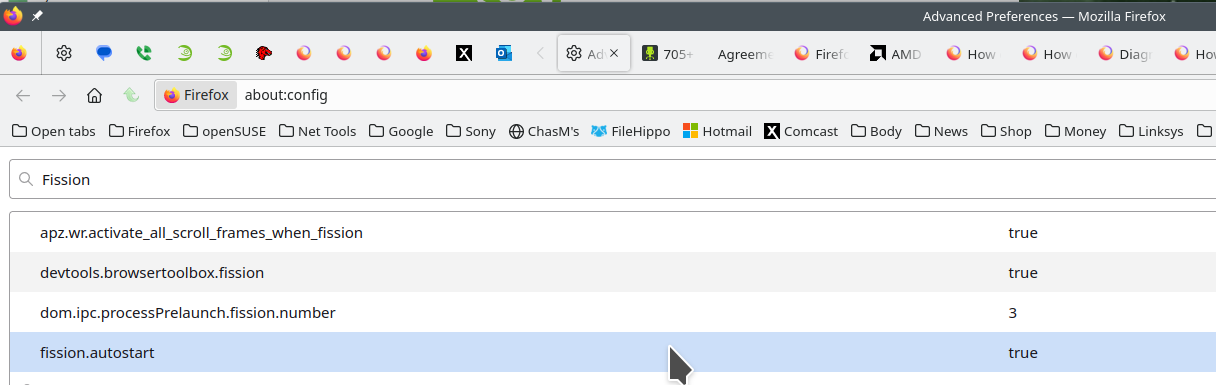
The links are sites explaining the Firefox's Project Fission. This is the reason for the processes you see in task manager or top. You can turn fission off by setting it to false on the about:config page. see screenshot Here is more info. https://www.ghacks.net/2016/02/15/change-how-many-processes-multi-process-firefox-uses/
Introducing Firefox’s new Site Isolation Security Architecture https://hacks.mozilla.org/2021/05/introducing-firefox-new-site-isolation-security-architecture/
Firefox's Project Fission: better security and more processes https://www.ghacks.net/2019/02/07/firefoxs-project-fission-better-security-and-more-processes/
You can find the current multi-process state on the Troubleshooting Information page (about:support).
- "Help -> Troubleshooting Information"
"Application Basics":<be>Multiprocess Windows and Fission Windows
"Remote Processes" (Web Content)
You can check the about:memory and about:processes pages for info about all processes. There are several toolkit.aboutProcesses prefs on the about:config page to show more info. See also the about:unloads page for info about the tabs.