Does not display graphics in emails, and will not verify updates

When I recieve an email with a graphic TB will not display the graphic even though view message body is set to "Original HTML". It makes no difference.
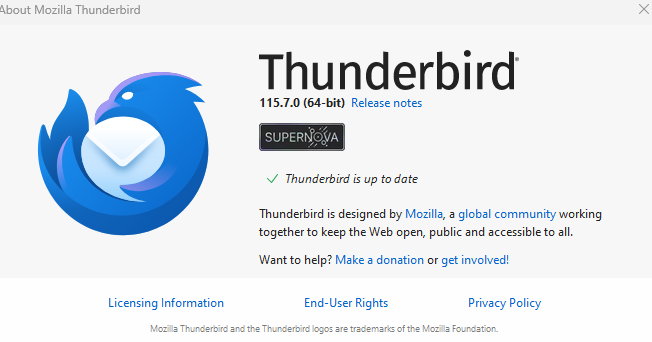
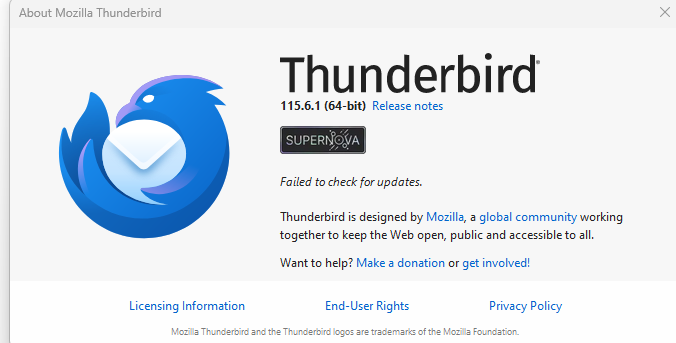
Further, when I click on the help, about thunderbird item, it gives me a graphic that it 'failed to check for updates."
I really don't understand what's happened here, and worst, for me at least, I cannot point to any action which would have placed the program in this position.
Does anyone have any ideas? Ken Wagoner Harrisonville,MIssour USA
Wšě wotmołwy (2)
The failure sounds like you have a firewall issue, probably linked with your antivirus product. Try disabling both by using your system in safe mode with networking and see if you do better.
Thank you for the input Matt.
I haven't modified my firewall settings or antivirus protections at this point.
However, very much 'out of the blue' yesterday both of the issues I described were resolved.
Graphics began to display properly in emails, and the "about thunderbird" verified that the version running was "up to date." I repeat that I didn't do anything, it just happened.
So I'm considering this issue resolved.
Ken Wagoner Harrisonville, Missouri