


PDF print issues

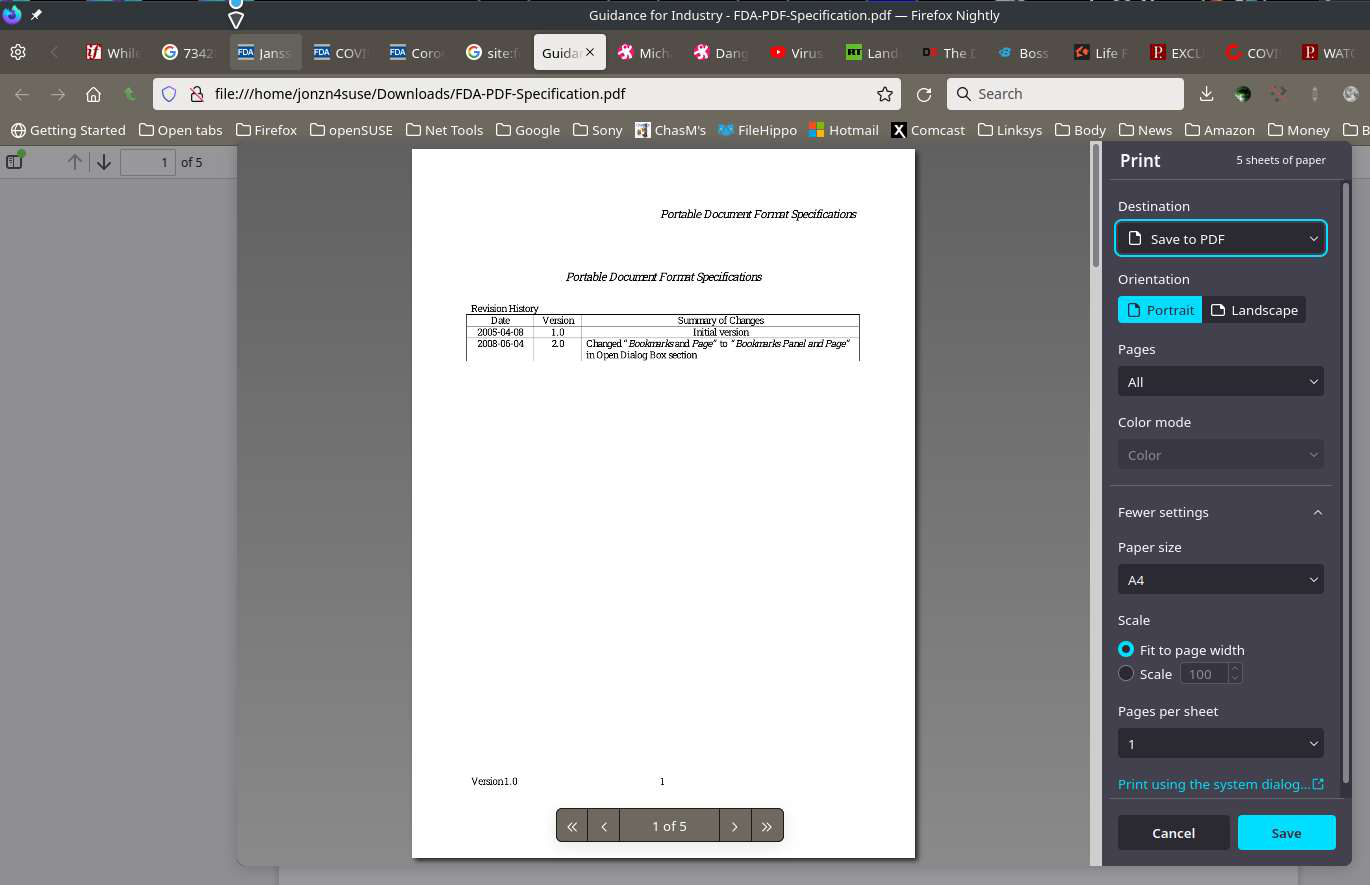
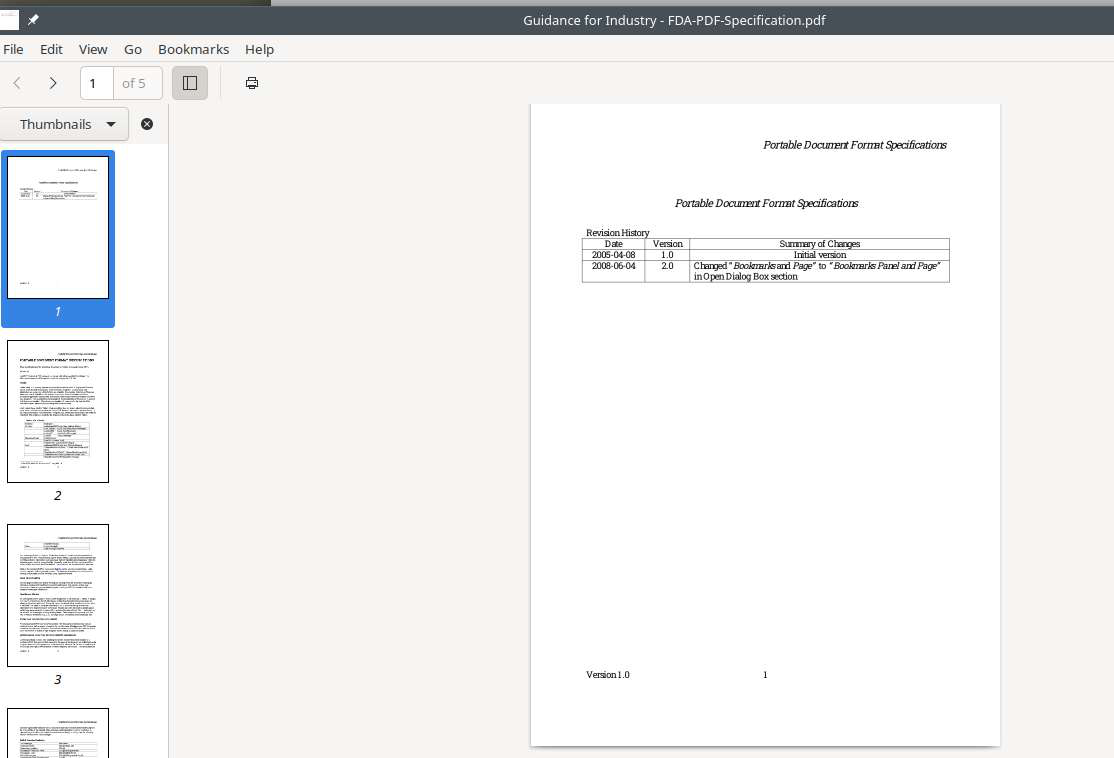
Hi, in recent Firefox updates in debian testing (and in recent developer edition), when I try to print a PDF the page number is just in border and don't get printed. I try almost all things i found related in about:config.
Also in export to file, now don't strore previous location and always point to ~/mozilla.pdf is a problem, user need to change for a path each print to pdf. Also in debian the file explorer opened dont show recent files can help.
Thanks so much for your help.
Wšě wotmołwy (6)
Steps to replicate and provide screenshots showing the issue.
Hi, thanks for the fast reply.
1: Print any page to file (DEFAULT print PDF debian) and try to get the page number with some padding away the borders. 2: Try to export 2 times to file(DEFAULT print PDF debian), previously retain prev file used, now no.
Regards.
here is a pic
Here is a pic of a pdf in print preview and a pic of the file after printing to pdf.
Wot jonzn4SUSE změnjeny
Is there a reason for the old version of Firefox? Try downloading another copy of Firefox and run it from the folder. Do not sign into your Firefox account and see if you have the same issue.
https://www.mozilla.org/en-US/firefox/all/#product-desktop-release
Wot jonzn4SUSE změnjeny