


Windows 10 reached EOS (end of support) on October 14, 2025. If you are on Windows 10, see this article.

Pomoc přepytać

Hladajće so wobšudstwa pomocy. Njenamołwimy was ženje, telefonowe čisło zawołać, SMS pósłać abo wosobinske informacije přeradźić. Prošu zdźělće podhladnu aktiwitu z pomocu nastajenja „Znjewužiwanje zdźělić“.

Dalše informacije
Archiwowany

Lock down Applications

ar550n1c

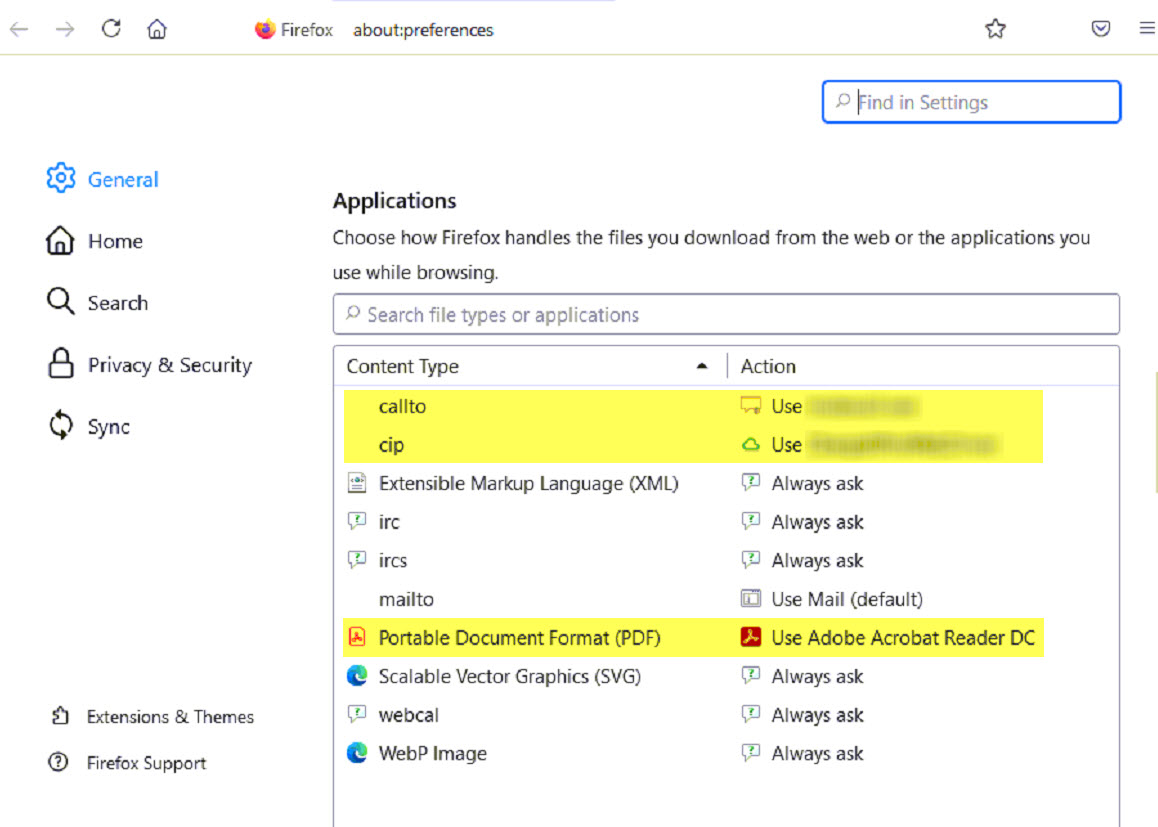
We are taking advantage of the Mozilla.cfg and PrefLock and that works great! Now I am looking for a way to lock down the Applications set in Firefox and I don't seem to be having any luck doing so.

Goal is to lock down the Applications section In Firefox under "General" (See the screenshot). Its currently set to a few default applications we use. These settings seem to change at random depending on user actions, or after browser updates. Is there any way to lock them in place once the settings are set? Would like the settings to stick and we don't want users to have do to anything. Example: If Adobe is set for PDF's, I just want it to always open in Adobe. Maybe grey out the section or something so it cannot be changed if possible.

Thanks!
We are taking advantage of the Mozilla.cfg and PrefLock and that works great! Now I am looking for a way to lock down the Applications set in Firefox and I don't seem to be having any luck doing so. Goal is to lock down the Applications section In Firefox under "General" (See the screenshot). Its currently set to a few default applications we use. These settings seem to change at random depending on user actions, or after browser updates. Is there any way to lock them in place once the settings are set? Would like the settings to stick and we don't want users to have do to anything. Example: If Adobe is set for PDF's, I just want it to always open in Adobe. Maybe grey out the section or something so it cannot be changed if possible. Thanks!
Připowěsnjene fota wobrazowki

Wot ar550n1c změnjeny

Wšě wotmołwy (2)

Wot cor-el změnjeny

We do not provide a way to lock the application settings.