


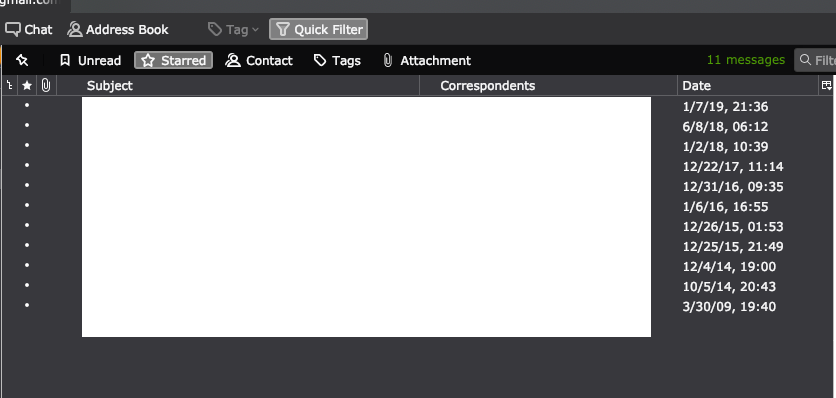
Starred messages do not have any visible Star icons in the column view

Thunderbird 65.0b2 (64-bit) on Mac OS 10.14.2 (problem not replicated in Windows)
When i try to star a message, either by pressing "S" on the keyboard or clicking the star icon in the message column, the star does not appear (still just a black dot). However, the message is starred and does appear as such on Gmail's web interface and under the Starred filter. However, not having a visual confirmation of this star is challenging.
The screenshot included is a filtered starred view, but note no stars in the column
Thunderbird 65.0b2 (64-bit) on Mac OS 10.14.2 (problem not replicated in Windows)
When i try to star a message, either by pressing "S" on the keyboard or clicking the star icon in the message column, the star does not appear (still just a black dot). However, the message is starred and does appear as such on Gmail's web interface and under the Starred filter. However, not having a visual confirmation of this star is challenging.
The screenshot included is a filtered starred view, but note no stars in the column
Wšě wotmołwy (2)

Try to start Thunderbird in safe mode. https://support.mozilla.org/kb/safe-mode-thunderbird
I tried restarting in safe mode; didn't resolve the issue.