


I cannot log into my gmail account while configuring it for the first time. Stuck at "Next".
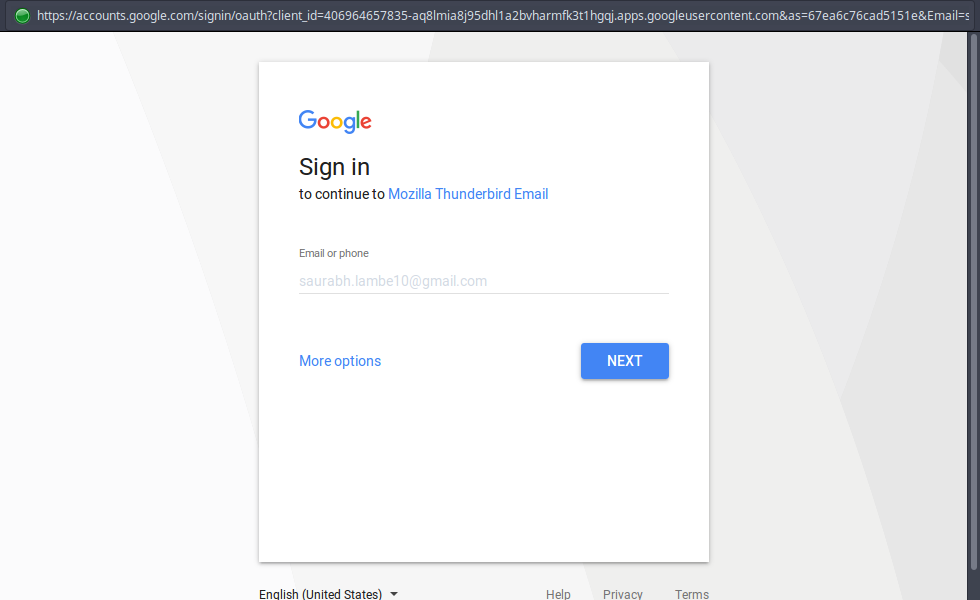
Hi, I wanted to use Thunderbird to check my Gmail. And when I proceed in the "Mail Account Setup", I choose automatic settings and enter in my email credentials. Now a pop up named "Enter credentials for saurabh.lambe10@gmail.com" opens up. It has a typical Gmail login in it. When I enter in my email, and press the "Next" button, I should be led to a page asking my password. But the page never seems to take me there. It is stuck on the same page and is also non-responsive. Please tell me what to do in order to configure my Gmail in Thunderbird. Thanks in advance!
Wot Wayne Mery změnjeny
Wšě wotmołwy (3)
Here's a screenshot to help you understand the problem.

Update to version 52.1 https://www.mozilla.org/en-US/thunderbird/52.1.0/releasenotes/
You should find this was fixed in version 52.1.0. https://www.mozilla.org/en-US/thunderbird/52.1.0/releasenotes/
If you agree, please click the "problem solved" button.