


Switching tabs sometimes leaves the first tab visible. Moving the cursor reveals the new tab little by little. Why?
Note that this occurs every once in a while, not every time.
Wšě wotmołwy (3)

Hello,
Try disabling graphics hardware acceleration. Since this feature was added to Firefox, it has gradually improved, but there still are a few glitches.
You might need to restart Firefox in order for this to take effect, so save all work first (e.g., mail you are composing, online documents you're editing, etc.).
Then perform these steps:
- Open Firefox Options window (Preferences on Mac or Linux) as follows:
- In Firefox 29.0 and above, click the menu button
 and select Options for Windows or Preferences on Mac or Linux.
- In Firefox 28.0 and previous versions, click the orange Firefox button at the top left, then select the "Options" button, or, if there is no Firefox button at the top, go to Tools > Options.
- In Firefox 29.0 and above, click the menu button
- In the Firefox Options (or Preferences) window, click the Advanced tab, then select General.
- In the settings list, you should find the Use hardware acceleration when available checkbox. Uncheck this checkbox.
- Now, restart Firefox and see if the problems persist.
Additionally, please check for updates for your graphics driver by following the steps mentioned in the following Knowledge base articles:
Did this fix your problems? Please report back to us!
Thank you.
Diego Victor said
Hello, Try disabling graphics hardware acceleration. Since this feature was added to Firefox, it has gradually improved, but there still are a few glitches. You might need to restart Firefox in order for this to take effect, so save all work first (e.g., mail you are composing, online documents you're editing, etc.). Then perform these steps:Additionally, please check for updates for your graphics driver by following the steps mentioned in the following Knowledge base articles: Did this fix your problems? Please report back to us! Thank you.
- Open Firefox Options window (Preferences on Mac or Linux) as follows:
- In Firefox 29.0 and above, click the menu button
- In Firefox 28.0 and previous versions, click the orange Firefox button at the top left, then select the "Options" button, or, if there is no Firefox button at the top, go to Tools > Options.
- In the Firefox Options (or Preferences) window, click the Advanced tab, then select General.
- In the settings list, you should find the Use hardware acceleration when available checkbox. Uncheck this checkbox.
- Now, restart Firefox and see if the problems persist.
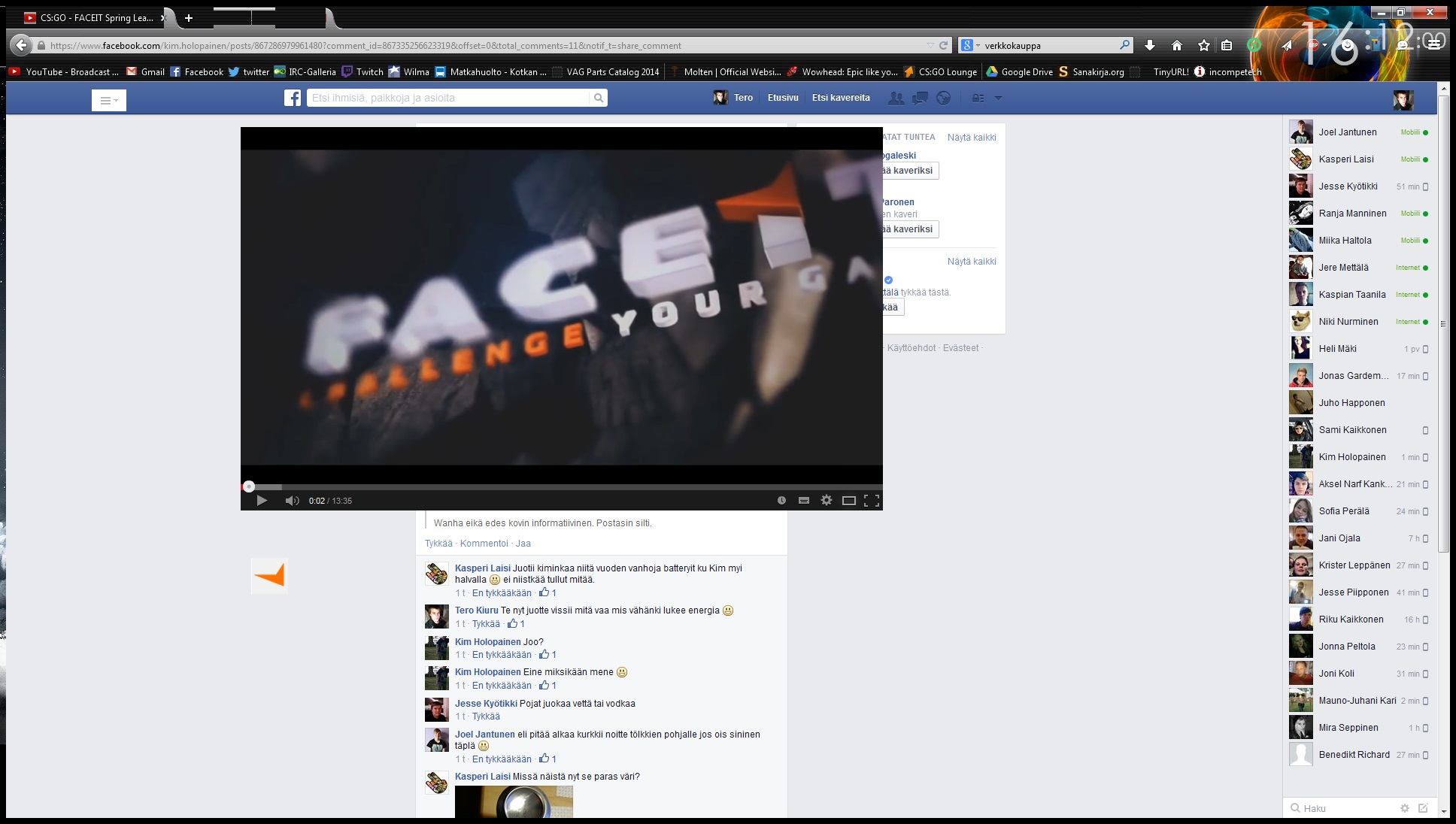
Hi! I had that disabled earlier when some other error occurred. This is basically what it looks like when this happens. I also noticed that Adobe Flash plugin crashes every time this happens.
This happens to me when I have open many programs and my entire computer becomes slow. Try to close some programs or stop unneeded applications running in the background.
See also: Fix Firefox using too much memory or CPU resources Optimize Windows for better performance