


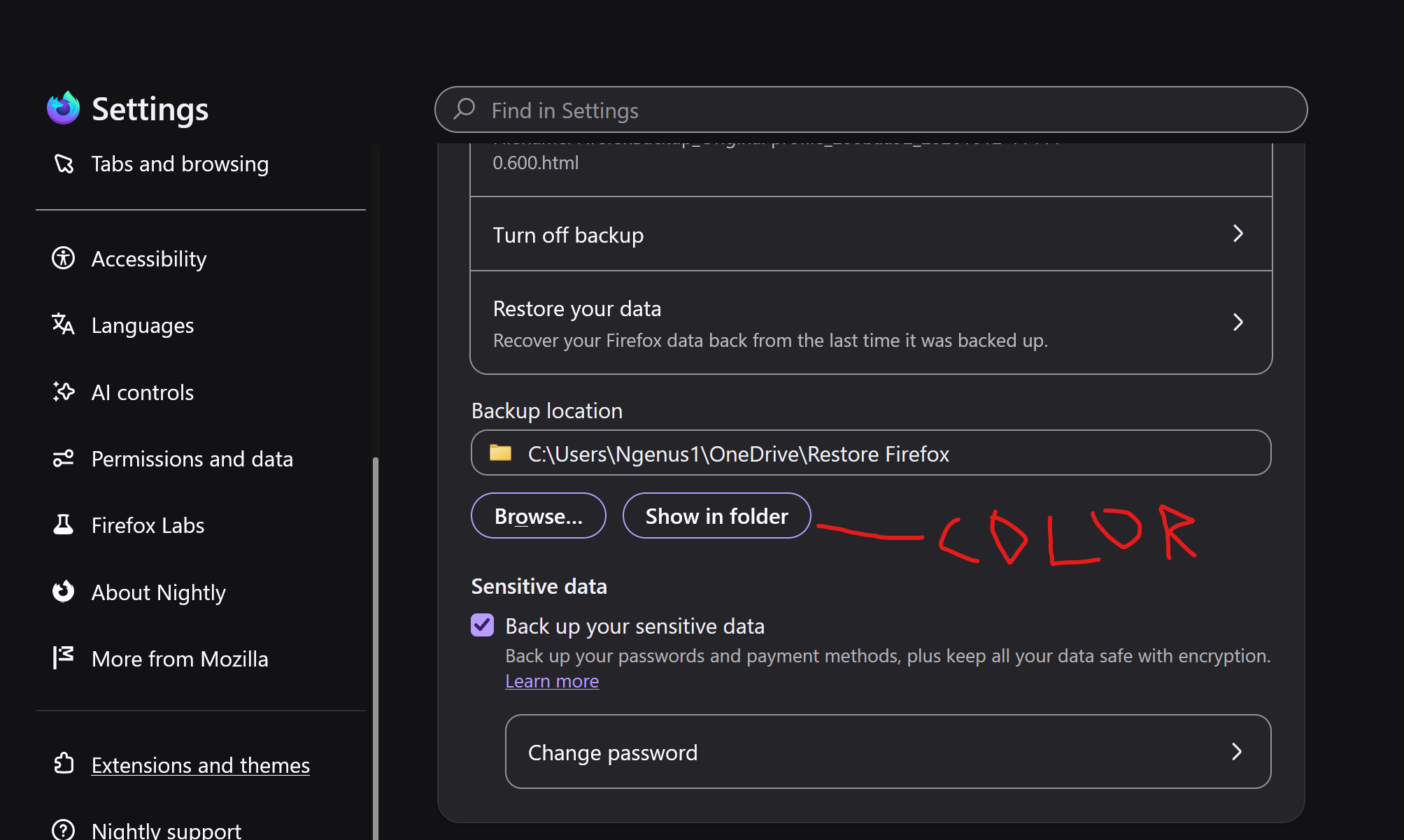
Highlight color setting

Hello, currently my highlight color is a funky purple color. I would like to change this to a dark grey hue. How can I change this?
All Replies (5)
Bonjour
Introduction, please read, contributors guide on Firefox advanced customization with css https://support.mozilla.org/en-US/kb/contributors-guide-firefox-advanced-customization
A similar discussion thread https://support.mozilla.org/en-US/questions/1609524
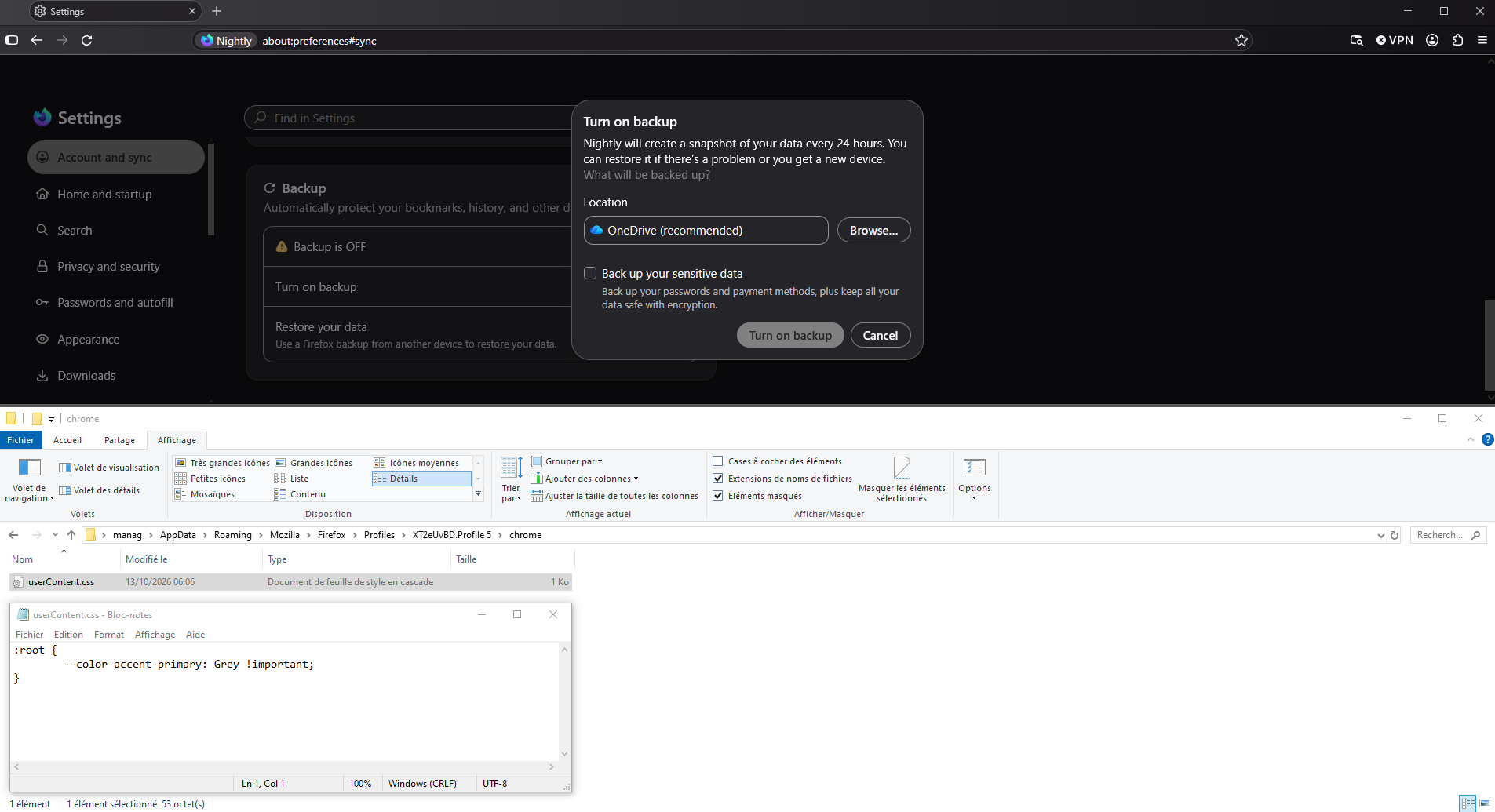
If you wish to test userContent.css
Hello,
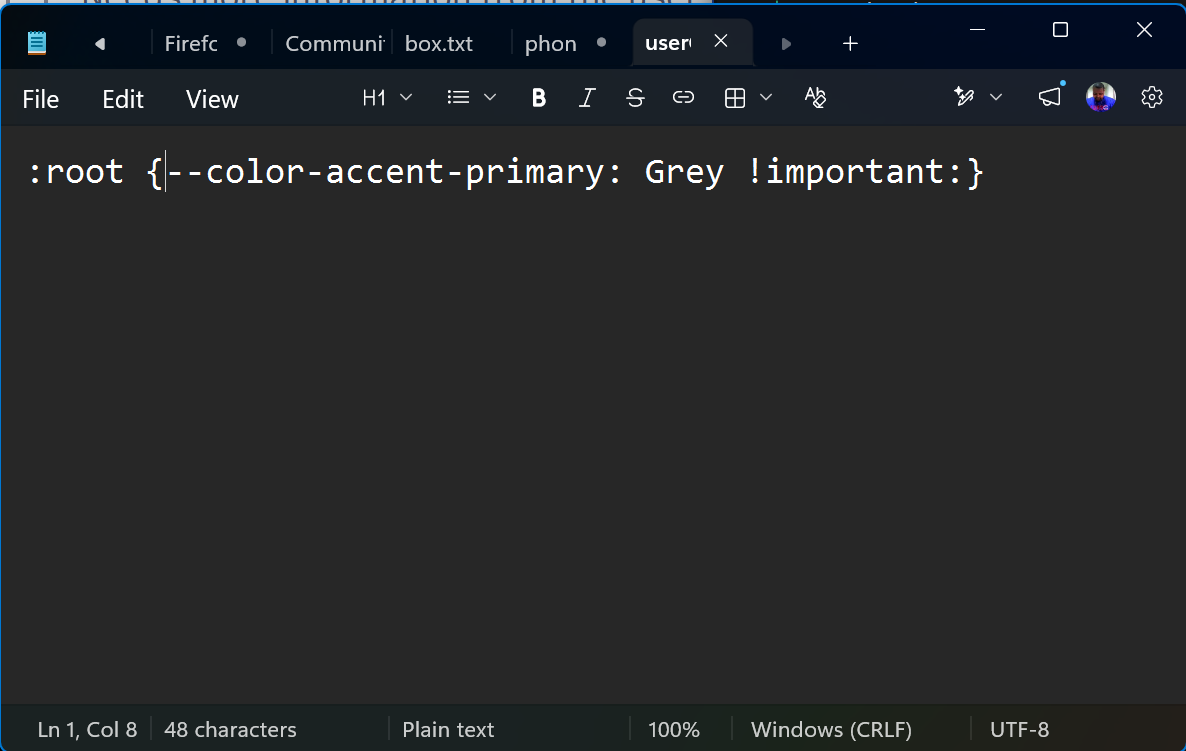
I created the Chrome folder, and created the userContentcss.txt file. I've attached as well. Closed and reopened Nightly. No change.
Bonjour
Similar support https://www.userchrome.org/how-create-userchrome-css.html
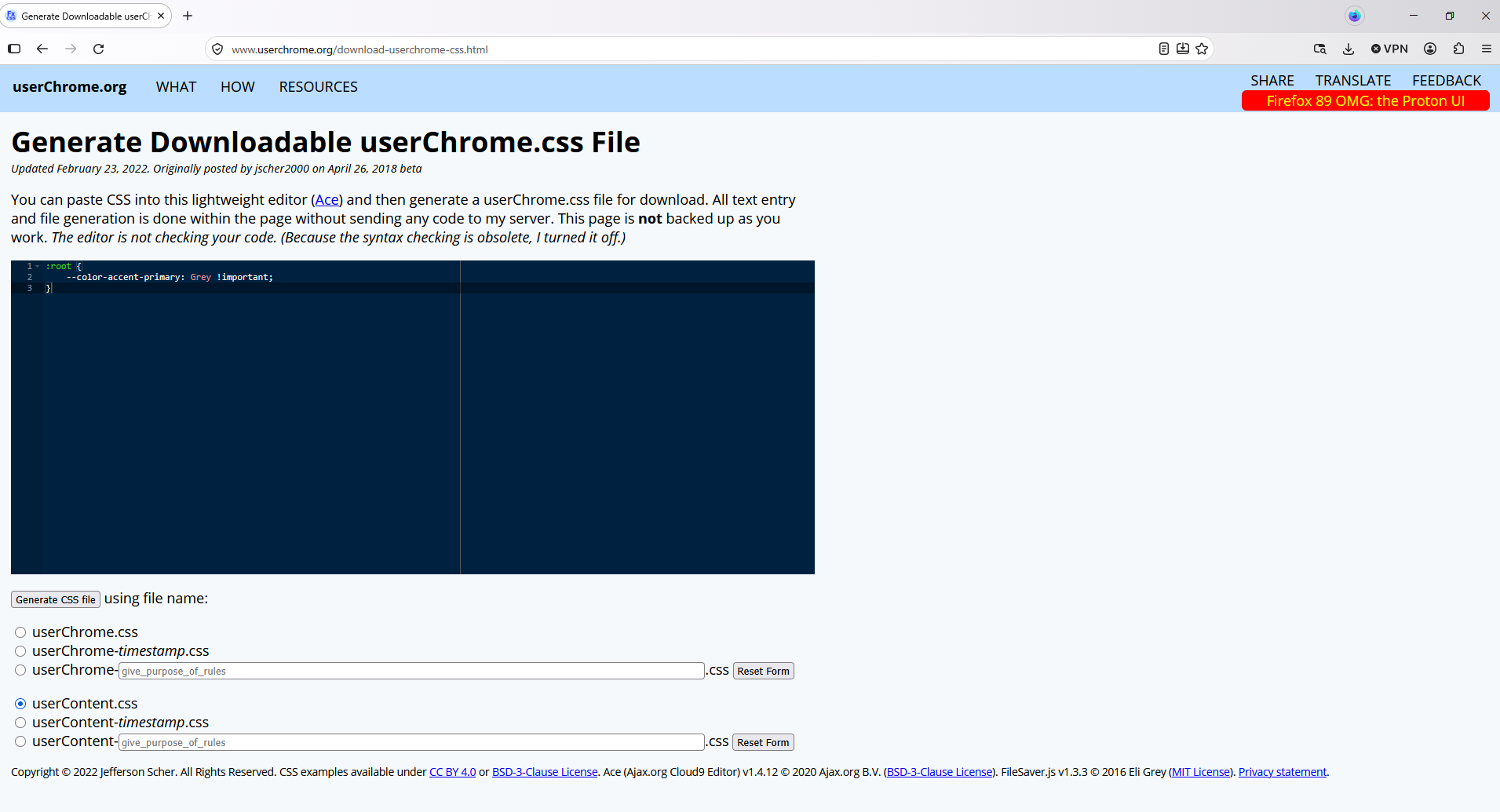
Alternately, if you have some CSS code ready to paste into a userChrome.css file, you can do that using the following page and download your userChrome.css file from there: Generate Downloadable userChrome.css File. https://www.userchrome.org/download-userchrome-css.html
Generate CSS file userContent.css
Agent virtuel द्वारा सम्पादित
Thanks for your advice, I just did what you showed and still no change. Can you do a Microsoft Quick Assist session to see for yourself?
A Microsoft Quick Assist session, no. And see my answer modified