New PC Thunderbird installation - unable to right click delete files in Bin folder

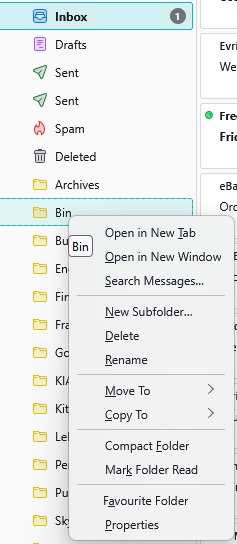
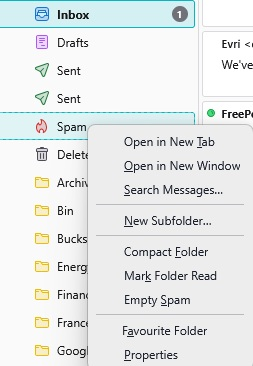
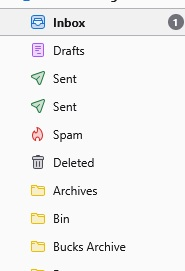
New W11 Pro pc, so new installation of Thunderbird. All profiles and folders moved over ok, but the Bin folder is an issue (main Gmail account IMAP). In my previous Tbird installation, I was able to right click the Bin folder, and be given the option of emptying said folder. Not now. The Spam folder does have the Empty option. Pics illustrate the folder list, what happens when I right click the Bin folder, and what happens when I right click the Spam folder, which does have the 'Empty Spam' option. I can highlight the messages in the Bin folder and delete them that way, but the right click option is shorter, easier... The only item I can find in the Thunderbird help pages tell me to delete the Trash and Trash msf folders in the profile - tried this twice, with no difference. It's a little frustrating... Any help would be welcomed, I guess I'm missing something really simple...