


Saved Payment Methods gone in 146.0.1 - Pressent i older versions of FF

So I've been looking for the saved payment methods in my browser since I got a new card.
I realized that it is gone and that has 2 consequences for me.
1. I Cannot for the life of me remove the currently old saved one.
And
2. I do not want to save the new actual one, since I seem to have no control of my saved cards and will not be able to remove it.
Also I made Firefox stop asking, but it does not get the memo and keeps asking to save my new card.
So the common thing is that the saved cards should be in "about:preferences#privacy" under "Autofill" and there should be a button that says "Saved payment methods".
There is media on this. pictures etc. youtube videos and it is a box that appears when you press it unlike about:logins which is a tab in itself, so accessing it this way seems to be no option.
Doing some digging and found this article https://support.mozilla.org/kn/questions/1443578 It does not work for me being in DK.
Downloaded a older version of firefox 142.0 to be specefik and it does have to feature / Button but, it also does not have any data.
So what gives Mozilla? Why did you remove the button and why is the data locked away?
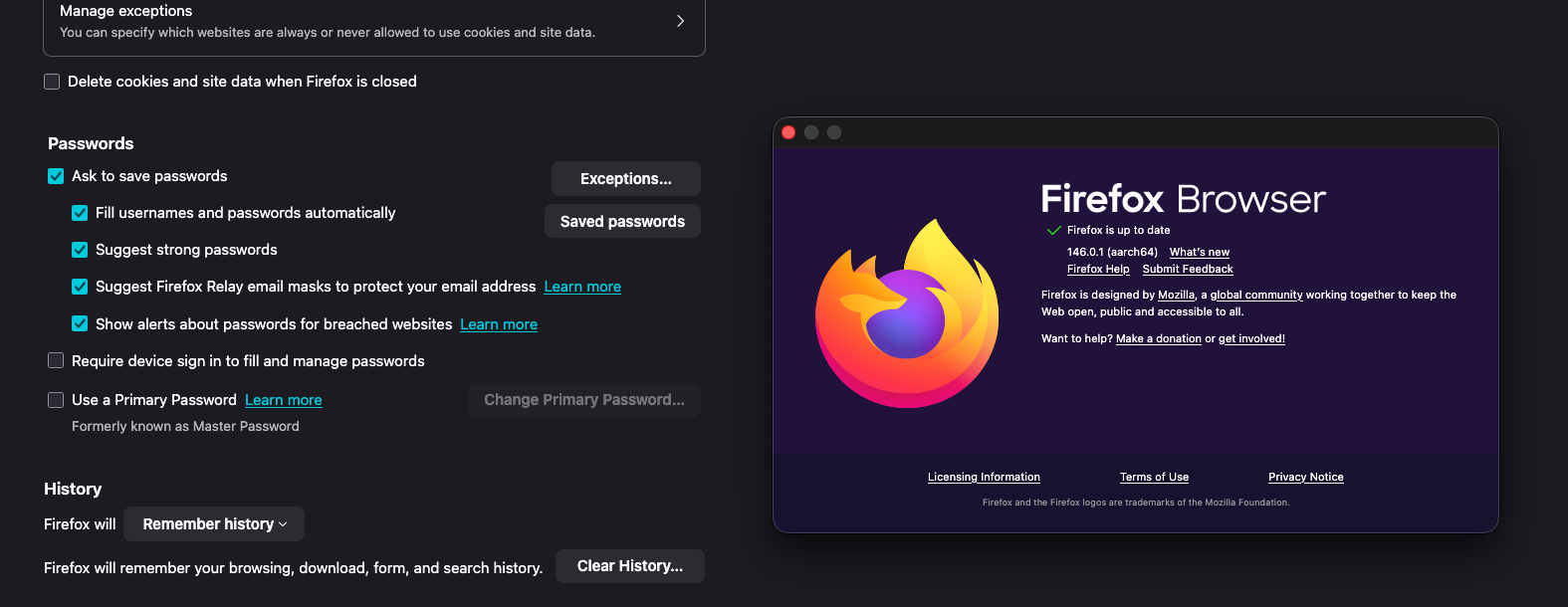
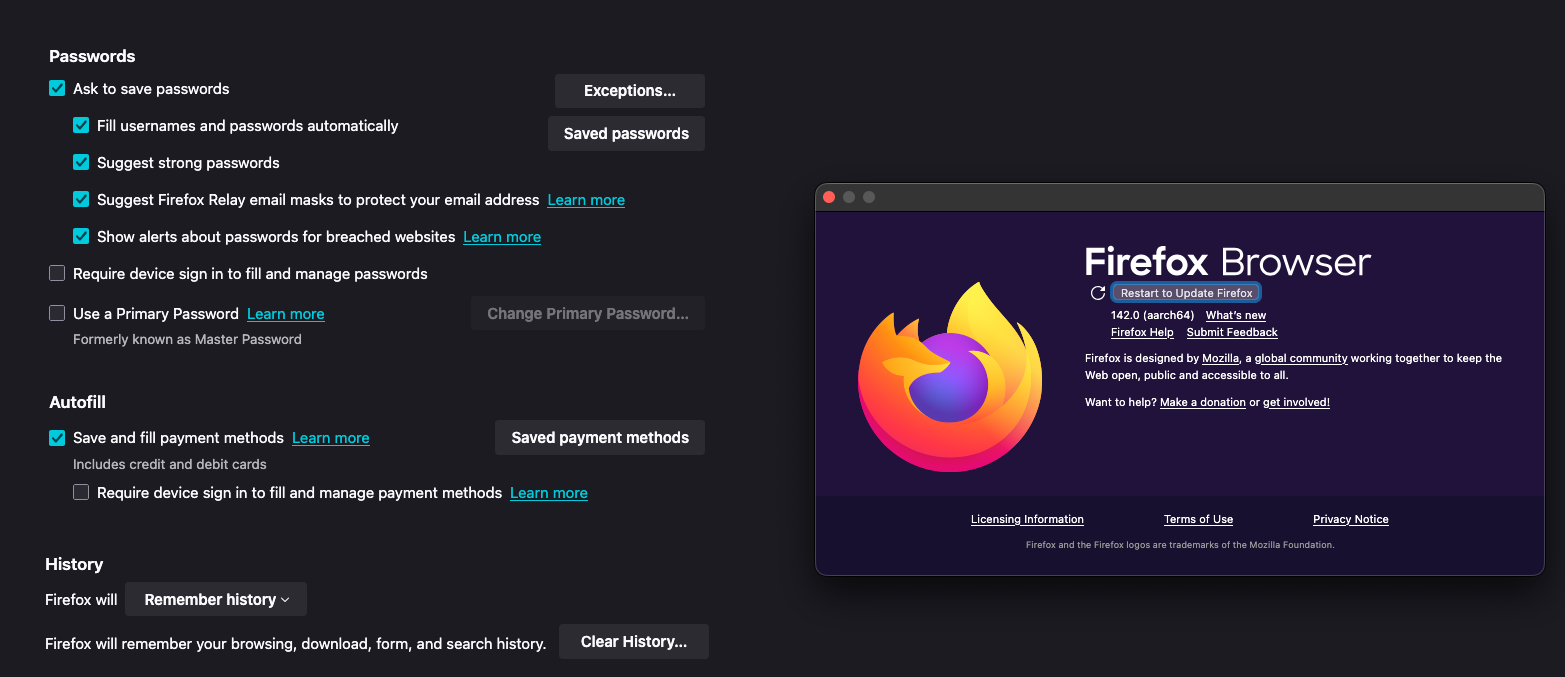
Included are images of current version (146.0.1) having the button removed and 142 having the button.
चुने गए समाधान
Try to go to about:config and add ",DK" to the extensions.formautofill.addresses.supportedCountries preference.
संदर्भ में यह जवाब पढ़ें 👍 0All Replies (6)
चयनित समाधान
Try to go to about:config and add ",DK" to the extensions.formautofill.addresses.supportedCountries preference.
TyDraniu said
Try to go to about:config and add ",DK" to the extensions.formautofill.addresses.supportedCountries preference.
I have, I wrote about it in my post, but maybe not clearly enough.
It does not work for me when I put ",DK" in.
Yes I reset the browser etc. No it did not work.
I'm not sure we're talking about the same preference. This is different pref. Please read my advice again.
Yep, adding my country code to BOTH "extensions.formautofill.creditCards.supportedCountries" and "extensions.formautofill.addresses.supportedCountries" fixed this same issue for me!
TyDraniu said
I'm not sure we're talking about the same preference. This is different pref. Please read my advice again.
Oh yeah I see now that they are different.
So having both extensions.formautofill.addresses.supportedCountries AND extensions.formautofill.creditCards.supportedCountries set to my country works since they are under the same place.
It does not make sense that they are dependent but it worked for me as well.
Thanks!