


How to stop Google "Visit My Account", "Make Google default" etc. popups

Every time I search with Google a popup demands I "Visit My Account" and a bar asks me to make Google ,my default (it is). I want to sign in when I want to sign in, not be nagged. How do I shut his "feature" off?
All Replies (2)
I can understand your problem. But it's a feature of Google, as far as I know Firefox can't to anything here. You may asked it to google forum.
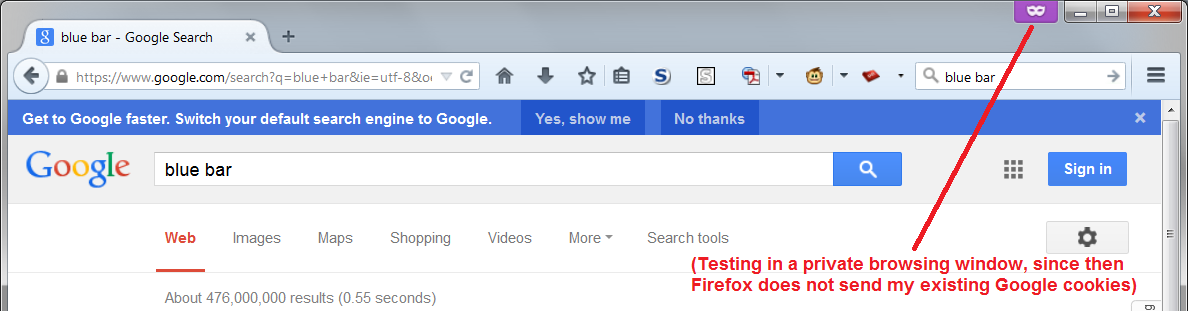
I'm not sure what the first message is, but the second one sounds familiar... The blue bar above the Google home page or results page (see screen shot attached)? That is a feature of the site and not generated by Firefox.
If you dismiss the blue bar, Google sets a cookie to remind itself not to show it again. If you block or clear Google cookies, the site keeps showing the bar.
You can use a custom style rule to hide it. Some people have used Adblock Plus or a related add-on. Here's an older thread with suggestions: How do I remove the "Get to Google faster. Switch you default search enging to Google" bar at the top of Firefox?
This question has been locked because the original author has deleted their account. While you can no longer post new replies, the existing content remains available for reference.