


well update did not so;ve my problem
i have said many times that i keep getting Firefox running but not responding . i have contacted many places and complained had some of your r tech try and help now with the new update i am still getting it yet i was told it would be fixed. i have reinstalled i have removed and shut off some add ons cleared cache all but cookies and still i get it funny until the last 2 new versions i never had this problem it is a Firefox problem not mine. i would have thought you would have fixed it by now
כל התגובות (22)
In support.mozilla.org/questions/1598971 it's still not clear how you're getting this. You seem to be posting this question from a perfectly running Firefox so it apparently starts up and works fine on its own.
It sounds it's related to your Windows desktop shortcuts, or their exact target perhaps — however without knowing their content (destination or commands run) there's not much more to do here.
If you have anything new to add to the questions in the thread above, please post in that original thread so anyone trying to help understands what this pertains to.
then why has it never dome it through Firefox before. I have had Firefox and the same desktop icons for years and this never happened before i have not changed any desktop icons ever these same i cons have been here for years and i gotten this once when i first started Firefox when it first came out and if i remember correctly there was something that i did in about:config that stopped it. so you see i have had the same icons never changed have had Firefox since it started or since when i was told about and only way back when i ti first came out did i see this Firefox is running bit not responding so please do not say it is my desktop icon s when i have the same icons here since i git windows 10 amend in fact since windows 7. apparently you arE trying to say it is something i did then why has it only started since this 154.0 or 01 not before so how is that my fault i think it is a firebox issue and will until it is corrected thank you HAS FAR AS STARTING UP ON ITS OWN I GET IT WHEN I CLICK ON THE FIREFOX ICON AS WELL IT DOES IT IN FIREFOX ITSELF AND AGAIN NEVER DID BEFORE
You seem to be pointing to desktop icons causing this, whilst the browser seems to run OK on its own.
(I recommended you moving to the Extended Support Release some time ago when it was convenient given profile data versions, and seeing the state of your updates and profiles — since you decided against, you might need to figure out if the root cause of the multitudes of profile instances is the same as the error you're seeing now.)
While somebody here can try to assist you, without knowing what is the contents of the links it's pretty much guesswork and you might be more successful on Microsoft support surfaces — in case the shortcuts are just HTTP links and it's the system that triggers their opening into what's set as the default browser on the system.
If that workflow is not working on your system, why not move the shortcut icons inside the browser instead of letting the system launch it from the outside?
I still don't understand the issue. Please follow up in the thread above, I'll start marking all the duplicate questions for moderation so that the context is kept in one place. Thanks.
i do not think i ever had the extended release version i have the Firefox for windows or for desktop when i go to even chrome and try to download it Firefox what and where do i get the extended release version and can i still use my desktop items like i am now
השתנתה ב־ על־ידי Mary
Hi Mary.
I've noted your issues and have kept out as they seem a bit messy and repetitive. Lots of different queries and as pointed out it's become difficult to assess as soem issues overlap each other.
As far as a new 'ESR' type install goes there are a number of ways to acquire.
https://www.firefox.com/en-US/browsers/enterprise/#download
here you have many choices
However installing a dif version may not be a resolution as a) you already have Fx and so it would be wise to backup your profile as there may be historical data there you want. b) Windows keeps a registry of install programmes and properties in [regedit] Personally I would remove any reference to mozilla/firefox from Windows registry via [regedit.exe] which I wouldn't advise you to try without reading up and making a restore point for Windows
So I am concerned that all the different things you have tried are making the issue appear complicated
Making a new query as well update did not so;ve my problem
only spreads the issue, dilute the original query and brings up what appears distracting text.
I will look at the previous query if you can point to that and best not to use this one after that etc.
regedit has a lot of spots where in reg edit do i remove it
i still say it is Firefox problem as i have had firefox for year and have not seen this so why is it always me could it possibly be a firefox problem has any one looked at this
so with every Firefox user i am the only one in the world that is having this problem no other s are having any Firefox problems or this problem i do not believe i am the only one and if i am no than that tells you it is A FIREFOX PROBLEM
Oh of course there are reports, definitely a dozen or two across the two decades and hundreds of million users, as with anything — they however provide some reproducible example or include the profile and link data necessary to reproduce. E.g.: https://bugzilla.mozilla.org/show_bug.cgi?id=2054452 — this is why I originally inquired about your seemingly dozen of random profiles with the possibility the launches would be confused by wrong data in the whole profile setup.
You might want to either back up your profile folders, and remove completely everything related to Firefox and start from a clean slate — or keep your existing profile data but try removing anything no longer used in your current setup (the profile folders appear to have shortcuts to themselves and other confusing references there that are not placed there by the browser, so the folders have been tampered with at this point) — effectively only you can tell what profiles or data really is unused so you may need to do that either on your own, or order some professional maintenance service. (I would personally go for a clean slate myself.)
I still don't understand WHEN is this happening and why you're not working around it given the possibilities shared across the threads, so I take it this is your choice to continue pursue the broken workflow for whatever reason, but as mentioned earlier, without the precise content of the profile data and the shortcut links this is not reproducible for anyone but you. I'd love to get to the bottom of the bug, so it exactly doesn't affect anyone else who might have wound up in similar circumstances… however for now we do not know the circumstances to start with.
i did report yo bugzilla and nothing
C:\Users\Mary\AppData\Roaming\Mozilla\Firefox\Profiles\21cif8w3.default-release-1787152385082on profile
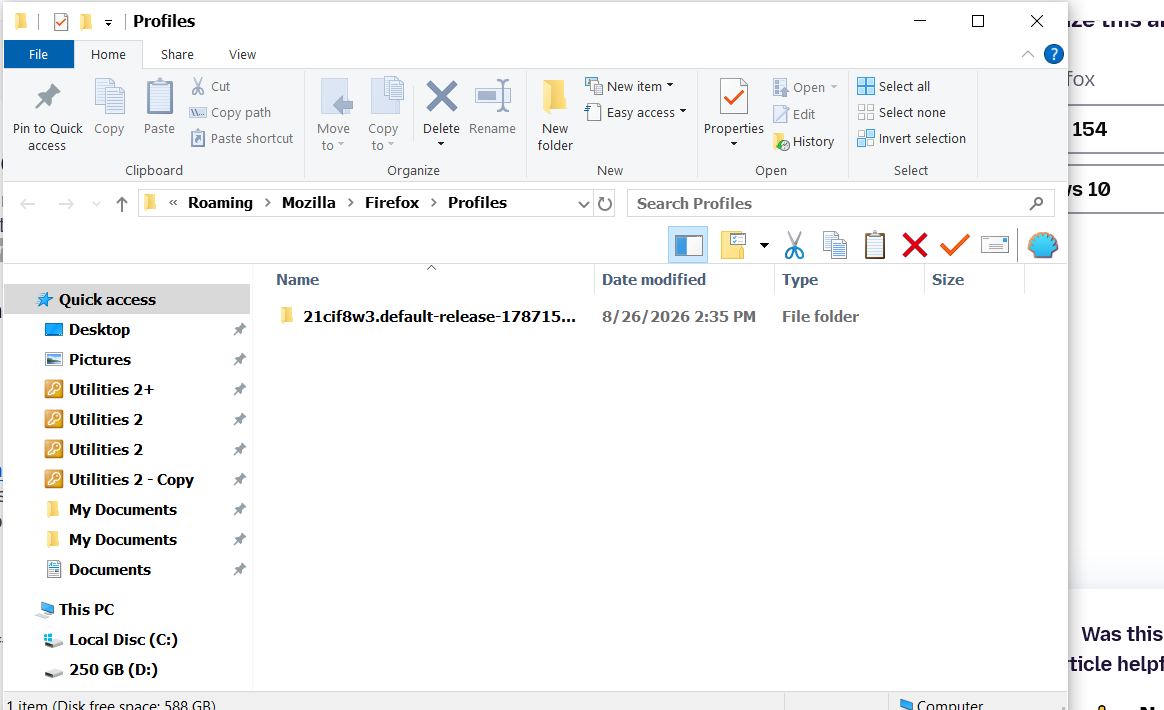
And if you go one folder up, can you show the contents of both the profiles.ini and installs.ini if that maps to the profile data cleanly?
641D10338ABA448D] Default=Profiles/h490jeog.default-release-1751202923697 Locked=1
[308046B0AF4A39CB] Default=Profiles/21cif8w3.default-release-1787152385082 Locked=1 not sure what you are asking about what you said above no i do not see either of them
Hmh, this above appears as there are two installations present :[ … and both are release versions — so it looks like if you had two "firefox.exe" installed in two locations, which is weird.
The lower one is the expected one (a profile from last week).
The upper one, which looks like something from a year ago ("1751202923697" means June 2025), that should ideally not be there. Hopefully someone could advise whether it's appropriate to manually clean up those remnants somehow.
i think i did remove it not sure
hopefully spmeone can tell m e what do do can you inquire please
tried making a b new shortcut
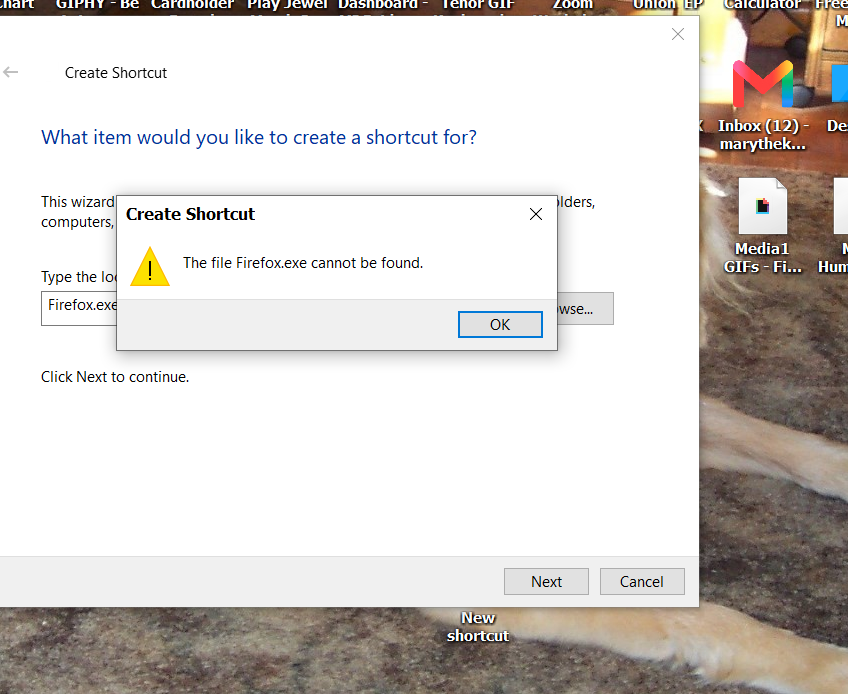
firefox is with a small 'f'
You can navigate to the file and right click on on it to make a short cut..
I am concerned that you are just still adding to various posts and it's hard to know what your problem is.
I'm pretty sure in another post I noted the path C:\Program Files\mozilla or thereabouts.
You can search for these questions and they are Windows question not Firefox questions
Just search the web generally
an example is
https://blog.usro.net/2025/02/where-is-the-firefox-folder-located-in-windows/
i did that and i still ned something to pen it with correct when i click on it
the question is why am i still h getting Firefox running n but not responding i have done all that was told to me except uninstalling and reinstalling Firefox which i will not do as i lose everything so i have done every answer
and nothing