


can't access a closed window

I have enabled the option to open the previous windows and tabs. I had one window that I always closed last as it had a lot of groups that are important for my work, so it used to open every time I started Firefox. Sometimes, even if I closed the window by mistake without closing other windows, I was able to get it back by pressing ctrl+shift+n.
But yesterday, I might have closed it by mistake and when I pressed ctrl+shift+n , it didn't come back. I wasn't able to access my window and now it's all gone. I don't see anything in recently closed windows in history.
I need those tabs back as they are very important for my work. they were a lot of tabs. I had many groups but now all are gone. I tried by using the previous.jsonlz4 in the sessionstore-backup by renaming it in the default-release profile as sesstionstore.jsonlz4 but still wasn't able to access my window.
I didn't clear my history as the tabs opened in the window still show up in the history.
Kindly help as soon as possible
פתרון נבחר
From the files in your screenshot. With Firefox closed, you will see a file called sessionstore.jsonlz4 in your profile folder. This is your current session that I guess is not the one you want. Just rename it to something like old_sessionstore.jsonlz4_old. Then from your sessionstore-backups folder make a copy of one of the files from the screenshot I attached. Then rename that file sessionstore.jsonlz4 and the move it into your profile folder. Then open Firefox and it should be the session from the date of 1 of those 3 files that I show from your screenshot. MAY THE SCHWARTZ BE WITH YOU! ;-))
Read this answer in context 👍 1כל התגובות (10)
Lets see what you have in the folder in your profile folder call sessionstore-backups. see screenshots of mine Post a screenshot of you files. In the browser go to about:support the then click on the link to open your profile folder. see 3rd screenshot

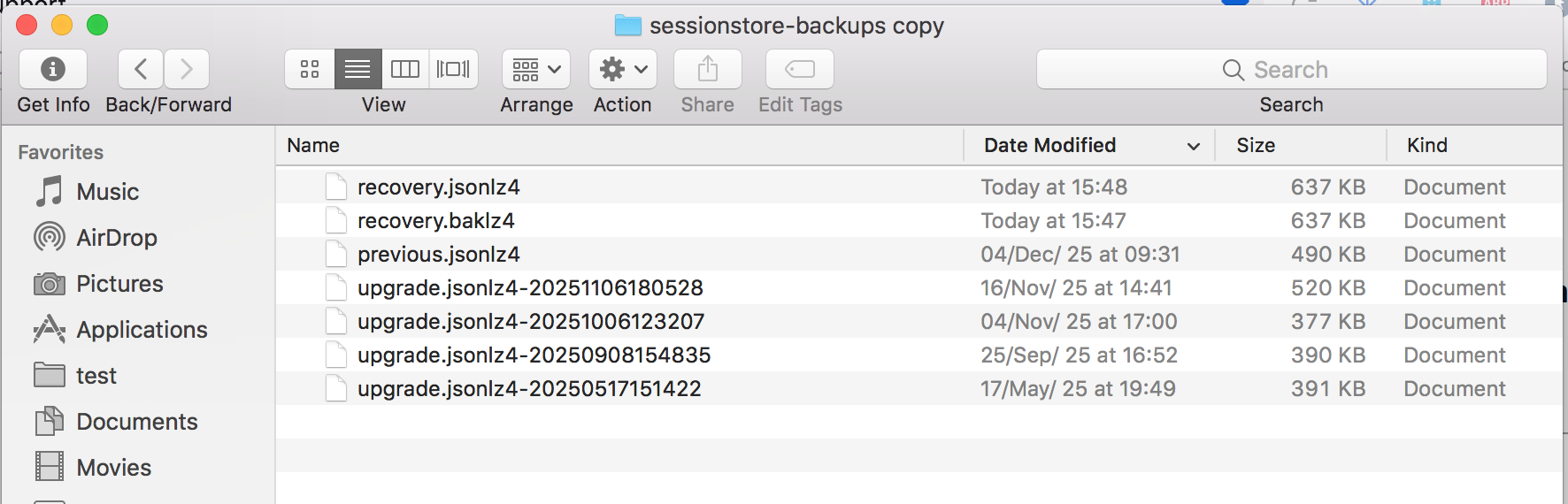
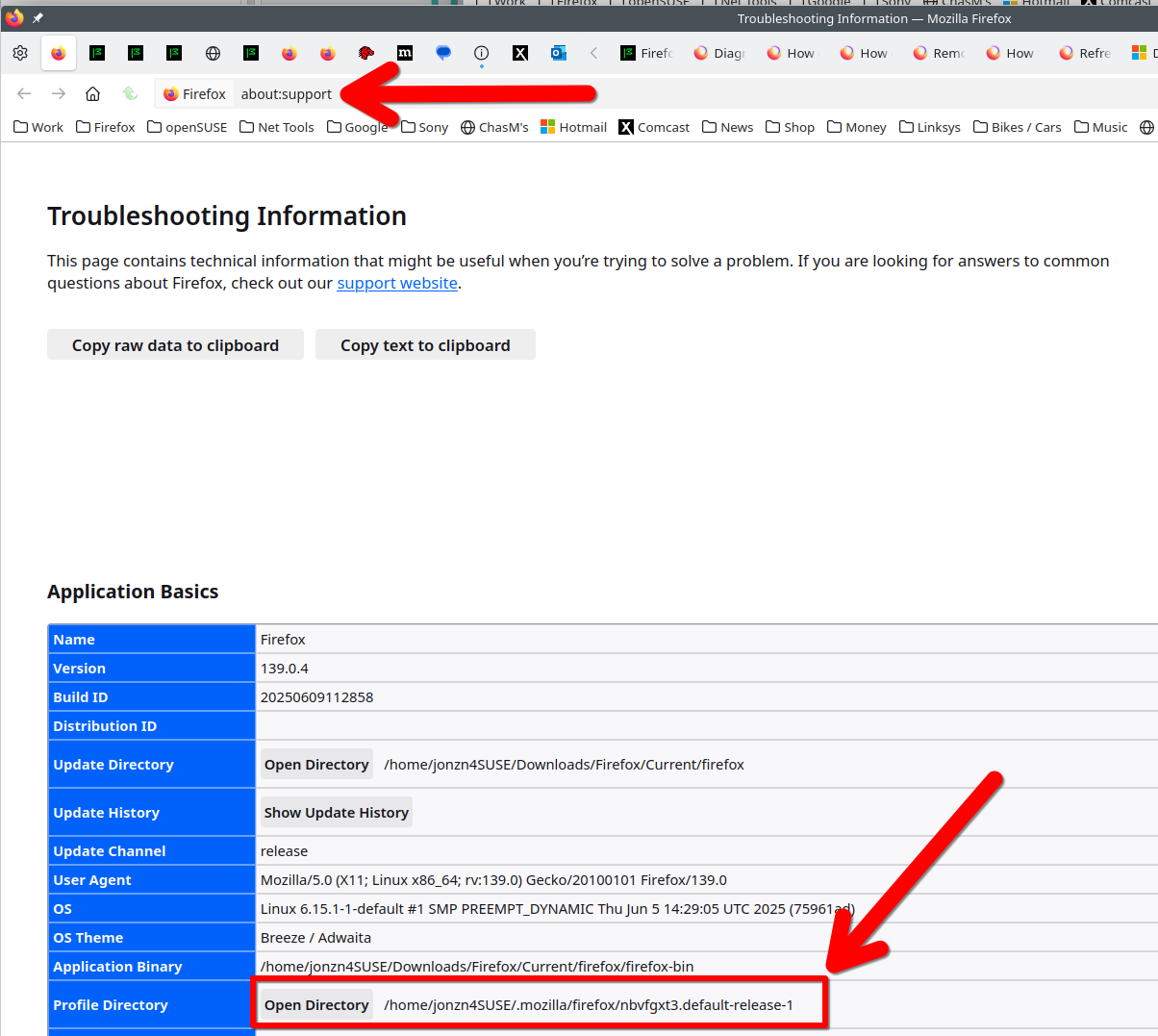

Here's info about the files in the folder. https://support.mozilla.org/en-US/questions/1415643 https://support.mozilla.org/en-US/questions/1449521
פתרון נבחר
From the files in your screenshot. With Firefox closed, you will see a file called sessionstore.jsonlz4 in your profile folder. This is your current session that I guess is not the one you want. Just rename it to something like old_sessionstore.jsonlz4_old. Then from your sessionstore-backups folder make a copy of one of the files from the screenshot I attached. Then rename that file sessionstore.jsonlz4 and the move it into your profile folder. Then open Firefox and it should be the session from the date of 1 of those 3 files that I show from your screenshot. MAY THE SCHWARTZ BE WITH YOU! ;-))

thanks, I tried it with previous and recovery. will go for the update one now. hopefully it would work😃
Firefox often fails to restore the session which is why I recommend you make a copy of the folder however often you want. I try to do it once a week. see screenshot

jonzn4SUSE said
Firefox often fails to restore the session which is why I recommend you make a copy of the folder however often you want. I try to do it once a week. see screenshot
had these tabs from 5 months. this never happened. was the first time. but now I will be keeping a copy of these.