


Too slow to download by firefox with LAN

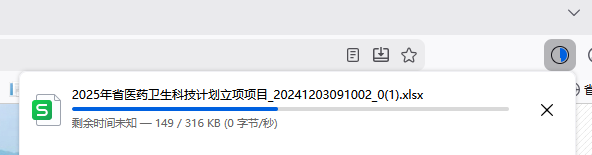
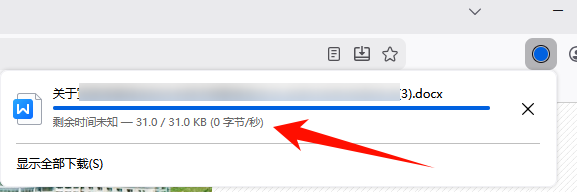
I'm on the local network. When I use Firefox to download a very small .docx file, the download gets stuck and doesn't move, taking a while to complete. But with Edge, it downloads almost instantly. Please help resolve this issue.
כל התגובות (3)

Do you have the same issue with Firefox in Troubleshoot Mode? https://support.mozilla.org/en-US/kb/diagnose-firefox-issues-using-troubleshoot-mode#w_how-to-start-firefox-in-4troubleshoot-modesf5safe-modesf
What security software are you running besides MS Defender? Are you running pro version of Windows? If so, you should have Windows Sandbox enabled for testing. https://www.howtogeek.com/399290/how-to-use-windows-10s-new-sandbox-to-safely-test-apps/
Did you try clearing the browser cache? https://support.mozilla.org/en-US/kb/how-clear-firefox-cache#
השתנתה ב־ על־ידי jonzn4SUSE
I've also tried turning on Troubleshoot Mode, but the issue persists. Switching to Edge for downloads works very fast. The security software I use is Huorong (https://www.huorong.cn), but even after closing Huorong, the problem remains. I've also tried clearing the browser cache, but the issue still persists.
I found that when a file download is incomplete, a temporary file with a .part extension is generated. If this file exists for too long, the entire download progress gets stuck.

Are you running pro version of Windows? If so, you should have Windows Sandbox enabled for testing. https://www.howtogeek.com/399290/how-to-use-windows-10s-new-sandbox-to-safely-test-apps/
You can also boot to safe mode with networking and see if you have the same issue.