Windows 10 reached EOS (end of support) on October 14, 2025. If you are on Windows 10, see this article.

חיפוש בתמיכה

יש להימנע מהונאות תמיכה. לעולם לא נבקש ממך להתקשר או לשלוח הודעת טקסט למספר טלפון או לשתף מידע אישי. נא לדווח על כל פעילות חשודה באמצעות באפשרות ״דיווח על שימוש לרעה״.

מידע נוסף

Right click menu options and certain keybinds seem to be broken

  • 4 תגובות
  • 7 have this problem
  • 325 views
  • תגובה אחרונה מאת Michael Riggs
  • נפתרה

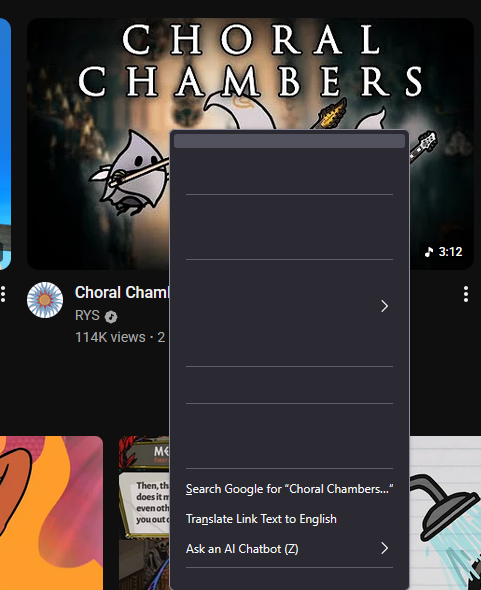
These are technically two separate issues, but both pertain to functionality of the mouse and keyboard. Whenever I right click to bring up the menu, the options (despite being functional) do not appear in the menu proper. Instead there are just empty buttons. In addition, certain hotkeys aren't working at all. Ctrl+C and Ctrl+V to copy paste are doing fine, but Ctrl-T and Ctrl-W to open and close tabs respectively do nothing. Neither of these issues were happening yesterday.
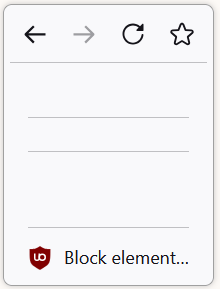
These are technically two separate issues, but both pertain to functionality of the mouse and keyboard. Whenever I right click to bring up the menu, the options (despite being functional) do not appear in the menu proper. Instead there are just empty buttons. In addition, certain hotkeys aren't working at all. Ctrl+C and Ctrl+V to copy paste are doing fine, but Ctrl-T and Ctrl-W to open and close tabs respectively do nothing. Neither of these issues were happening yesterday.
צילומי מסך מצורפים

פתרון נבחר

It looks like shutting down and turning back on my computer fixed the issues.

Read this answer in context 👍 0

כל התגובות (4)

פתרון נבחר

It looks like shutting down and turning back on my computer fixed the issues.

I have had the same issue since update. turning my PC on/off has not helped. I am thinking about uninstalling and reinstalling. will update soon. what a pain.

Here is a visual example

it worked... ish. I lost my recent history. and my book marks since the issue started.