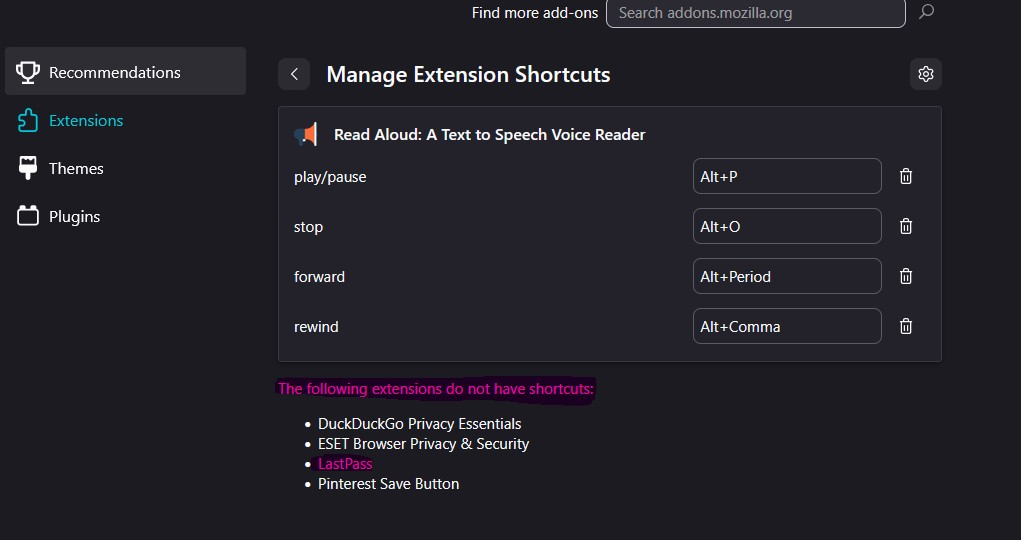
HOW TO ADD EXT TO THE RIBBON UP TOP
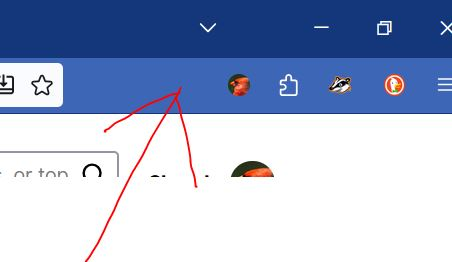
Anyone use LastPass? Do YOU have any hair left? How do I put that extension up at the top. Where my red arrow points? ALSO......
Im entering the email and password i swear dozens of times every day...it never works right, ALWAYS need one or both lines filled in. I DONT CARE IF IT DOESNT WANT ME TO SAVE THE PASSWORD. GOD KNOWS its NOT retaining it! OK, im 75 years old. HAVE I LOST MY MARBLES?
Anyone use LastPass? Do YOU have any hair left?
How do I put that extension up at the top. Where my red arrow points?
ALSO......
Im entering the email and password i swear dozens of times every day...it never works right, ALWAYS need one or both lines filled in. I DONT CARE IF IT DOESNT WANT ME TO SAVE THE PASSWORD. GOD KNOWS its NOT retaining it! OK, im 75 years old. HAVE I LOST MY MARBLES?
פתרון נבחר
Open the extension panel on the toolbar, click on the Settings icon for LastPass, select Pin to Toolbar.
Read this answer in context 👍 0כל התגובות (2)

פתרון נבחר
Open the extension panel on the toolbar, click on the Settings icon for LastPass, select Pin to Toolbar.