


Addons won't update

Tried four times in a row. Had the problem In 142.01. Updated to 143.01. No help.
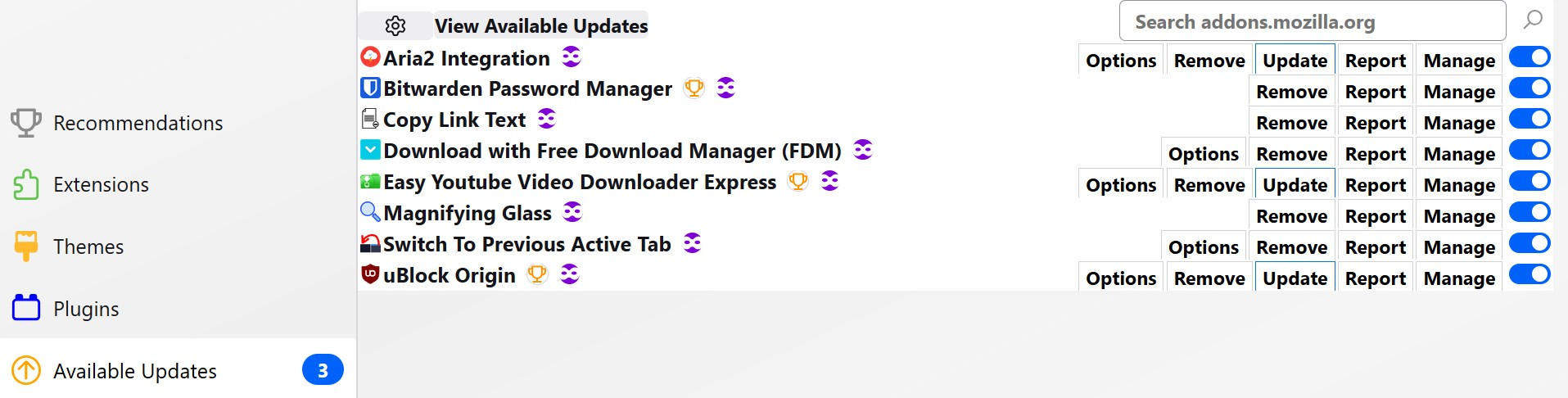
First image is after the update attempt. I intentionally chose not to update 3 of them
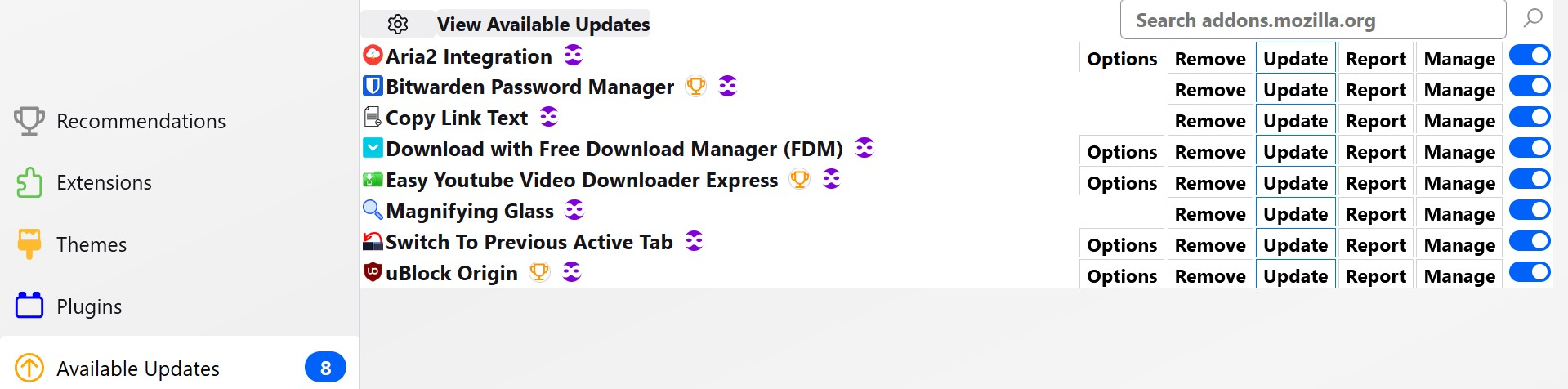
Second image after relaunch.
השתנתה ב־ על־ידי noel_envode
כל התגובות (8)
Hi
I have tried to replicate that in in my copy of Firefox and am not seeing an updates screen. Is this the about:addons screen?
Paul said
Hi I have tried to replicate that in in my copy of Firefox and am not seeing an updates screen. Is this the about:addons screen?You are seeing the about:addons page, altered by my Chrome folder settings, which I've been using for years, without any of the symptoms described here.
I disabled the Chrome folder, but the behavior remains unchanged. If need be, I can post images of how it appear without the CSS. Though the appearance will be different, the behavior remains the same,
I'm not sure what you mean an "updates screen".
Three oddities I have subsequently noticed are:
1. I never use "update addons automatically", but now it is being involuntarily turned back on. However, ironically, it doesn't seem to work. I don't know how long this recognition should take if enabled, but I would think that in the least it would be occur whenever the browser launches, I believe there is no automatic updating in effect, evidenced by the fact that it had been enabled for some time, I believe, before I discovered it.
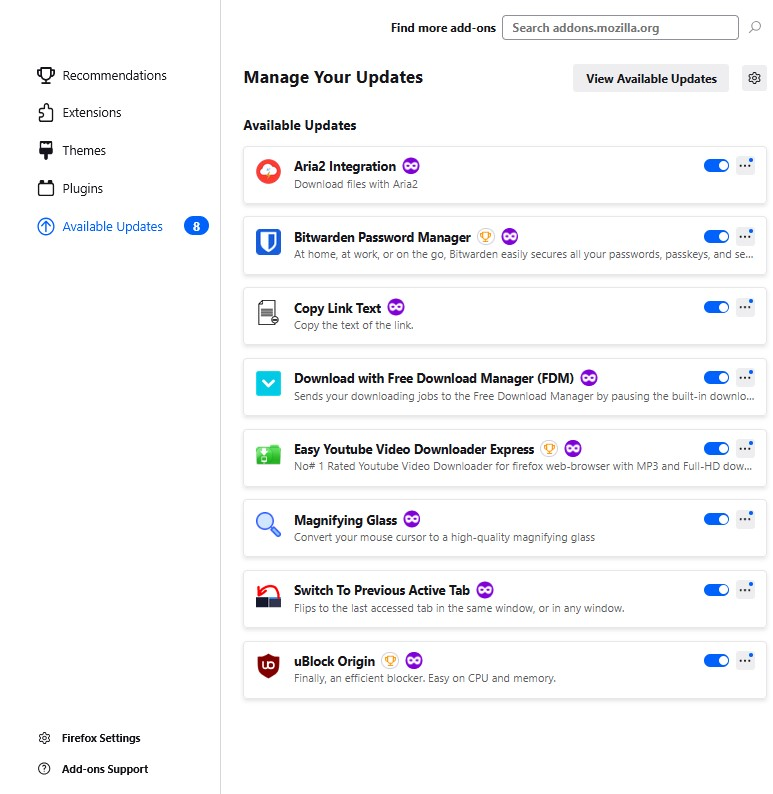
2. Without the css, I don't see a "recent updates" options (see image). Is that not available without the css?
3. If I first tap on the "available updates" button, nothing happens. I must first select the "extensions" button, then click on the "available updates" button to see the contents.
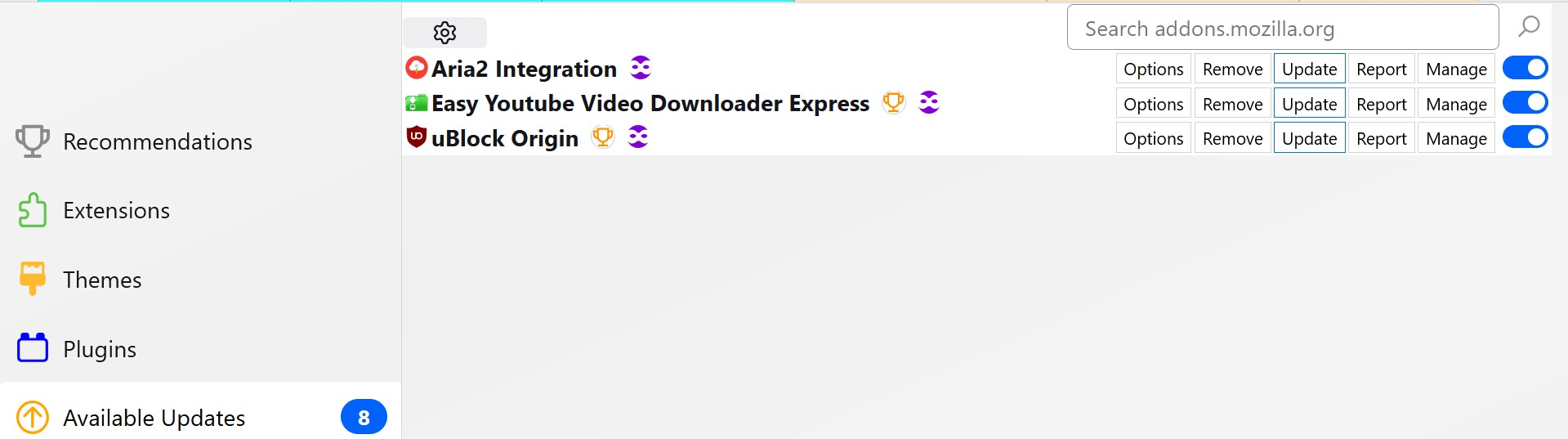
EDIT; Please see last two images just posted. On the left your see the indication of the remaining three remaining addons, of the original eight, still available for update, that I purposely did not manually update. To the right, we see the contents of Bitwarden, after which it was among was one of the five supposedly updated addons. But the version number and date are 4 months old.
Next image shows eight addons available, but only three in the list, because the five not shown were already manually updated.
השתנתה ב־ על־ידי noel_envode

That bug has been fixed, but hasn't landed in release versions yet. The workaround I used was to do the manual update on one at a time, restarting FF after each.
Ed said
That bug has been fixed, but hasn't landed in release versions yet. The workaround I used was to do the manual update on one at a time, restarting FF after each.Can you tell me anything about the "recent updates" options. Is that not available without the css?
noel_envode said
Ed said
That bug has been fixed, but hasn't landed in release versions yet. The workaround I used was to do the manual update on one at a time, restarting FF after each.Can you tell me anything about the "recent updates" options. Is that not available without the css?
I missed that. It certainly should be there without CSS, as CSS can't make it appear if it's not there to begin with. Does it appear in Troubleshoot Mode?
השתנתה ב־ על־ידי Ed
noel_envode said
Just updated to 143.03. "Recent Updates" is back.Ed said
I missed that. It certainly should be there without CSS, as CSS can't make it appear if it's not there to begin with. Does it appear in Troubleshoot Mode?
Thanks
noel_envode said
noel_envode said
Just updated to 143.03. "Recent Updates" is back.Ed said
I missed that. It certainly should be there without CSS, as CSS can't make it appear if it's not there to begin with. Does it appear in Troubleshoot Mode?
Thanks
And the add-ons that wouldn't update, should now.