Transfering/ Syncing all Tabs at once from one Desktop to a Laptop

Hello,
I recently got a laptop to make my work more flexible and wanted to transfer/sync my Mozilla Firefox data from my desktop PC. I logged into my Mozilla account and synced the laptop with Firefox on my desktop, but it doesn’t open the tabs that are currently open on my desktop.
My question is: is there a way to open all tabs at once, or do I have to open each one individually?
Thank you in advance for your help.
Kind regards.
Hello,
I recently got a laptop to make my work more flexible and wanted to transfer/sync my Mozilla Firefox data from my desktop PC.
I logged into my Mozilla account and synced the laptop with Firefox on my desktop, but it doesn’t open the tabs that are currently open on my desktop.
My question is: is there a way to open all tabs at once, or do I have to open each one individually?
Thank you in advance for your help.
Kind regards.
כל התגובות (1)
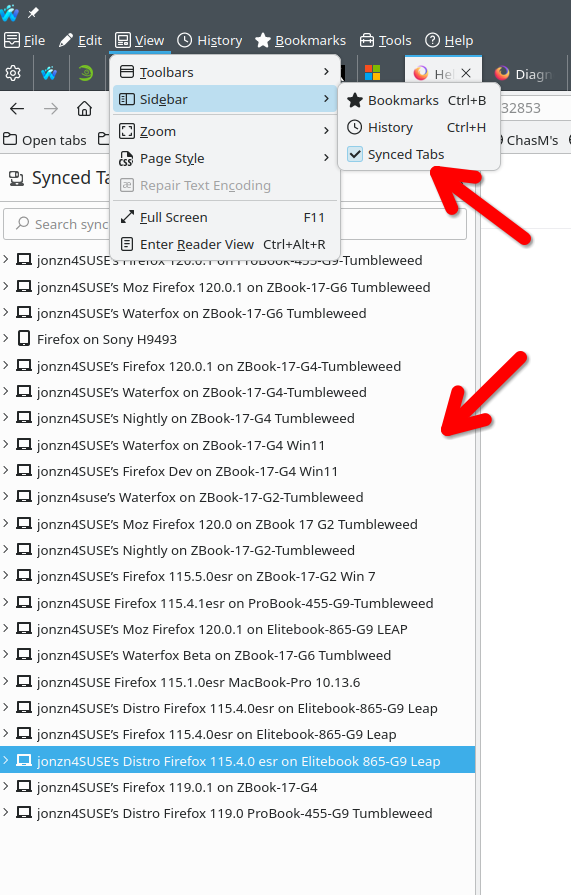
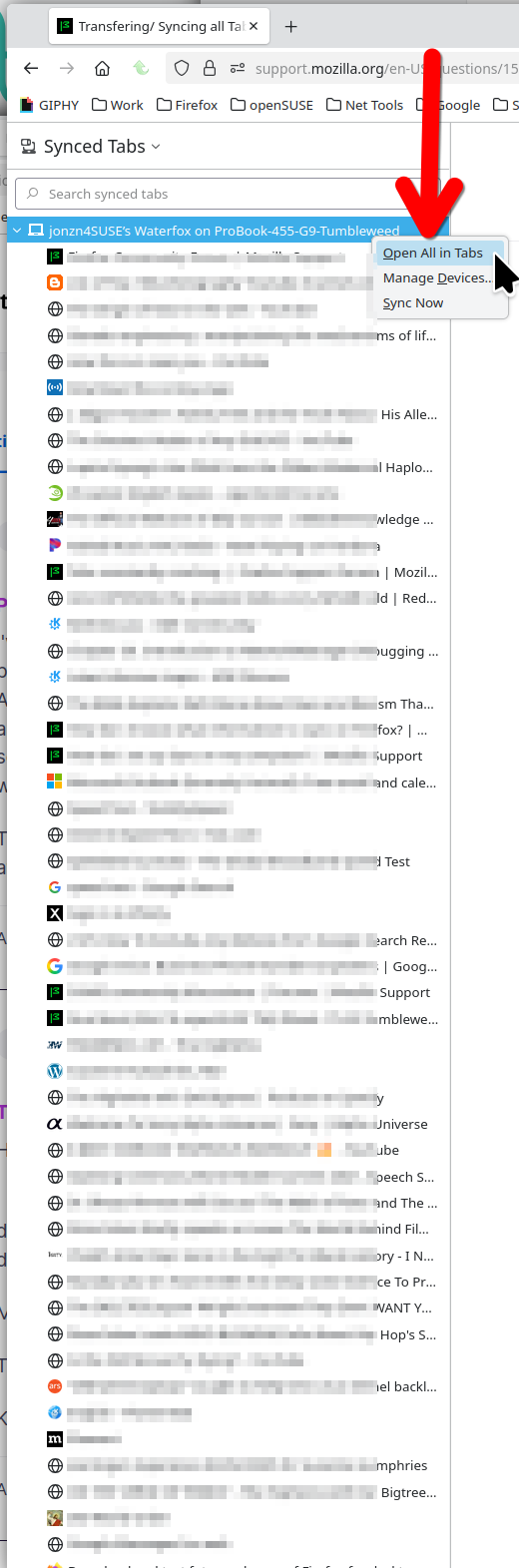
Yes, there are a few ways. see screenshots From the sync tab window you should see the other devices open tabs. You can then right click on the device and open all the tabs.