


Windows 10 reached EOS (end of support) on October 14, 2025. For more information, see this article.

חיפוש בתמיכה

יש להימנע מהונאות תמיכה. לעולם לא נבקש ממך להתקשר או לשלוח הודעת טקסט למספר טלפון או לשתף מידע אישי. נא לדווח על כל פעילות חשודה באמצעות באפשרות ״דיווח על שימוש לרעה״.

מידע נוסף

Click on links

  • 5 תגובות
  • 0 have this problem
  • 68 views
  • תגובה אחרונה מאת jonzn4SUSE

more options

When I click a link I always want it to open in a new tab. How do I do this without doing a right-click and selecting "Open in new tab"?

I want it to open in a new tab when I simply click the left mouse button.

When I click a link I always want it to open in a new tab. How do I do this without doing a right-click and selecting "Open in new tab"? I want it to open in a new tab when I simply click the left mouse button.

כל התגובות (5)
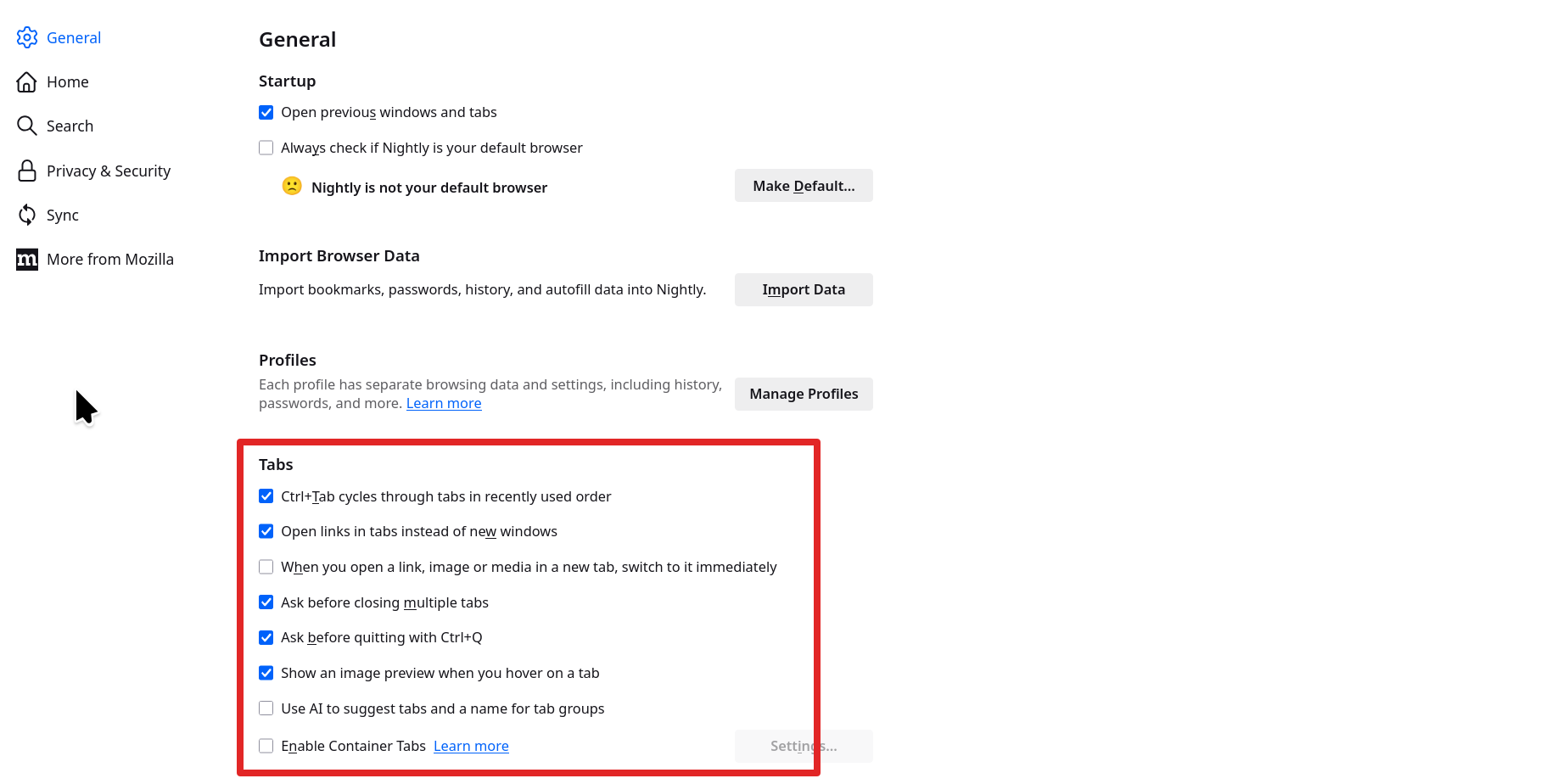
more options

In the setting. see screenshot

more options

I have the same configuration for my browser. However, when I click on the link it opens the new page in the same tab. I want the link to open in a new tab.

more options

You should middle click(scroll wheel) on a link to open a new tab. When left clicking on a link, the browser going to page in the same window is normal.

השתנתה ב־ על־ידי jonzn4SUSE

more options

I don't have a middle click button, just a scroll wheel which does not click.

more options

Time for a new mouse. Here is what I use. It's bit pricey, but Trackball for life.  ;-)) Gameball

You can also ask the IT person at work for a mouse if they're nice.

פרסום שאלה

You must log in to your account to reply to posts. Please start a new question, if you do not have an account yet.