


Screen sharing permissions in Google Meet

When using Google Meet in Firefox browser, I am only able to share my window, not my screen. When I choose "share screen", it says I must change my permissions - but my permissions settings have not changed and this is a problem I have started having only in the last few days.
I do not know where I am supposed to change these permissions settings.
I have checked my permissions in settings > privacy & security > permissions - there is nothing there about screen sharing.
I have checked my permissions in padlock > connection > more information > permissions and the only options I have for screen sharing are "always ask" (default), which is set. The only other option I have is "block" which is not set.
My Firefox browser is up-to-date.
Can anyone help? Thanks!
כל התגובות (6)
Does the same issue happen in Chrome?
Could you test using the example on the Mozilla Developer Network page ("Result" section):
https://developer.mozilla.org/en-US/docs/Web/API/Screen_Capture_API/Using_Screen_Capture#result
That one works for me: I can share a specific window or Entire screen. Does that work on yours, or is Entire screen missing/blocked?
**Edit**
I run Windows, and I think the application-level permissions are different between macOS and Windows.
השתנתה ב־ על־ידי jscher2000 - Support Volunteer
@jscher2000
Thanks - I tried this and got the following error:
Error: NotAllowedError: The request is not allowed by the user agent or the platform in the current context. TypeError: videoElem.srcObject is null
I run Mac OS 14.6.1
@markwarner22
No problems in Chrome.
jscher2000 - Support Volunteer said
Could you test using the example on the Mozilla Developer Network page ("Result" section): https://developer.mozilla.org/en-US/docs/Web/API/Screen_Capture_API/Using_Screen_Capture#result That one works for me: I can share a specific window or Entire screen. Does that work on yours, or is Entire screen missing/blocked? **Edit** I run Windows, and I think the application-level permissions are different between macOS and Windows.
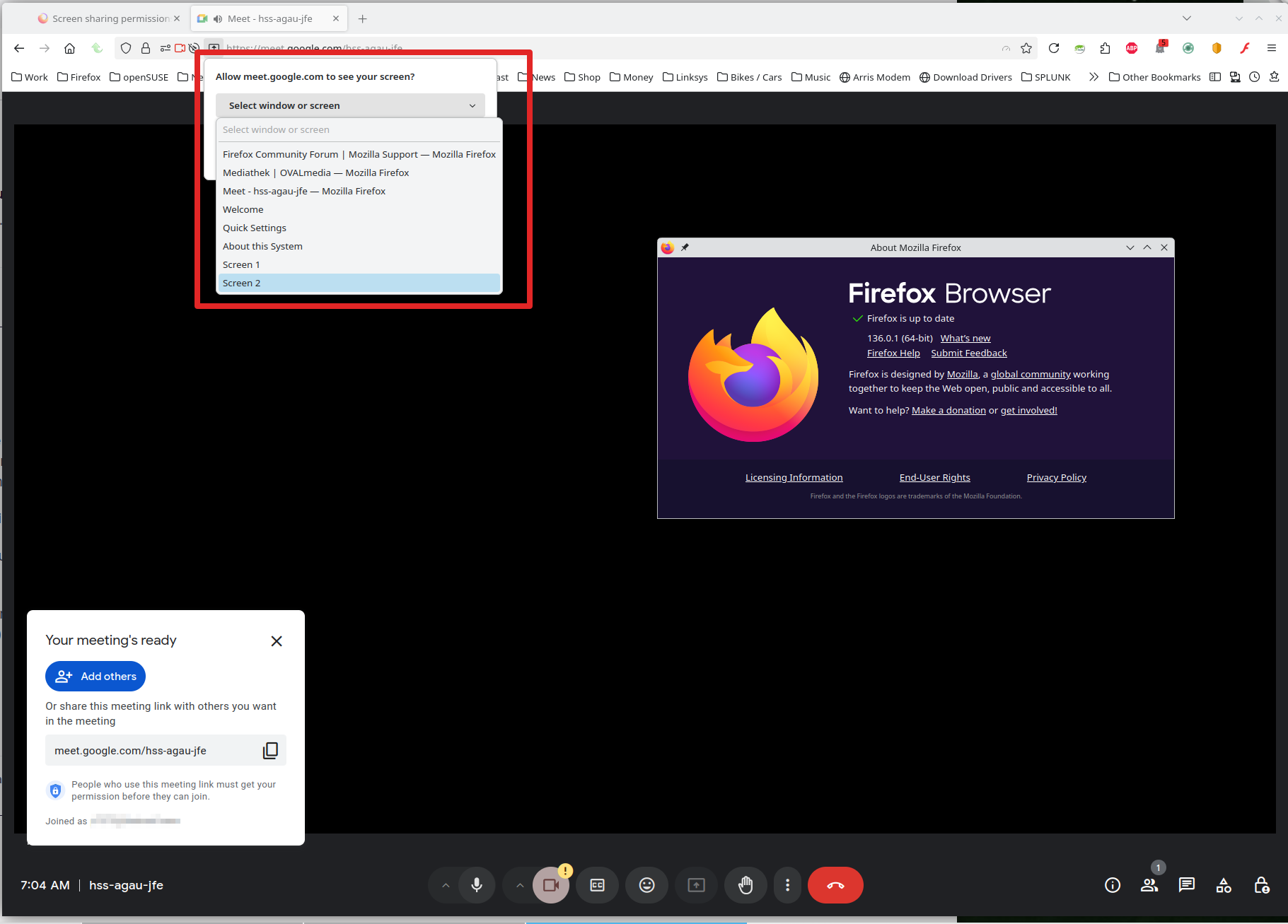
It works for me. see screenshot Can you post a similar screenshot showing the issue? What version of Firefox?
Did you try with Firefox in Troubleshoot Mode? https://support.mozilla.org/en-US/kb/diagnose-firefox-issues-using-troubleshoot-mode#w_how-to-start-firefox-in-4troubleshoot-modesf5safe-modesf
Did you clear your browser cache? https://support.mozilla.org/en-US/kb/clear-cookies-and-site-data-firefox
השתנתה ב־ על־ידי jonzn4SUSE
I can't help thinking macOS has a block on Firefox as a whole since it's not site-specific. After some searching, this seemed like the most relevant setting:
"Screen & System Audio Recording"
Yeah, on the newer macs it should bring up the settings to make the change.
השתנתה ב־ על־ידי jonzn4SUSE