


How do I find what version of Firefox beta 5 I'm running on Mac OS X?

Firefox Beta 5 on Mac OS X offers to update itself from time-to-time. The auto-update message does not indicate either the current or new version (e.g., 5.0b3). And "About Firefox" simply says "5.0".
How can I tell precisely which release of Firefox Beta 5 is running?
-- Ward
Zaɓi Mafita
WardC:
The image that you posted is where you will be after step 2. in my instructions. Now continue with step 3.
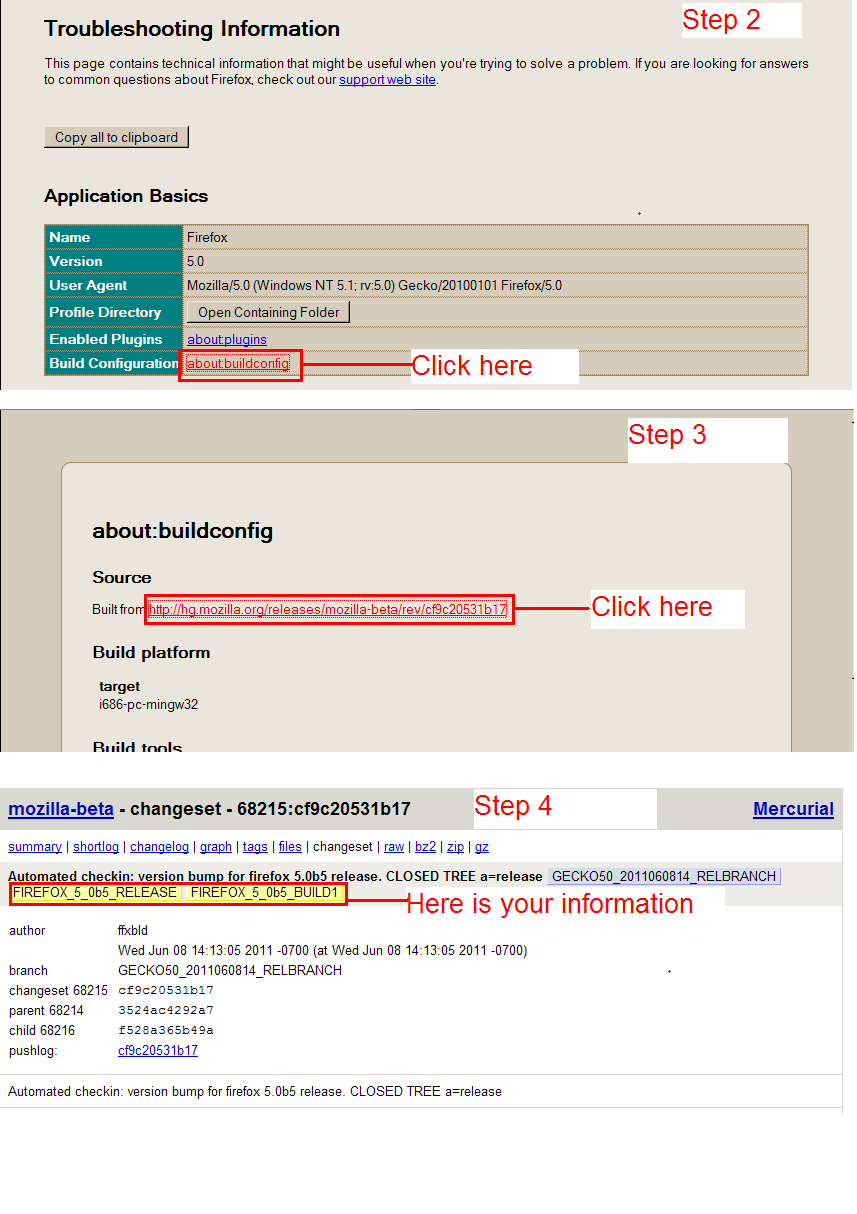
See image(s) below.
An gyara daga Helper7677
All Replies (6)
The developers have made that very hard to find. I hope that they go back to showing in Help > About Firefox so that users can more easily find that information.
Courtesy of the-edmeister, here is what you need to do:
- Help > Troubleshooting Information
- under Application Basics, on the line Build configuration, click the link shown
- on the "about:buildconfig" page, click the link next to "built from"
- near the top of the next display you will see something similar to: FIREFOX_5_0b#_RELEASE FIREFOX_5_0b#_BUILD1
>> 4. near the top of the next display you will see something similar to: >> FIREFOX_5_0b#_RELEASE FIREFOX_5_0b#_BUILD1
My buildconfig on Mac OS X doesn't have this. It doesn't even mention "firefox". See the attached screenshot.
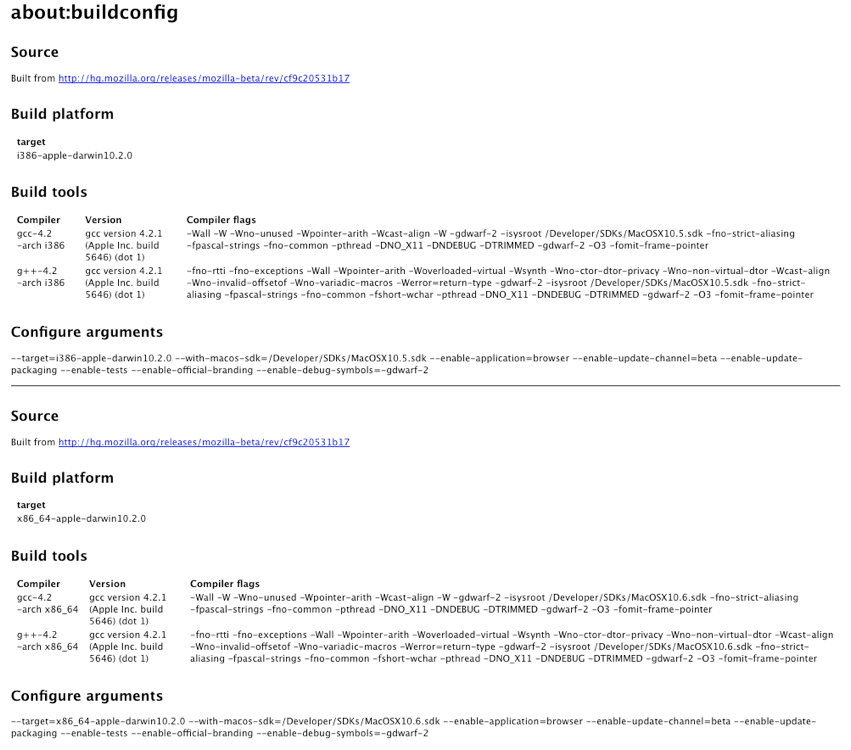
Immediately under Source where it says Built from click on the hyperlink.
http://hg.mozilla.org/releases/mozilla-beta/rev/cf9c20531b17
The version information is on a web page on the Mercurial server, not in a Firefox window.
Zaɓi Mafita
WardC:
The image that you posted is where you will be after step 2. in my instructions. Now continue with step 3.
See image(s) below.
An gyara daga Helper7677
Thanks, Helper7677, for your fabulous annotated screenshots. I did, indeed, fumble on step 3.
I've always related better to maps & diagrams than to words.
An gyara daga WardC
You are welcome. Happy to have helped you.