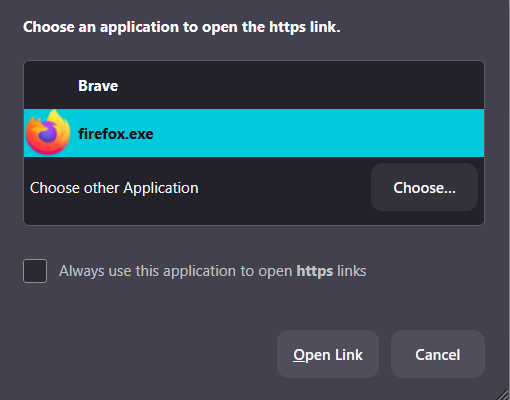
FireFox asks for an applicaiton to open https on websites

This is a brand new problem, for me. It just started today when using FireFox. On nearly all websites, including Mozilla support, when I click on an embedded link on a site, firefox asks me to select an app to open the https. Even if I tell it to let firefox open all https, it still asks me everytime. to make it better, it still doesn't always let me open the link and I go through the same thing when I click the link again.
This also happens when clicking on the search box in *any* search engine, e.g. Google, Startpage
See the image below.
I've attempted to change all cookie & tracking settings, no help. I even uninstalled and reinstalled Firefox.
This is making FireFox useless.
I had to use my default browser, Brave, just to submit this question. I only use FireFox for social media accounts, sites I need to link to my sm accounts and the occasional web search. For example, linking my Etsy shop to facebook. When I clicked the link "link to facebook" is when I noticed this problem.