No "Manage Backup" Option
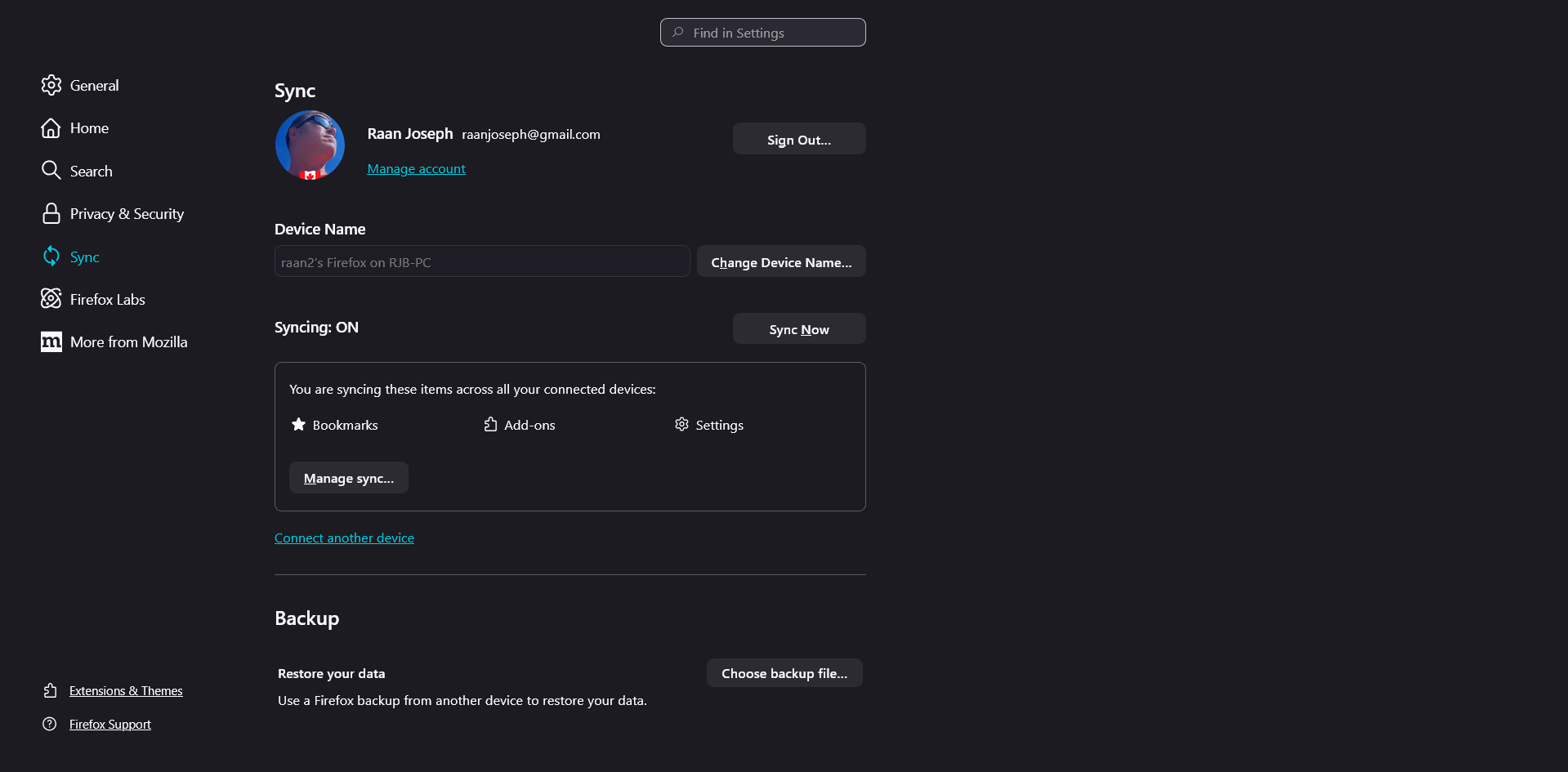
I went to [https://support.mozilla.org/en-US/kb/firefox-backup] and under "Create a Firefox backup file" at step 3 it says, "Scroll down to Backup, and click Manage backup" but when I went there no such "Manage backup" option exists as you can see in the attached screen capture. So what gives? How can I "Create a Firefox backup file"? I am using Firefox v147.0 (64-bit) on Windows 11 Please instruct. Thanks RJB
I went to [[https://support.mozilla.org/en-US/kb/firefox-backup]] and under "Create a Firefox backup file" at step 3 it says, "Scroll down to Backup, and click Manage backup" but when I went there no such "Manage backup" option exists as you can see in the attached screen capture.
So what gives?
How can I "Create a Firefox backup file"?
I am using Firefox v147.0 (64-bit) on Windows 11
Please instruct.
Thanks
RJB