


Update email with access, but no change options found?

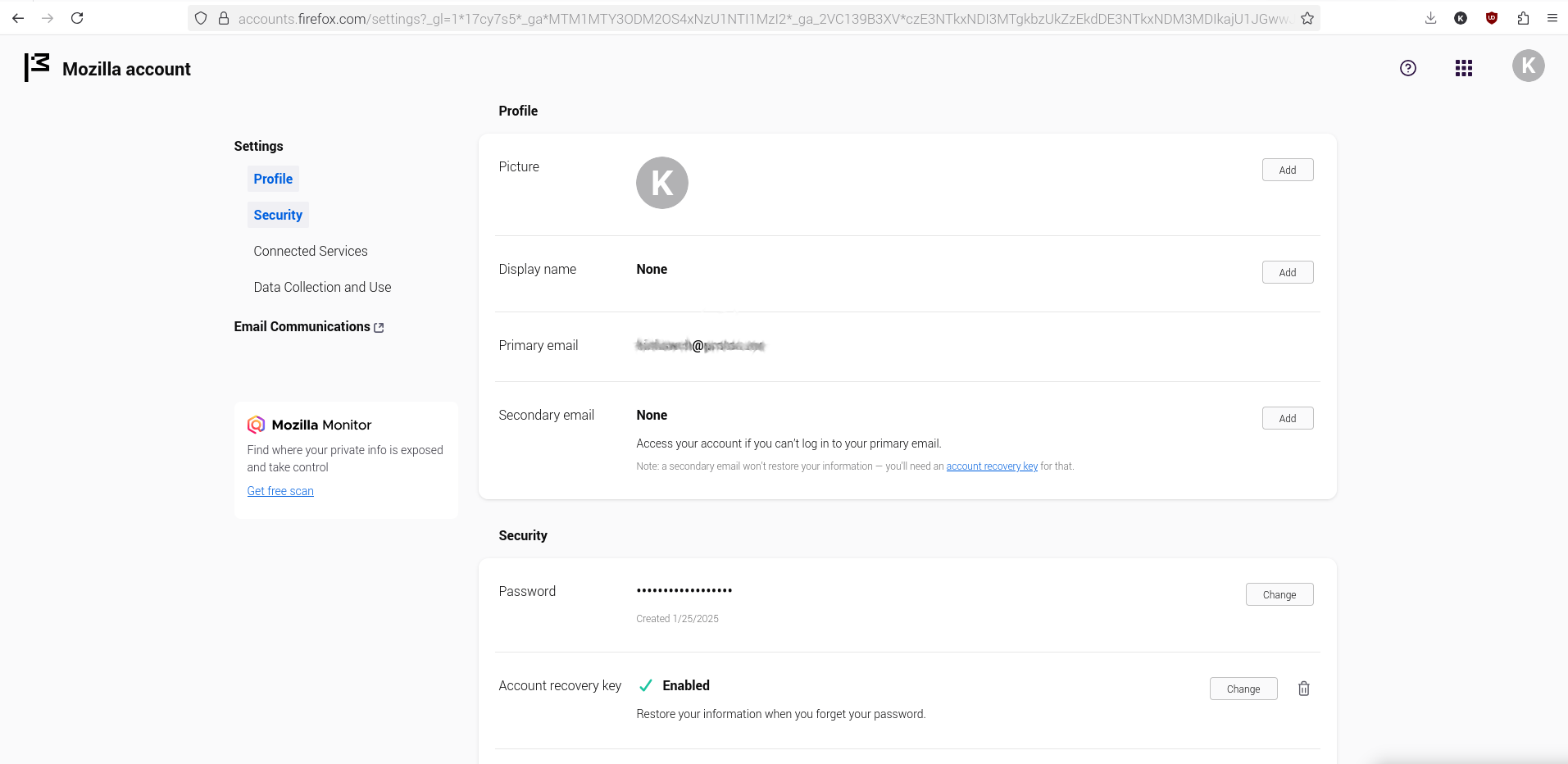
Hello, I simply need to update my email, however find no option to update it. Desktop Raspberry Pi 5 desktop OS Firefox Browser 141.0 (aarch64), Mozilla Firefox for Raspberry Pi OS, raspberrypios - 1.0 Here's what I see: attachment.
Mafitar da aka zaɓa
Thanks. Here's the exact process: https://support.mozilla.org/en-US/kb/change-primary-email-address-firefox-accounts -> Log in -> mouse over username at top right -> View Profile -> tap Edit Profile -> tap Manage account -> Profile -> Secondary email -> None -> tap Add -> Enter email address: email2@domain.tld -> tap Save -> Enter your confirmation code: xxxxxx (nnnnnn for nerds: eg 974820) -> tap Confirm -> Secondary email -> tap Make primary -> email2@domain.tld is now your primary email -> Secondary email: oldEmail@domain.tld -> tap Remove email (rubbish bin icon) -> oldEmail@domain.tld successfully deleted.
Karanta wannan amsa a matsayinta 👍 0All Replies (2)
Hi
This support article should help:
https://support.mozilla.org/en-US/kb/change-primary-email-address-firefox-accounts
Zaɓi Mafita
Thanks. Here's the exact process: https://support.mozilla.org/en-US/kb/change-primary-email-address-firefox-accounts -> Log in -> mouse over username at top right -> View Profile -> tap Edit Profile -> tap Manage account -> Profile -> Secondary email -> None -> tap Add -> Enter email address: email2@domain.tld -> tap Save -> Enter your confirmation code: xxxxxx (nnnnnn for nerds: eg 974820) -> tap Confirm -> Secondary email -> tap Make primary -> email2@domain.tld is now your primary email -> Secondary email: oldEmail@domain.tld -> tap Remove email (rubbish bin icon) -> oldEmail@domain.tld successfully deleted.