


Message Pane format?

Thanks for your help
I'm a long time Thunderbird user and can usually find a solution to any problem. This one has got me stumped though.
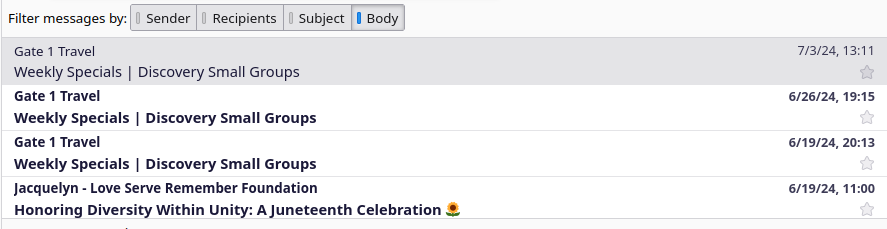
After a recent upgrade my message pane lost the header with name, date, subject, attachement, etc. and now I have one that looks like the attached .
The other three machines I have Thunderbird on displays the message pane like I've always had, so don't understand how it could be different.
As with all my machines, I run Debian 12 bookworm
On this laptop there are no extensions in Thunderbird
Zaɓi Mafita
Your picture shows Cards View, and I think you want Table View. Enable the Message List Header under View/Layout, then click the icon next to the Quick Filter button to switch views.
All Replies (5)
D'oh
Thunderbird 115.13.0 (64-bit) Supernova
Thanks again
> On this laptop there are no extensions in Thunderbird
So you did Help > Troubleshoot mode?
Zaɓi Mafita
Your picture shows Cards View, and I think you want Table View. Enable the Message List Header under View/Layout, then click the icon next to the Quick Filter button to switch views.
Thanks for your prompt replies
I'm on the road this week and will try your solutions when I return home
Thanks @sfhowes - that was the solution
Appreciate your time and efforts here and through the world
Be well